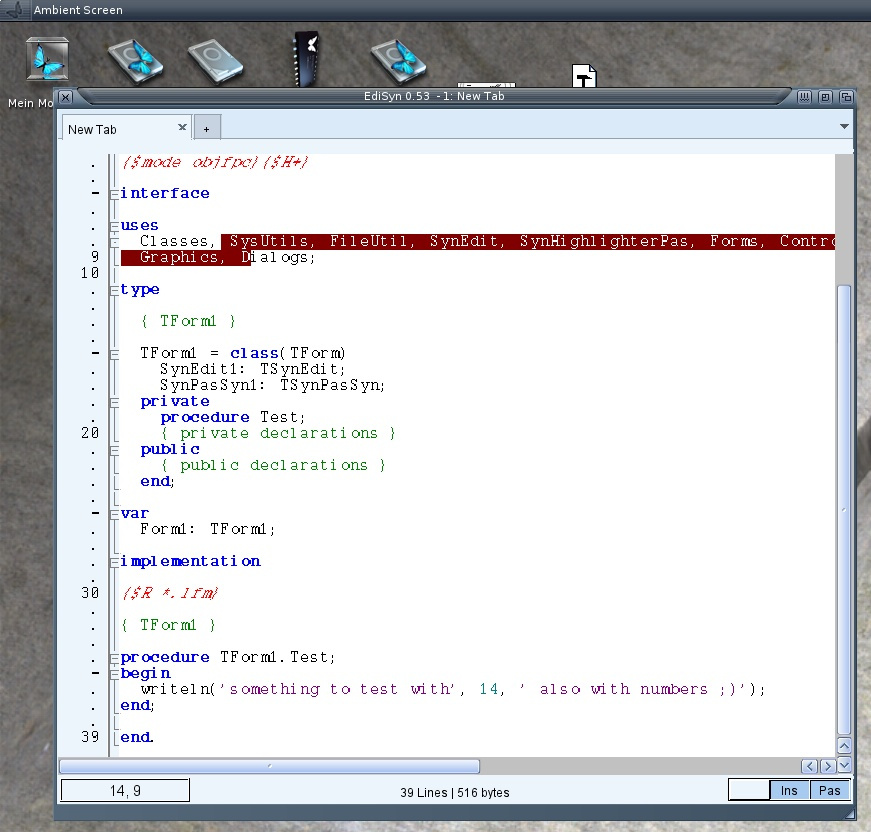
I tried EdiSyn on MorphOS before looked kind of ok but the text was not visible. Today I got an idea for the reason, the minimum/maximum size constraints hit me again :-O. My Drawing areas are Groups and as long there is nothing inside the maximum size is rather small. So the solution is rather easy connect to all my own Classes a Layout Hook. EdiSyn works now better, still looks a little bit strange, and also does not really work, still needs some work, but hey I’m happy already.
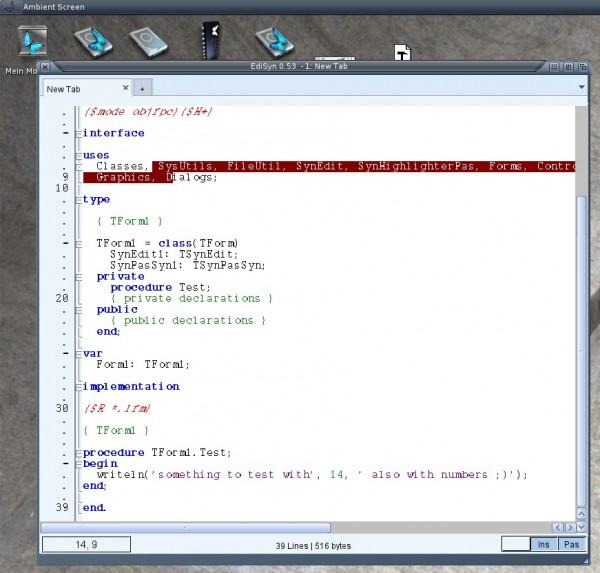
EdiSyn on MorphOS
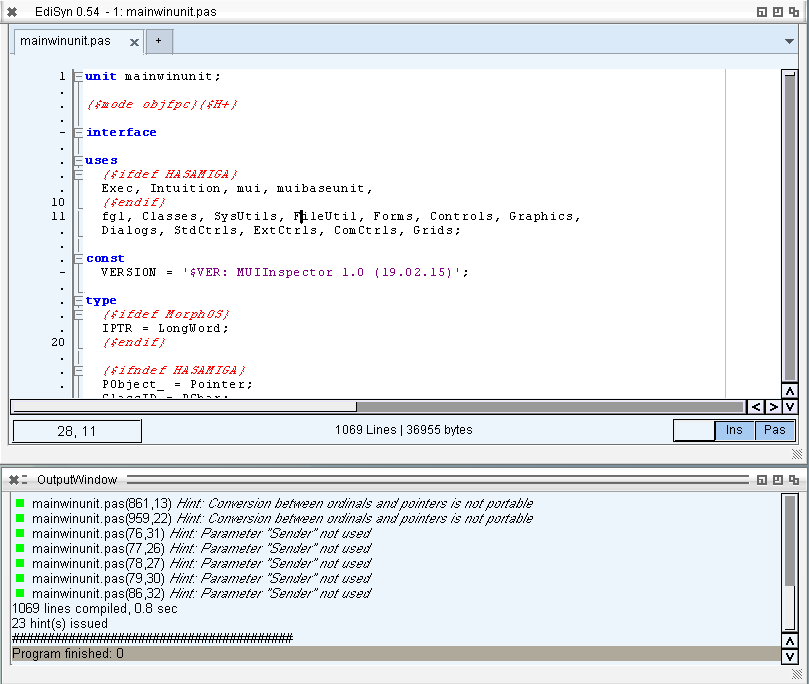
I did some tiny fixes in EdiSyn and some big changes in the LCL also have an influence to the editor. So it makes sense to release EdiSyn again.
Fixed Errors:
- Some redrawing errors, multiple redrawing removed, so it should be faster now.
- Default colors after introducing the new highlighter restored
- Buttons of message windows fix, correct index of clicked button
- green marker for Hints in Freepascal output
- Basic printing (text only to PRT:)
- Bugfix for menu in experimental Icaros
Download as always on the EdiSyn Page
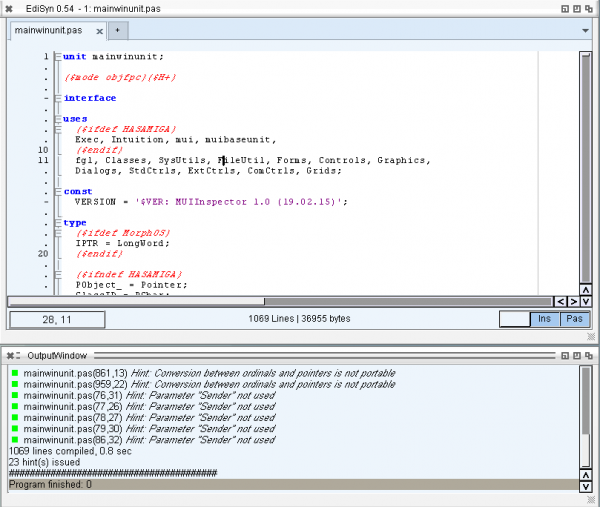
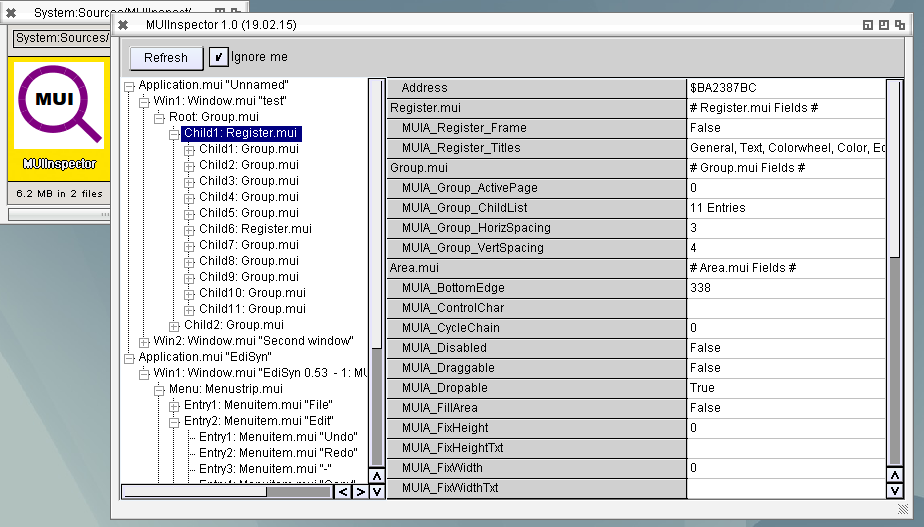
I wrote a program to Inspect MUI properties. Very helpful to read out positions and recheck the size calculations of LCL. The main problem at the start was how to tell the program which object I want to inspect. The idea was to type the address from debugout. But then I noticed that the Userdata of the intuition Window structure points to the MUI Window.mui object. Thats means I can simply browse through all the windows on the screen and search for windows with a Userdata and try to find if it is a MUI object. Check if the Class of the object is „window.mui“. I tested also with other UserData contents, „mostly“ it does not crash.
But this only works on AROS, I tried the same on MorphOS but there the UserData is always nil. Seems they use an other method to link them together, its a pity.
The program for i386-AROS is named MUIInspector and can be downloaded here:
MUIInspector 1.0 for AROS
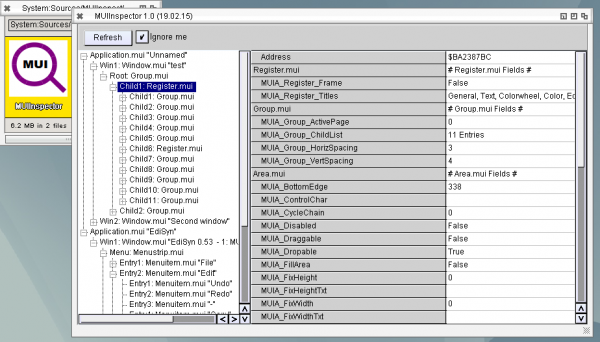
Sadly many important fields of the MUI object are not readable so not all important things can be read back to the list.
Be warned, when the program which is inspected is quickly changing, means destroy/create objects, maybe the MUIInspector is crashing. So its really only a debugging tool for me, but maybe other find it interresting as well
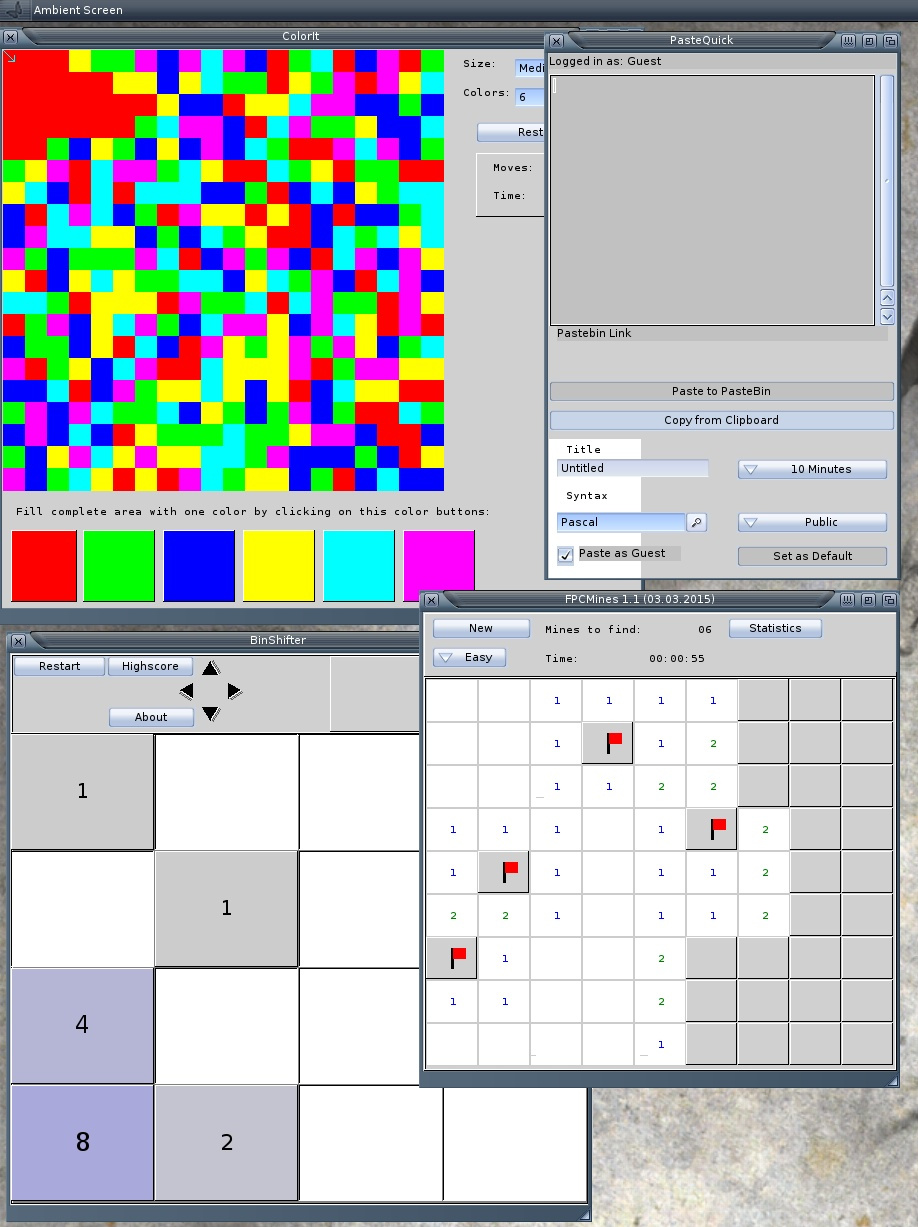
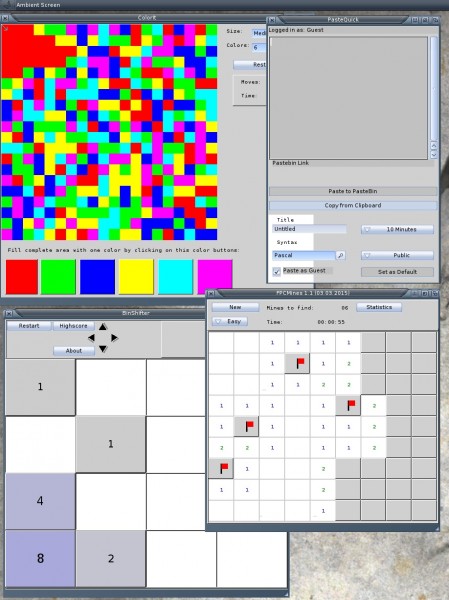
With this new fixed LCL for MorphOS I recompiled some of my AROS LCL Programs for MorphOS. THis time I striped them and packed the program with lzmaloader to make the executable smaller. So here they are:
- ColorIt – Game – Flood the field with the same Color
- FPCMines – Game – Minesweeper clone
- BinShifter – Game – 2048 clone
- PasteQuick – Application – Copy Clipboard contents to Pastebin.com and receive the link in Clipboard
I noticed something strange in MorphOS LCL, I made a little Painting program in LCL. When the mouse moves over the image and the window is not active it works as expected (coordinate and pixel color) but when clicked into the Painting area or the window is active it becomes very slow and the mouse pointer stops.
I made some tests and noticed the difference is that the main painting region gets repainted and there it becomes slow, but its not the drawing routine self.
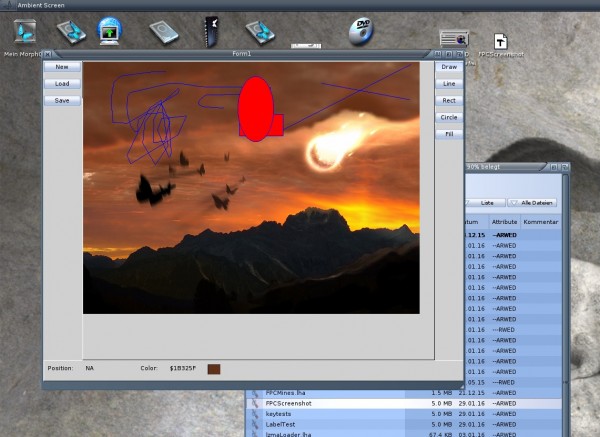
MorphOS SimplePaint
The drawing works at the moment in this (buffered) way:
- MUIM_Draw – Event appears
- MUI_AddClipping – set a Clipping
- Create a new Buffer RastPort
- Create a Bitmap (AllocBitmap) for the Buffer Rastport, with width and height of the drawing area, Depth from the MUI rastport (from Renderinfo), BMF_MINPLANES or BMF_CLEAR and the bitmap of the MUI rastports Bitmap as Friend Bitmap
- ClipBlit of the MUI Rastport to the Buffer Rastport
- Drawing of the LCL things to the Buffer Rastport
- ClipBlit of the Buffer Rastport to the MUI RastPort
- Destroy Buffer Rastport and Bitmap
- Remove Clipping
- Leave Draw Event
If I remove the Buffering, so draw directly onto the MUI RastPort it stays fast and the mouse pointer makes no problems. When the program starts this stuttering mouse pointer is maybe related to it also? I noticed also other programs have this stuttering mouse on start (OWB for example). I still have no idea why.
This year freepascal got a big advance on many levels, in general with the freepascal 3.0 and for the Amiga-style systems also. Even more advances on the LCL/Lazarus topic on Amiga, AROS and MorphOS.
It began in 2014 already, when I restarted the MUI LCL implementation for AROS. Begin of 2015 I cared more about some applications to test the implementation especially the owner drawn things. So I wrote ColorIt and FPCMines for AROS and tried to write or port some little apps and some more.
A milestone reached in march 2015 when I got the SynEdit component to work. The little test program I used to play around with the needed changes in LCL grew on requests from the AROS community to a full usable Editor, which got the name Edisyn. By improving the editor many additional features are included into LCL, like key events, advanced mouse events, tabs, scrollbars, colors and much more.
With all this improvements I felt ready to give the lazarus ide another try and finally at least it starts. So we are on a good way to bring lazarus natively to work on AROS.
But how about the other platforms (AmigaOS and MorphOS)? I did already some changes in the code with the other platforms in mind. When the resource support was enabled in freepascal I took the opportunity to try to port the LCL for MorphOS and m68k AmigaOS. Which somewhat worked but not in the same way as in AROS especially the layout did not work and the program always crashed on the end. But it gave me much insight how MUI is working also for AROS Zune which is a little bit more error tolerant than the original MUI.
Also on the freepascal front some new things appeared, the support for x86_64 AROS was included, but sadly because of the ABI difference the port is still not finish and unusable. I’m waiting for the ABI switching feature in freepascal. The implementation is done just I need the decision to do it in the proposed way.
In October I did something unusual for me, I did C coding for AROS, trying to code a dynamic Amiga-style Library (in this case sql) to use it in freepascal AROS. But later I found out this wrapper library is not needed and I can directly use the C linklibs as they are.
At the end of the year I took more work again on the MorphOS and m68k Amiga LCL and finally got it to work. So the first LCL programs can be compiled for MorphOS and m68k Amiga.
What 2016 will bring
I hope I can join the two LCL implementations (AROS on the one side and MorphOS and Amiga on the other) together again. Bring the MorphOS port to the same level as AROS, that maybe Edisyn will work. The next logical step would be to continue on lazarus ide and try to make it somewhat usable.
to everyone who read this 😉 I hope you have a nice christmas meal and some quiet time with the family, I will certainly have.
As Greeting to everyone I wrote a little program, nothing special, just a christmas tree and some falling snowflakes (needed 10 minutes to write in lazarus, I watched the clock).
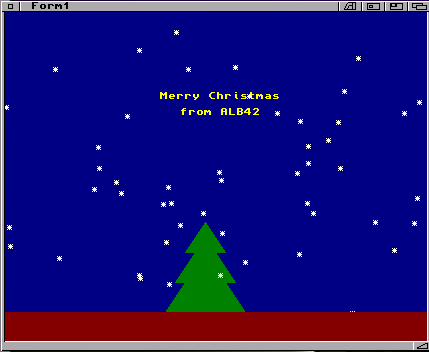
You can download this little program for:
Amiga, AROS, MorphOS and if someone is interested the Source
There are still many strange things inside the LCL for MorphOS, especially the size (Window vs Contents) seems different as in AROS, it looks like the window size in Zune AROS is given by the inner size, but in MUI MorphOS its the outer size (with decorations). Hence the LCL calculations are wrong. I included some quirks to overcome this but not really a solution. The main problem is that I need the size of the window decoration before the window is open (so I can not read it from the window self). And then it depend on the window decoration (set by the user) and type of window (set by the application) how big the borders are. At this Point the AROS way is much more convenient for me.
The biggest headache I got with the texteditor, charlie told me I should not call MethodA() by using CallHookPkt() as I’m used to in AROS (MethodA is only a wrapper to CallHookPkt on AROS, as I read from the source). At MorphOS I should use the MethodA from AmigaLib unit, which is an assembler function. I changed all the calls but now the Texteditor.mcc crash, ok I should say not directly the Editor but something around. Looks like some Stack problems, If I switch back to my CallHookPkt() approach it works perfectly :-O. I tracked it down to the MUIM_TextEditor_ExportText which I use to read the contents of the TextEditor control, all other calls seems to work as expected. I have two ideas from it 1. It could be the problem that this Method Call returns something (a pointer the text, PChar) so maybe there is the problem. 2. I’m not completely sure but it could be that the Texteditor.mcc is a 68k element and all the other elements are PPC native. hmm the first sounds more like a reason.
An other odd thing I noticed yesterday already, when the LCL program starts the mouse pointer stutters some seconds (when the MUI objects are created?) usually such stuttering of mouse is not good ;-). I guess with both issues only Charlie can help me but he is still very busy.
Besides I improved a lot of things and tested many example codes to get an idea where we are, looks not that bad, image are not shown at all, some elements crash as expected, some not so expected, still much work but maybe worth to make a first pre-alpha-i-destroy-your-computer-release maybe someone want to try it 😉
You know there must be a screenshot… so here it comes 😛
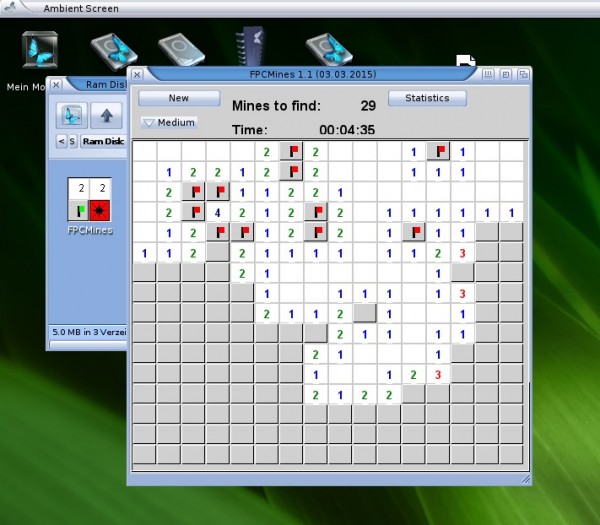
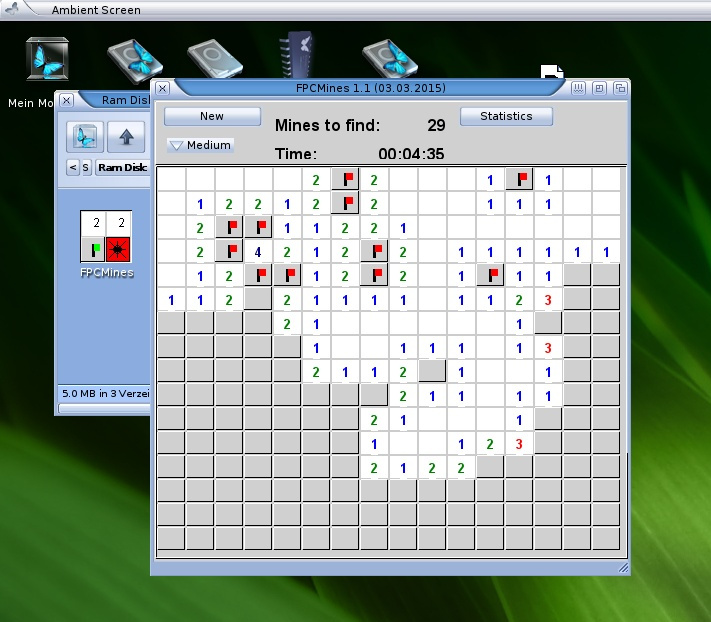
FPCMines on MorphOS
There is something special on this screenshot, because its made with an LCL screenshot taker (for the source see Smile Screen) which work the same way on Windows, Linux, AROS 😉 and now MorphOS as well.
And the second special is of course the shown program FPCMines (like AROS Version)
Download: FPCMines MorphOS
P.S. I got some questions (ok one) if I dropped AROS support and switched to Amiga and/or MorphOS? No, I didn’t „switched“ or something like, the original plan was to bring it to all platforms. The idea was to bring it to work on the other platforms and maybe some bugs appear which make the AROS port also better/more stable over the time. And it really is working this way, because MUI is much more sensitive and picky about wrong parameter and settings as Zune. The AROS port is already rather mature for my things the most things are working and to be honest I’m the only one really using it. The complete lack of interest is therefore also a reason to extent it to MorphOS (and Amiga68k).
I try to stay away from all this discussions between all the Amiga-like OS (classic, MorphOS, AmigaOS4, AROS) the only reason I do not make freepascal for AOS4 is that the computers for it are way too expensive for my understanding. With MorphOS was the same as I started with FPC on AROS in 2010. But now with MacMinis usable a very nice and cheap machine is available. I don’t see myself as an AROS user (mostly I get this title), but more as a „Amiga-family“-User.
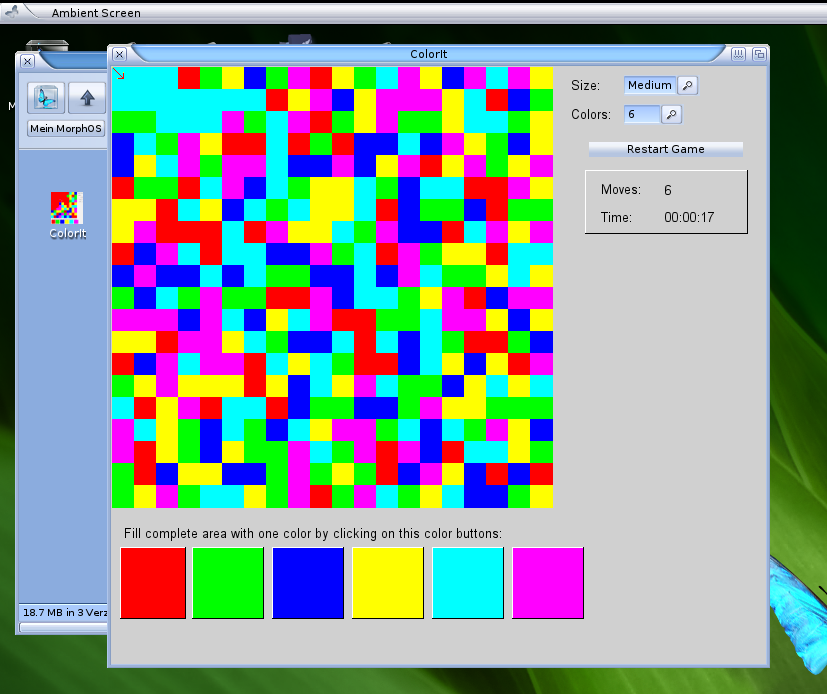
I put all together and made the ColorIt game fully usable on MorphOS, my first MorphOS LCL application. Its far from perfect, but its working. 😉 So here it is:
Download ColorIt: ColorIt for MorpOS
And (of course) a screenshot 😉
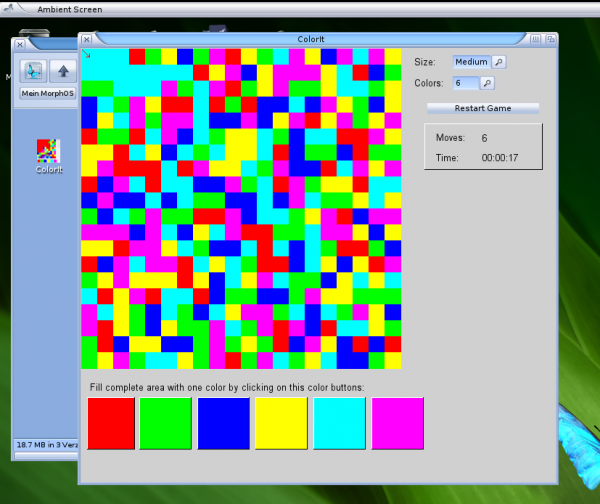
ColorIt on MorphOS
After I found out whats wrong with the crash I changed the morphunits on my harddisk to open/close library in initialization and finalization that I can continue testing the behaviour.
I removed some hacks I introduced for this problem and all work very nice. The next step was to activate my own MUI Class again and see if the paint event work as expected. It seems to work but the colors does not look like expected. The reason seems to be that my Buffer rastport only has 8 bitplanes, hence direct color setting does not work. I found our that the window rastport tells me that it only has 8 bits (even it should have 24 as the Ambient screen has 24 bits) So when I create my buffer RastPort and Bitmap I should not use the Depth from Rastport and also not set the Window rastport Bitmap as friend of my bitmap or it end up with 8 bits and the PenMode can not be disabled.
But finally I got it to run and to show that it work I compiled my old (AROS) PaintBox example and the little ColorIt Game.
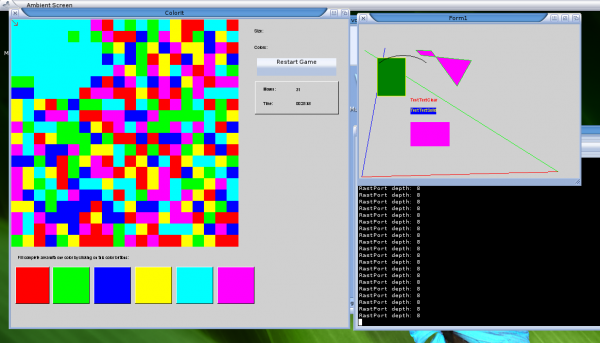
ColorIt on MorphOS
The fonts are much smaller than on AROS which is little bit strange, and the comboboxes are still missing (see MUI is picky) this I will include later.