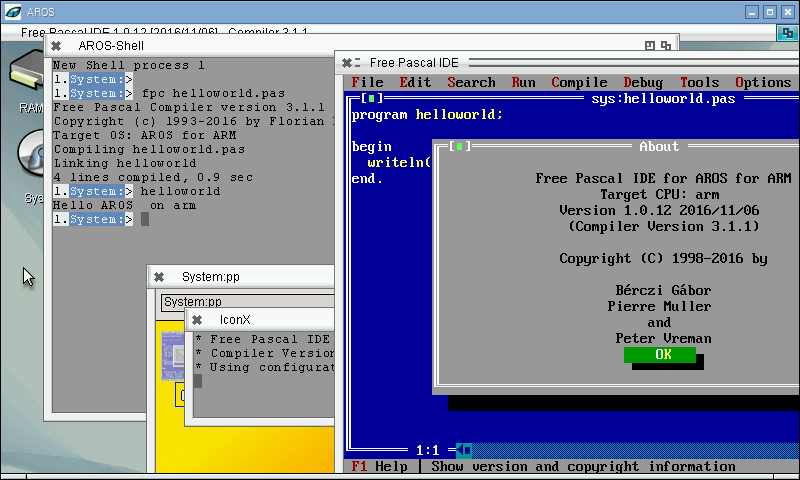
I uploaded the arm-aros basic implementation to freepascal trunk, ChainQ added syscalls for arm and some other things to make freepascal on ARM possible.
So finally the compiler works as expected, even the fp-ide works now.
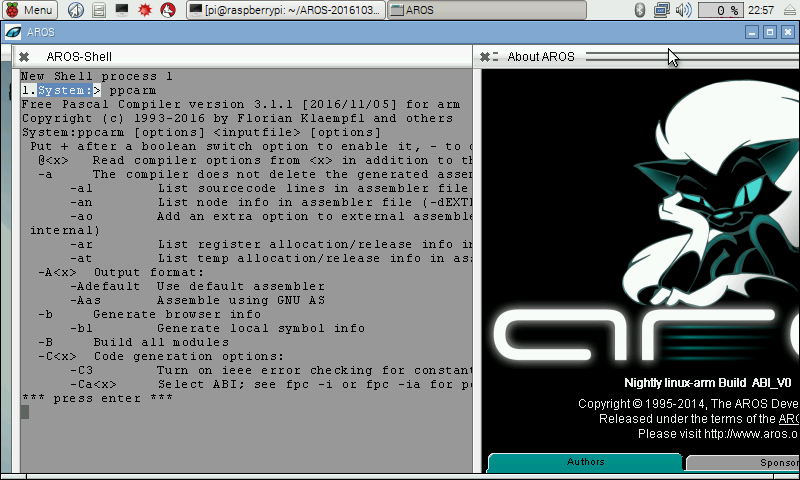
I found the reason for the crash inside SysInitFPU, it seems it uses by default the wrong FPU type. so Always -Cfvfpv2 has to be added to use the right FPU commands just to make sure I also added the -CpARMV6 to select the CPU instructions suitable for Raspberry Pi and higher. With this changes the helloworld program do not crash anymore. And also the fpc compiler works now (at least the help text).
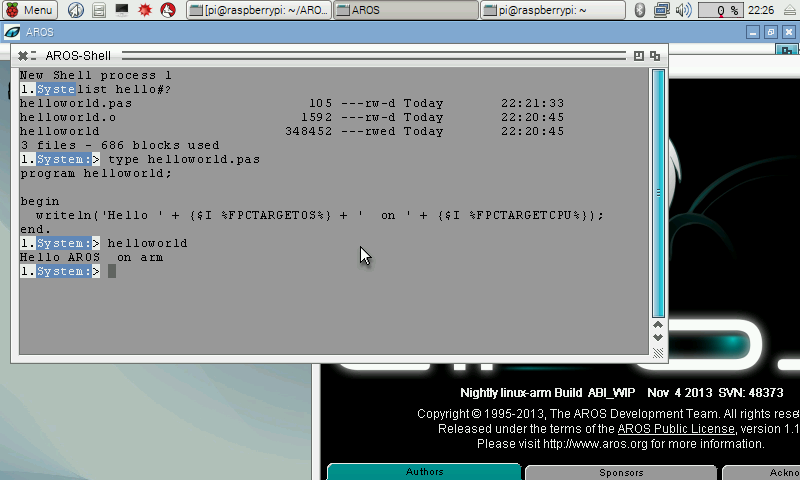
I noticed that the official released AEROS for Raspi is named as ABIv0 and the Nightly I used is ABI_WIP (see screenshot some days before). hmm are there differences between this two, so I installed the latest AEROS on my Raspi and tried my hello world 😉
And, it works, without any problems, or crashes.
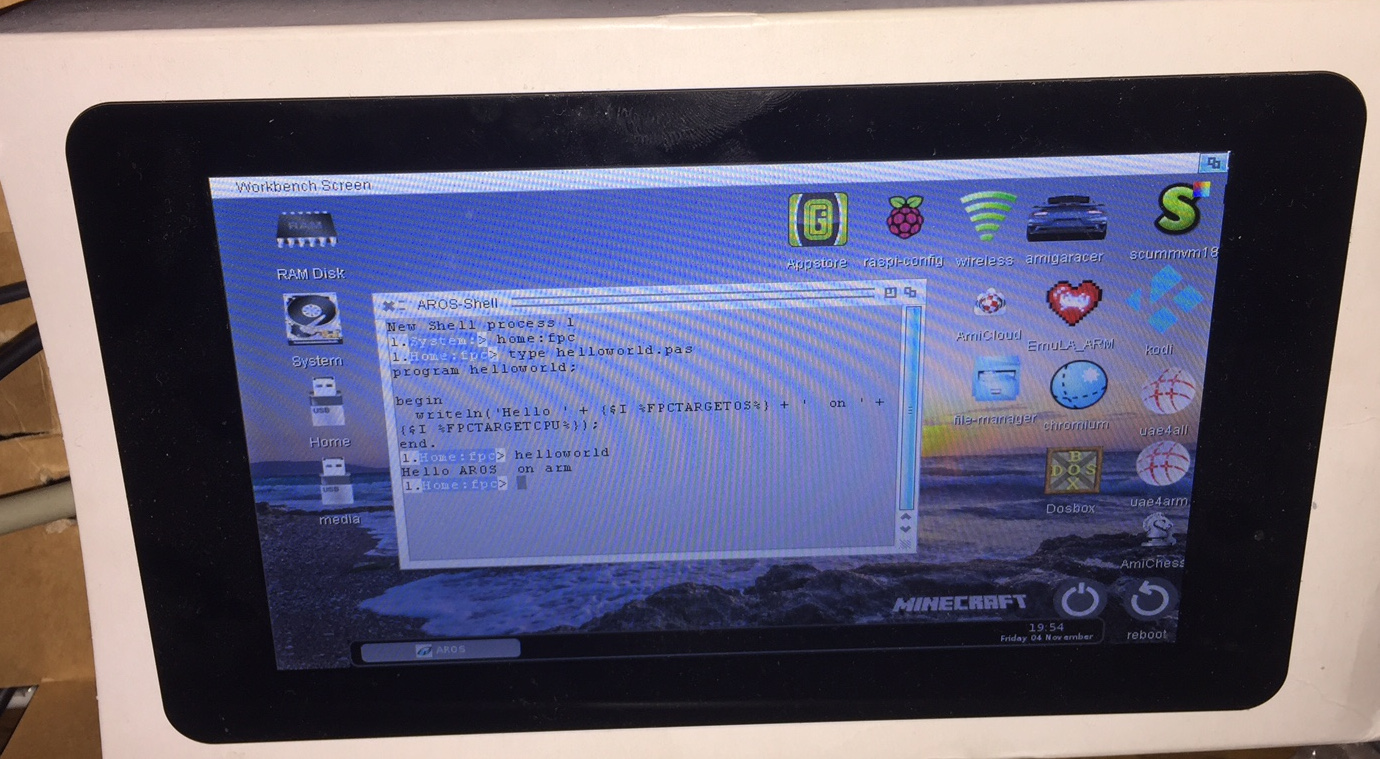
Freepascal on latest AEROS for RPI2
Maybe someone noticed the rather strange format of my screen shot, which is 800×480. Thats a special touchscreen display for RasPi. The RasPi can be connected with a foil cable to this display and the touch works as mouse move/click. In principle it can also do multiple touches and so on, but I didn’t install a driver for it.
The RasPi is installed on the back of the display and all is put into on side of the delivery (paper) box of the display. In reality the picture looks perfectly clear and sharp, its just the camera interference creating this stripes.
For Aeros this screen resolution is a little bit too low, some icons are outside the visible area, some programs do not work well (Emula for example), but for my needs its ok.
Maybe I install some smaller icons then it should be much less of a problem.
I playing around with my Raspi2 and AROS on it. I tried long time ago already but didn’t get the cross-compiling tools to work. The tools still do no work, but with some manual work, somehow the assembler and linker work, everything I need for fpc 😉
The biggest problem of course is the startup code again, here even more difficult for me, because never used ARM assembler before.
I found the ExecBase at r5, so the most important Data found already. Sadly it crashes then when it enters the PascalMain, I followed it and it seems it crashes inside the SysInitFPU. I have to admit I have no idea about the FPU in Raspi. I remember there are some different modes for FPU. For now I just disabled the the SysInitFPU() and it works. It works somehow with simple hello world application.
FreePascal Hello World application on arm-AROS
The compiler self does not work, just crash.. maybe this missing SysInitFPU has some side effects or more FPU access which crashes. I’m not sure how to continue here maybe I need to ask someone about it.
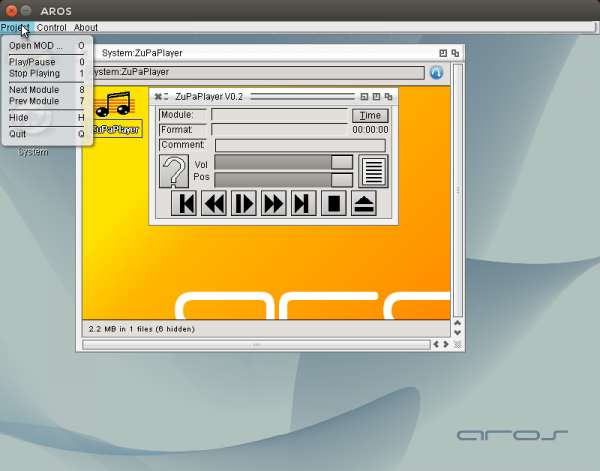
Included more menus and key strokes for the different functions, the hotkeys for existing buttons is very easy, there is a special field to trigger them (MUIA_ControlChar). That means you do not have to care about, Zune does it care about. But for other hotkeys, like Volume up, down, mute and so on, it is not possible. I did not get it to work using InputEvent field. The event is fired on keypress. I didn’t find a way to check which key is pressed because the Message pointer points to a Zero-ed area, maybe a Zune bug. In the net I didn’t find a source using that function (except directly, but not via a Hook). Of course it is nice to have the hotkeys also denoted at the menu entry. Sadly the MUI_MenuItem_Commandstring still does not work, so the Amiga sign is always shown at the menu entry with the key. I filed a Bug report about it, but I checked the latest source, it’s still not fixed. I looked into the source and found that this field is just not used and sent to the system. I’m not very good at C coding but even I was able to include this, because it’s just equivalent to the enabled flag for example. The Diff of this change is now included for ABIv0 and ABIv1 and it also work in the latest nightly. Hopefully the next Icaros will also include this change, until that the Amiga-key sign is there, but you do not need to press it.
Besides this I also included a hotkey to open ZuPaPlayer if it is hidden. (Ctrl-Alt-z is the default, but can be configured in the Prefs Window). For this purpose the commodities.library unit had to be included to Freepascal.
It seems the m68k amiga freepascal compiler is broken again. A Simple Hello world program compiled on an Amiga works but when a uses is in the source file the compilation stops with „Fatal: Internal error 201309171“. It happens rather often that the m68k compilation breaks, and it needs always long time to notice it, because I use cross compiling most of the time. (even in UAE native compilation is rather slow). To get faster informed about such things I added a test to my automatic compile server. An E-UAE Amiga with Workbench 3.1 is started and the last compiler is used to compile the example programs. Two of them are also executed (HelloWorld and GenerateMD5, maybe later I write some special testcases). I didn’t have time until now to find out whats the problem, but I hope Charlie can fix that soon.
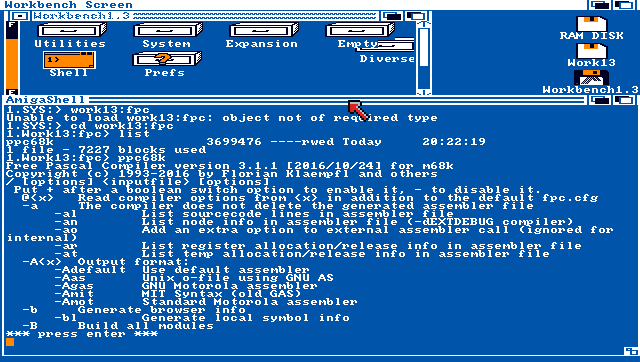
Chain-Q added support for 68000 to freepascal compiler. It needs special care because it has some additional alignment need on read/write to structures. But to try it on a 68000 Amiga it should be also Workbench 1.3. the current RTL implementation needs at least 3.0. It was rather easy to create a RTL which also works on 1.3 (via defines) but also the init code (written in assembler) must be changed. I have to find out how to make defines inside prt0.as. Then it could be even added to the official repository. I wrote a little testprogram to test the RTL and make some basic alignment tests. Both works well now.
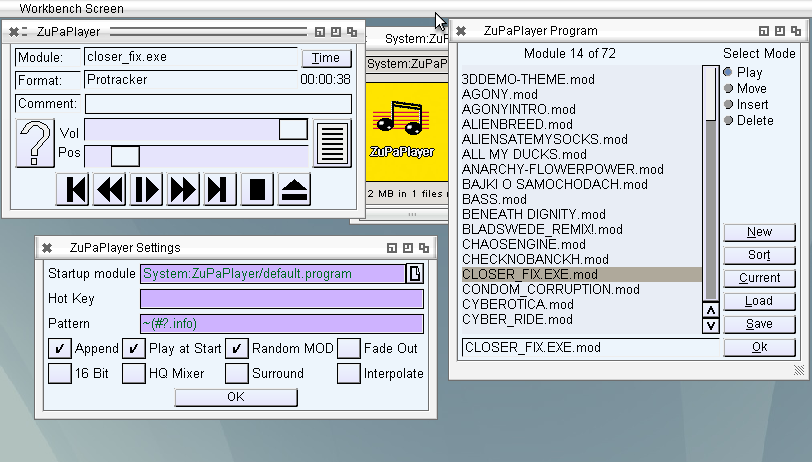
Added a settings window to ZuPaPlayer, the most things are working already, at least what I need 😛 hotkeys and menu is not finished but the rest works already very nice. Maybe I should check some other MUI applications how Hotkeys are made MUI/Zune style. I’m still not very satisfied with mikmod, maybe it would worth a try on modplug. Nevertheless if someone is interested here is the current state. It’s early version so it is not complete maybe crash or strange behavior.
Working more on the ZuPaPlayer, now with the Listing of MOD Files, with sorting, moving like Delitracker does it. Even it is a little bit strange 😉
Of course, it saves and loads MODlists compatible to Delitrackers MODLists (#?.program).
(Note: the sound errors only appear in the video, seems due to the recording software)
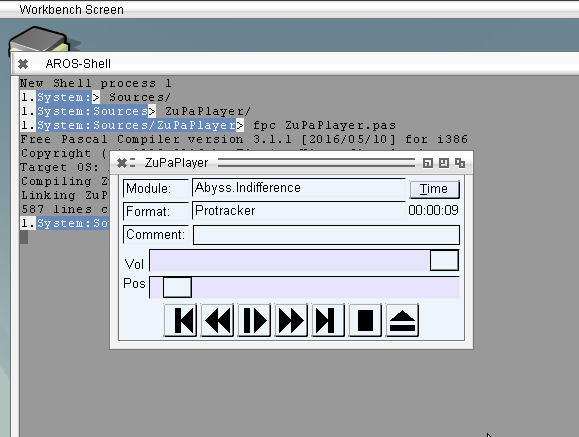
Implemented Volume setting and play position to ZuPaPlayer. The Pause does not work well, sometimes it crashes after pause. I implemented an other method, simply not calling update for the Pause time, seems to work, without crash.