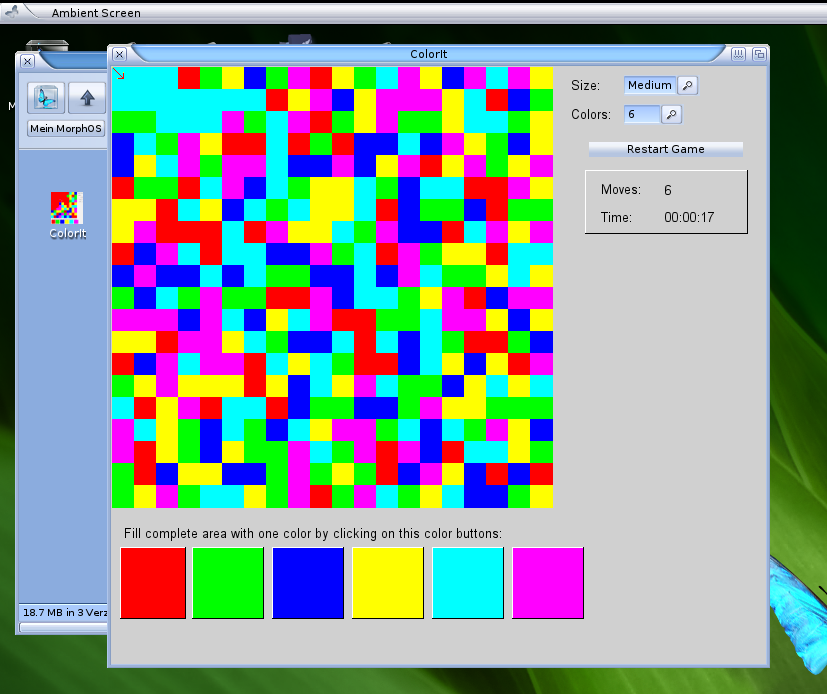
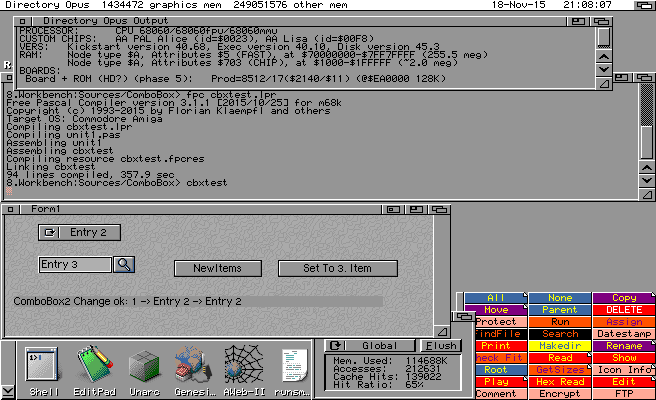
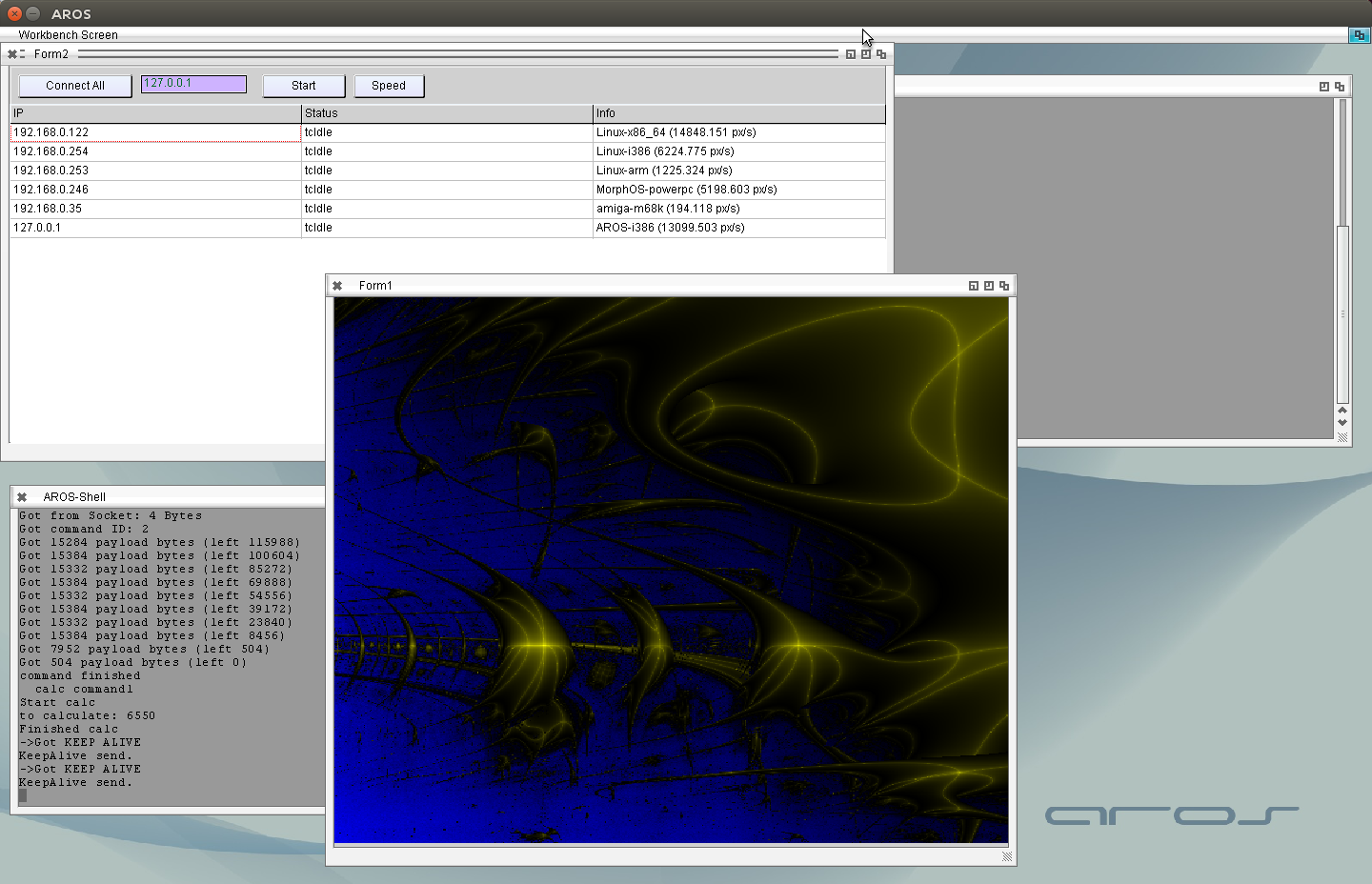
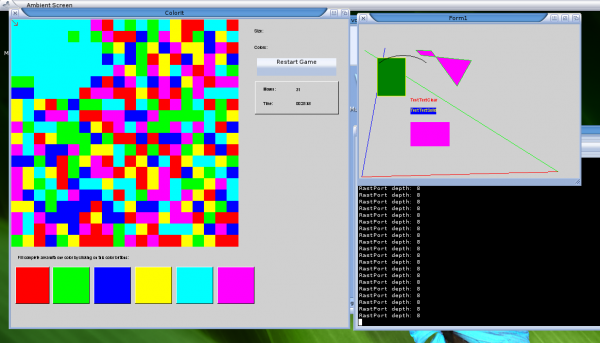
I put all together and made the ColorIt game fully usable on MorphOS, my first MorphOS LCL application. Its far from perfect, but its working. 😉 So here it is:
Download ColorIt: ColorIt for MorpOS
And (of course) a screenshot 😉
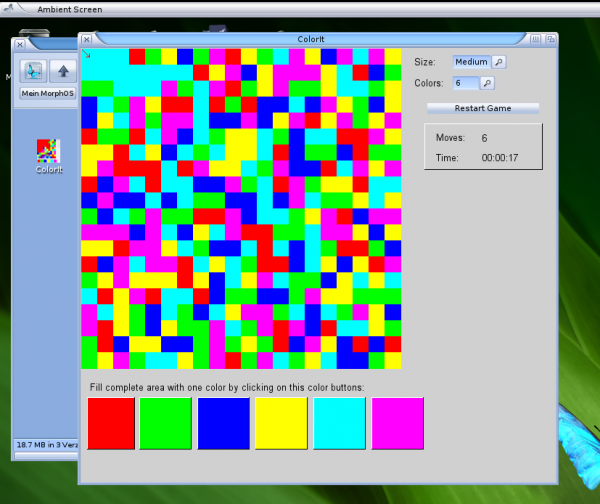
ColorIt on MorphOS
After I found out whats wrong with the crash I changed the morphunits on my harddisk to open/close library in initialization and finalization that I can continue testing the behaviour.
I removed some hacks I introduced for this problem and all work very nice. The next step was to activate my own MUI Class again and see if the paint event work as expected. It seems to work but the colors does not look like expected. The reason seems to be that my Buffer rastport only has 8 bitplanes, hence direct color setting does not work. I found our that the window rastport tells me that it only has 8 bits (even it should have 24 as the Ambient screen has 24 bits) So when I create my buffer RastPort and Bitmap I should not use the Depth from Rastport and also not set the Window rastport Bitmap as friend of my bitmap or it end up with 8 bits and the PenMode can not be disabled.
But finally I got it to run and to show that it work I compiled my old (AROS) PaintBox example and the little ColorIt Game.
ColorIt on MorphOS
The fonts are much smaller than on AROS which is little bit strange, and the comboboxes are still missing (see MUI is picky) this I will include later.
Finally I found the reason for the strange crashes on Amiga and MorphOS on destroy of LCL apps. And now I also understand why it was so difficult to find it. It was … drum roll … not in my code :-O. It’s in the library units of MorphOS and Amiga. Little bit about the basics. On AROS I open the Library (belongs to a unit) inside the initialization section and close it again in the finalization section. I’m used to this behavior from windows DLLs. At Amiga and MorphOS a different way is used. The OpenLibrary is done in the initialization section (for Amiga) or must be done manually (MorphOS). On this OpenLibrary call the ExitProc of the unit is connected to a CloseLibrary routine. So far sounds good, but it seems the problem is that the ExitProc is called BEFORE the finalization of the unit, long time before as it seems, hence the muimaster.library is already closed when I try to destroy my MUI Objects which horrible crashed.
I placed some Debug output in the InitMuiMasterLibrary and CloseMuiMasterLibrary and can clearly see that the CloseMuiMasterLibrary happen before my LCL destroy things are called. I will play around a little bit with it. But in the end I have to talk with Charlie (Maintainer of FPC-MorphOS) about this, how to solve this problem.
This explain also other crashes I experienced before (like the crash of CloseFont for example)
As you might notice the freepascal 3.0 stable release is out. This is the first stable release includes AROS as a „fully supported target„. I created a binary release of this 3.0.1 stable freepascal for i386-aros. It only includes the compiler, FP-IDE and freepascal packages: RTL, FCL and AROS library units. (So no FPGUI, LCL and so on) It’s mainly needed to compile the trunk version as starting compiler. For real life coding the trunk version is a much better choice, because it has some more bufixes and new functions inside. The binary archive can be downloaded at the FPC-AROS Page.
Binary stable releases for Amiga and MorphOS will be created by ChainQ I guess.
I got my two 128 MB EDO RAM pieces for my Blizzard 1260 (with SCSI Kit), therefore I have now 256 MB RAM. Why I need so much RAM, easy, even a very simple LCL Program need more than 150 MB RAM to compile, of course I can compile in UAE but thats not the same 😉 Ok it needs 5 minutes to compile, but who cares, it works.
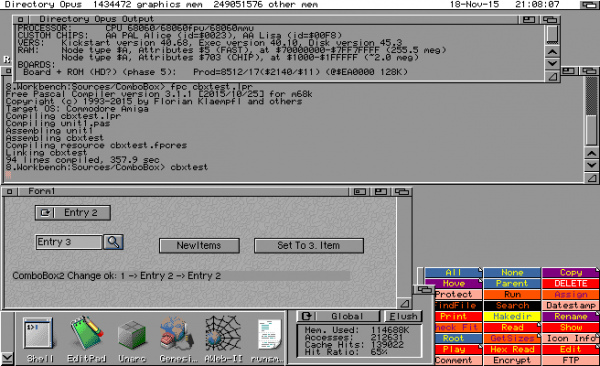
Compile a LCL program on a native Amiga
The flickering is much better, the picture was painted too often and the message loop was polled too seldom. Optimized this a little bit, now it happens very seldom. When I started this tests first I implemented a simple Speedtest which does the same calculation for one second and then count the successfully calculated pixels.
So of course would be nice to have it also in this graphical server and optimize the number of pixels requested from each client. I noticed the Amiga 1200 with 68060 50Mhz only finished 3-4 Pixels per second, I know it is slow, but that slow. (Besides this I’m surprised how fast the MacMini with MorphOS is, nice :-)) But then I remembered that the m68k freepascal does not use the FPU. By default it uses softfloat routines, which of course are very slow. But my automatic compiler server also compiles the FPU version of all units (enable at compiler with -Cf68881 and use FPU compiled units). The fpu compiled version is much, much faster now 200 px/s. Wow now the amiga really add some pixels to finished image. (Before also some, but less than a line ;-))
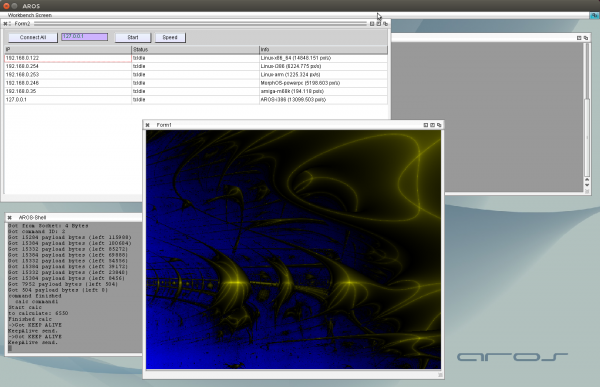
Speed test of the „Amiga Cluster“
It should be noted that the 192.168.0.122 (and 127.0.0.1) is a Computer with eight cores but only one is used here (in fact, two because 127.0.0.1 is AROS hosted on the same computer), I didn’t implement multicore threading.
I played again a little bit with networking things, especially on different platforms. Very nice that the most sources now compile out of the box at Linux, AROS, Amiga and MorphOS only very little ifdefs inside, and even they could be omitted by extending the Amiga-like-RTLs with some unix functions.
I wrote a little Lyapunov calculation program which sends the pixels to calculate via network to other computers to let them calculate. Lyapunov is very good for such things because it has very little inputs and results but rather long calculation time per point.
I compiled and run the client for all platforms I have available currently:
- i386-AROS (Linux Hosted – AMD FX 8120)
- powerpc-MorphOS (Mac Mini)
- m68k-amiga (Amiga1200 68060/50)
- x86_64-linux (AMD FX 8120)
- i386-linux (Intel Atom 230)
- arm-linux (Raspberry pie 1)
All compiled from the same source.
The Server and Image Viewing is done at AROS.
The power of Freepascal/Lazarus at its very best.
The white pixels are already send to some client but the result is not arrived.
The image is flickering a little bit (therefore in the movie sometimes no image to see) because I didn’t care much about the image plotting. I’m not sure why the image is flickering maybe the network communication take too much time so not enough time to draw the image.
Working on the HexEdit and a little bit documentation especially MUI. Also updated the online documentation.
I created a archive of my complete LCL for m68k AmigaOS 3.x. Much things already working (all PaintEvent things does not work, so Labels, Panels and so on does not appear, but should also not crash).
So if anyone want to try Lazarus LCL on a real Amiga or UAE here is the archive, be careful its 55Mb and you will need at least 16 Mb to compile the examples, for bigger programs you might need even more.
Download Amiga LCL 0.1 alpha
for more informations read the „ReadMe“ inside the archive.
I found out why some elements at Amiga/MorphOS are not shown (like the scrollbars and comboboxes) it seems that MUI has very tight size constraints usually MinHeight = MaxHeight. And MUI is rather picky, if you give a bigger place at layout hook, it does not paint anything. I do not understand why a Button needs this tight size constraints, maybe I want bigger buttons.. but ok, not a big thing.. I will try to implement that also in the AROS LCL and maybe should check how to use the LCL constraints.
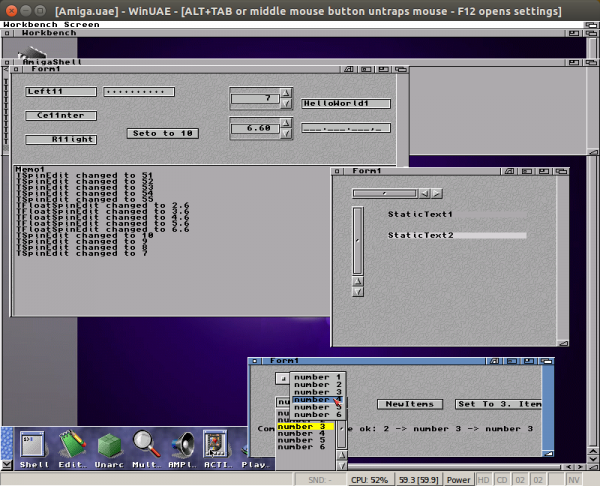
Amiga LCL with working size constraints
The second good thing is that the crash at close is disappeared at Amiga OS, but at MorphOS its still there, so I guess the issue is not solved. I will write an other test program to test the dynamically creation and destroying of MUI elements. But in principle one could think about a lcl AmigaOS release (its already much more than the first AROS lcl release 😉 )