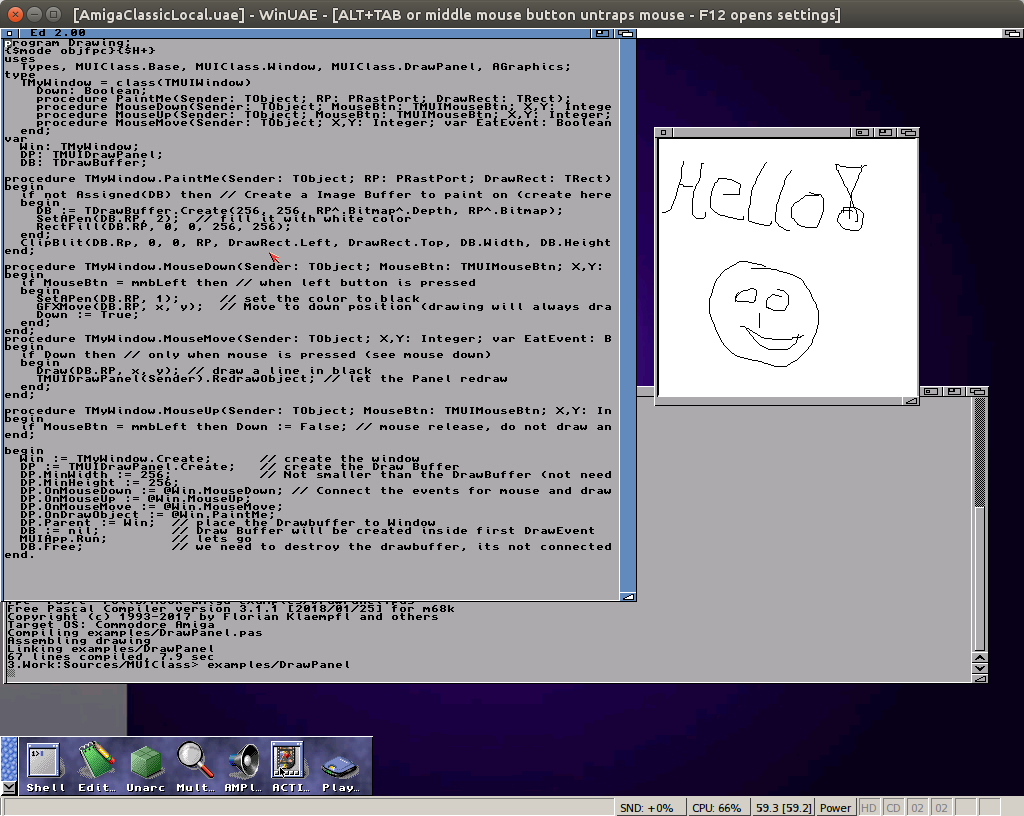
Working on the DrawPanel, thats an MUI Area object which exports the usual Events you know from LCL objects, like OnPaint (here OnDrawObject), OnMouse____, OnKey____, such stuff. With this it is very easy to create a simple painting application:
(Notice my awesome drawing skills 😉 )
With it, I developed a TDrawBuffer, which saves you the work of Allocating a Bitmap, create a layer and RastPort. I noticed I have this kind of code in many of my MUI applications, therefore it make sense to make a little handy class out of it. I could have some more functions. I tested the whole stuff on Amiga, AROS and MorphOS and it works fine on all of them, very nice.
Currently I’m working on the idea I had long time before. A pascal interface to MUI classes. MUI uses Amiga boopsi interface to access the GUI elements. But thats not very convenient, especially for pascal users. I started already two time an approach to create such classes. The main problems are the fields which can only set in the moment when the object is created and the TagLists which does not tell you the type of a field you have to cast everything to integer. In LCL I supply the properties as Create parameter TagList, so it’s just the same as using the plain MUI functions.
In this MUIClass implementation the pascal classes will only collect the field values and create the MUI objects on the actual application run and window open. You have more chance to interact with the objects before the MUI objects get created.
It makes the MUI programming much easier, I like it. I’m thinking to change some of my programs to that system, the code looks much easier to read. The code is on GitHub under a public domain license.
I checked the ASL.library units of MorphOS and Amiga 68k against the official C includes of the SDKs. Especially the TFileRequester structure was always a little bit trouble because the old Amiga asl unit still used the old field names rf_* but from V38 of the Library this fields are all names fr_* and some other tiny dame differences (e.g. Dir vs. Drawer). In AROS and AmigaOS4 I only added the newer names because here I do not have any „old“ code. This resulted in a big inconsistency between the platforms and need ifdef’s in the final programs. To prevent a direct breakage of the existing sources (e.g. LCL, MUIMapparium) Amiga and MorphOS have both field names in the structure (as case). The aim will be to remove that ifdef’s from the sources.
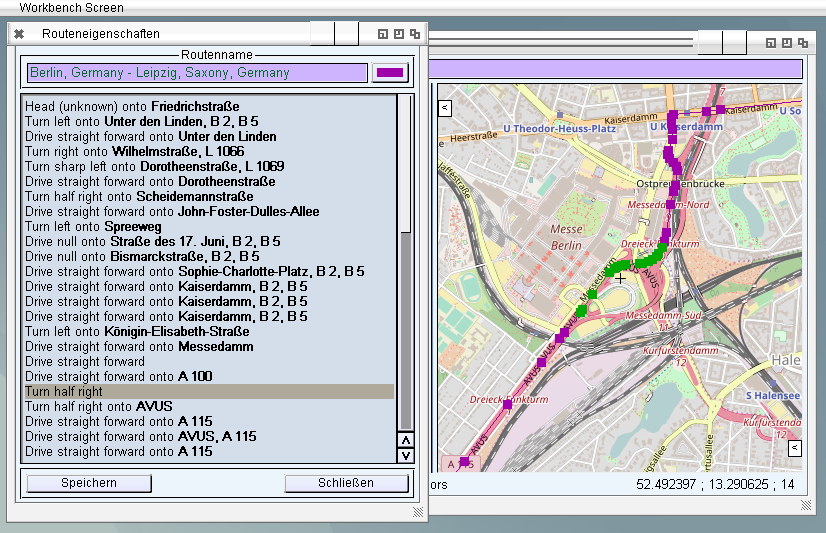
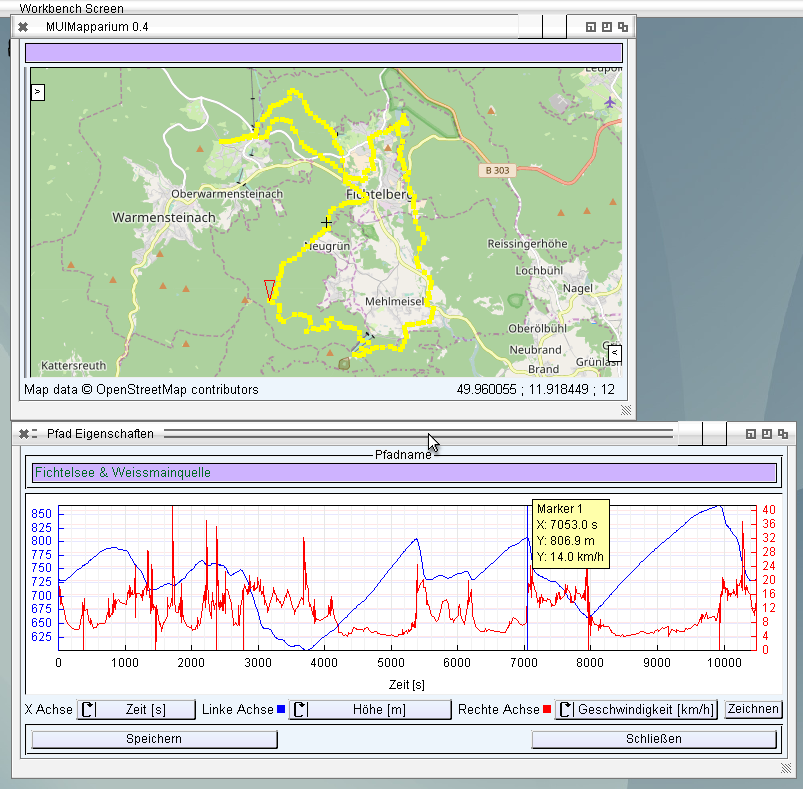
Finally found some motivation to work on the route display not so difficult at all. But the search for the route I need to think a little bit more. Until now it only shows the saved orders. On double click it jumps to there and also shows the described route points in a different color. That should be ok for now.
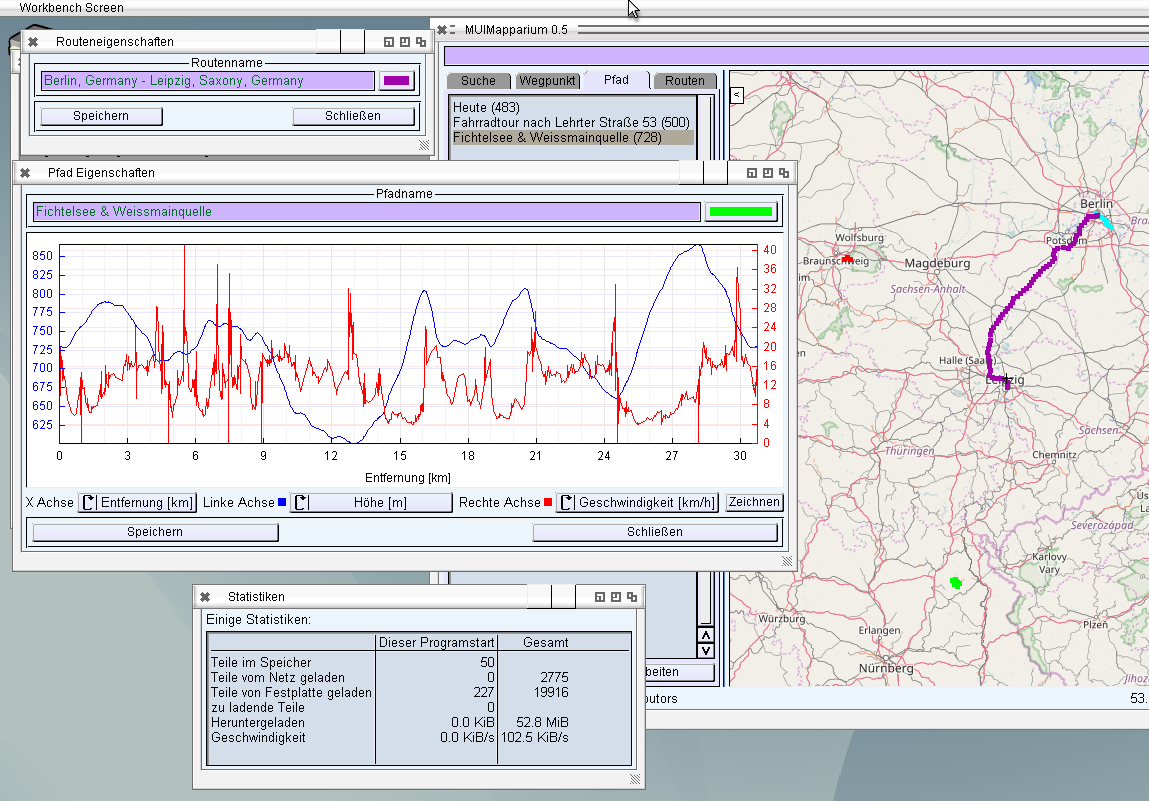
Due to user wishes one can now change the color of each track and route individually, which is also saved to the GPX File. Routes and Tracks in GPX have an extension area where you can add own properties without violating the GPX format, which is very nice. The Routes and Track property window have now a Color Button next to the Name to choose the color of the feature (you have to save that before the change is visible in the map).
In principle it would be nice to have the color next to the name in the Track/Route List as a little colored square (like I did for track plot axes). But I’m not sure if and how that is possible at all for such a list, without creating a selfdrawn one.
Besides that I implemented that MUIMapparium remembers the position and open status of the Statistics window, seems some user like to keep it always open to observe the loading status or something like this.
Do you read journals…? I’m not. I seldom read such things and if it happens then science related. But there is still an Amiga related journal the Amiga Future. I saw it once or twice at the Amiga meeting here in Berlin but never actually cared about. But maybe the next issue would be something worth to buy 😉 Especially the one article which already has a preview there.
I decided to release the next Version of MUIMapparium even not all features are finished as I planed just to get the bugfixes out. Routes (calculated directions) can be loaded from GPX and showed on map. But I did not implement the route finding and direction command showing until now. Especially the Track curve plot was still very buggy, and of course I described in a previous blog post the pixel to position calculation which is now much better, much more precise but also much slower than before, with FPU it does not make big difference, but with SoftFloat not really funny. Routes and Tracks are now pre-calculated for the current zoom level. If the zoom level is very small and the track therefore not really good to see, only some pixels wide, it does only paint some points of it, which makes the overviews much faster. Still, with SoftFPU on 68k it still will be too slow if you have some Tracks/Routes. The drawing of Tracks/Marker/Routes can be completely switched off in Menu or buy a FPU 🙂 The package for Amiga68k does contain a FPU and Non-FPU.
I also created a little GPX file with a Track, some Markers and a Route to test the features. (Even you can use any GPX/KML/KMZ/FIT File you can find on the Internet as well)
Changes:
Bugfix: imperial units
Bugfix: key mapping
Bugfix: 2nd track curve drawing
Bugfix: Date/Time loading from GPX,KML,KMZ files
Level of Detail for Tracks
Precalculation of Trackpositions (Speed optimization for NonFPU systems)
Route drawing
Marker in Plot, shows also a marker in the Track
Turn off Marker, Track and Route drawing via Menu
Define Directory for Images via ToolTypes: e.g. DATAPATH=DH1:TmpDir
Change find IP to freegeoip.net (old one is too slow currently)
Working again a little bit on MUIMapparium. I want to include some more features before the next Release 0.5. I included marker for the plot which is then also shown as little triangle in the map. I’m not really satisfied with the colors and visibility of the current open track and marker for the point maybe I get a better solution later. The marker is atm. only one pixel wide, in principle it would be possible to make it 2 pixel or 3 pixel, but that looked a little bit too massive.
MUIMapparium with Track Marker
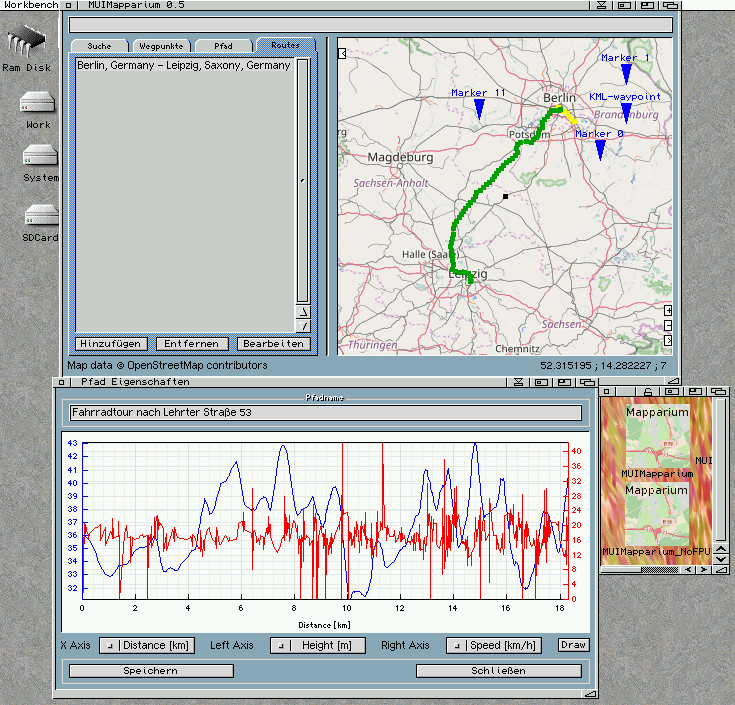
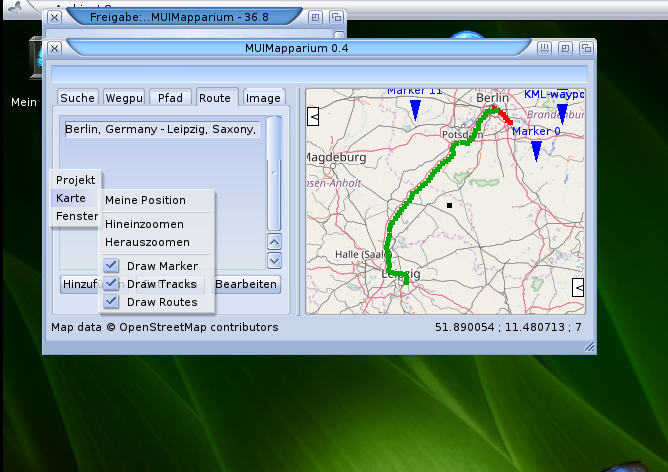
Another thing I wanted to include for the next version are calculated routes and maybe also photos with EXIF tags. If this is done MUIMapparium has the same Featureset as Mapparium, even a little bit more. I started with Routes which is not very difficult, some routines even can be reused from tracks drawing and so on. It only loads tracks from gpx files currently (created by Mapparium for example). The creation of a new route will be the next step.
MUIMapparium with a Route
Also visible in the image is the new possibility to disable all Marker, Tracks and Route drawing. Helpful if you have many items and want to concentrate on the Map or so (or just to increase the speed).
A crazy idea came up to me. Would it be possible to create a webpage with a nice javascript Editor which could directly compile FreePascal sources for all our beloved Amiga Platforms. The answer is certainly yes, I googled around to find a small package without too many nodejs, npm and such things, which always fails on my old server ;-). I found ACE which seems rather nice an easy to use. The rest is just some little php magic and of course the cross compilers, which I know already long time how to create and use and voila, ready to use webpage to create a simple (one file) Pascal application for all amiga platforms. I tried it on MorphOS, AROS and even native on an Amiga 600 with Vampire using iBrowse. Of course in iBrowse the editor does not work. I included a special page with a simple HTML textarea for such old browsers.
The compilation speed is much faster as a native compilation.
On MorphOS it runs much better of course the MorphOS OWB is even capable to show the editor, very nice.
It’s a little bit slow because it’s recorded via VNC, in reality it feels rather fast.
AROS was a little bit of disappointment for me. I downloaded the latest Icaros 2.2 especially to test this webpage. But sadly the editor does not show up. No Error message shown. I guess it’s some missing font problem, because when I change the theme the background color changes, only the text is not visible. It’s a pity. I had to switch to the old Browser interface which works nicely but I expected more.
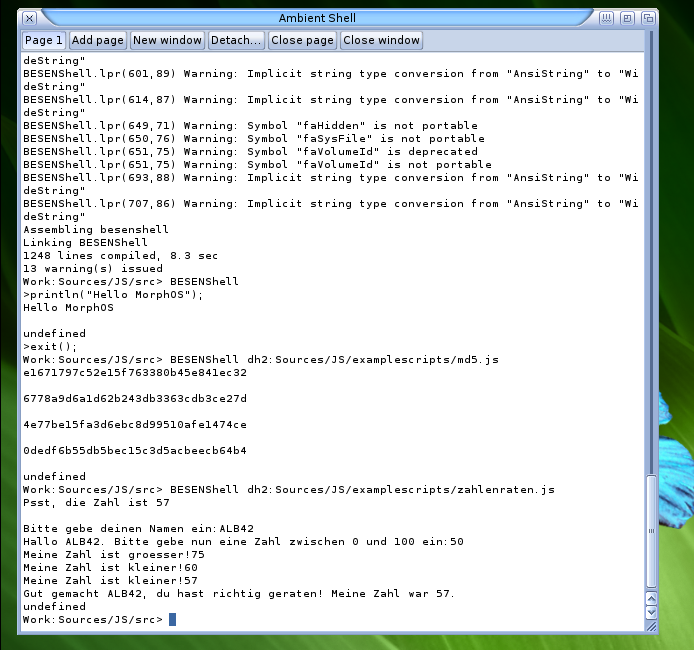
Compiled Besen for Amiga and MorphOS, some more small changes needed (mostly because for both CPUs no jit compiler is available). On MorphOS the it fails with a senseless error message: expected identifier found „“. when checking the position, no error to be found in middle of a parameter definition. Increasing the stack before compiling make it work, little bit strange, thats the first time fpc compiler need a bigger than normal stack (which is 256k defined inside the fpc code). It works nicely.
On Amiga the compilation was much less problematic, but the Exe do not work completely already gives error message on boot up about not initialized variable… most example sources only give this uninitialized variable error message, only this number guessing „game“ works. Little bit strange, maybe some m68k compilation problem?
ECMAScript 5 on MorphOS
I downloaded the conformity test for ECMAScript 5 and let it run on AROS and the result is not bad: „Total tests: 1221 Passed: 1140 Failed: 80 Could not load: 1“ to put that into perspective my current Firefox (52.0.2 64-Bit Linux) gets following result: „Total tests: 1236 Passed: 1098 Failed: 135 Could not load: 3“.