Magorium send me a link to a pacman clone for freepascal which does not work on AROS currently. I tried to find out whats wrong with it. First it was only the offscreen painting problem which I tried to overcome. But then I noticed how bad this program is, when talking about programming style. The whole drawing is done outside the paint events, which leads to a very bad performance on widgets which does not support drawing outside Paint events (like the MUI interface) because for every draw call the whole widget is called to repaint. The whole process is just paint driven so if you computer is slower it become easier to solve because all items move slower.
I changed it to a paint event driven painting and it work, faster but still very slow.
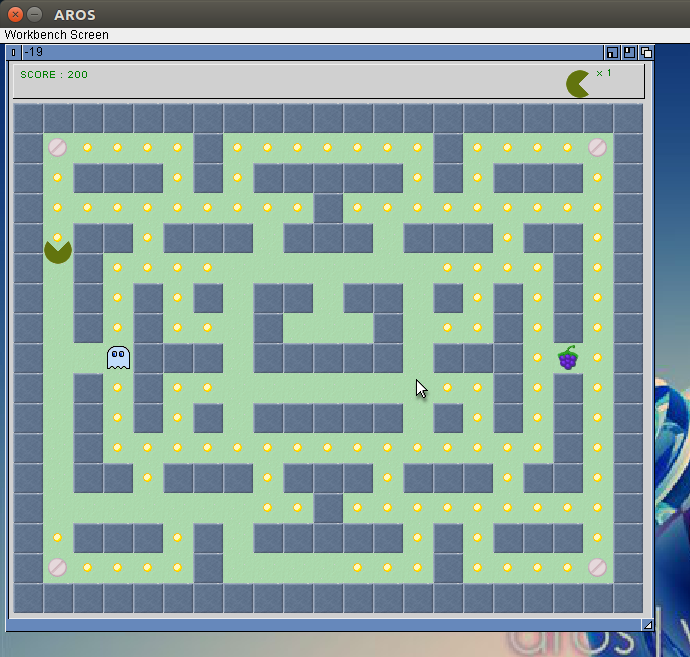
Of course this is still not a good method, a better approach would be to collect the static pieces into an Bitmap and then draw it at once to the screen in Paint event, and then only paint the Ghosts and the Pac Man to the screen.
An eating of Points/pills and so on would lead to change of the TBitmap. But there only one piece is redrawn. Maybe then it would be come much faster.
But there again one would need an offscreen drawing method, which is possible already, but no chance to plot it to screen. I’m still working on the concept for it but seems I still didn’t find a way. Still fighting with keys and mouse events but at least the pacman clone work now.
Still no interrest on freepascal on AROS, seems my programs didn’t help.
Still fighting with LCL drawing and Event calling, especially the Pen setting and loops in Event makes me headache. There are still some problems inside but I cannot figure out what.
For tests I wrote again a little Testgame, this time a Minesweeper clone.
The Source is again available at GitHub.
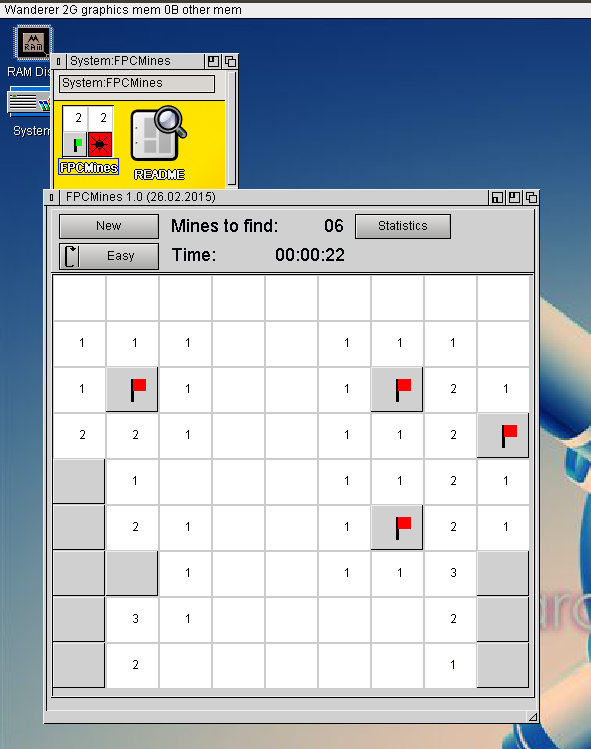
FPC Mines on AROS
Same as for the last game, I wrote it in Lazarus Linux and tested in AROS, both looks rather the same. From time to time I must recheck at windows also.
Download for AROS
Its not really important to get the Buttons with images on to work, but its a good opportunity to test my way of drawing to standard MUI Classes. The drawing was not a real problem but to calculate the position and sizes is really trouble and much work. I’m still not sure if it is working right for every case (size of Glyph, Length of Text, Height of Text, Position of Glyph). But as first implementation it is ok so.
The other thing , a little bit more important, I implemented Scrollbars, rather easy, just the property names are a little bit strange and the LCL Event was not so obvious.
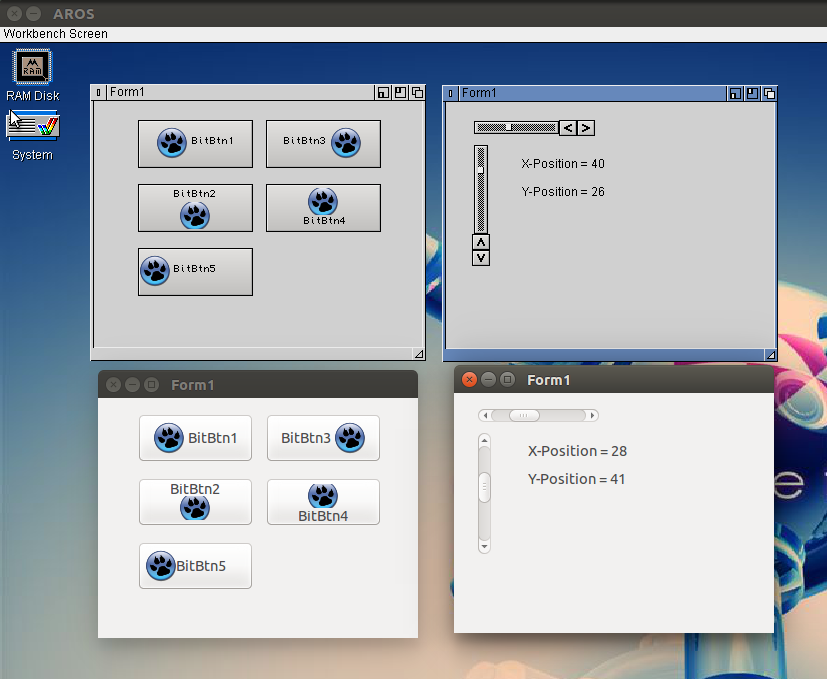
BitBtn and Scrollbars AROS (top) and Linux (bottom)
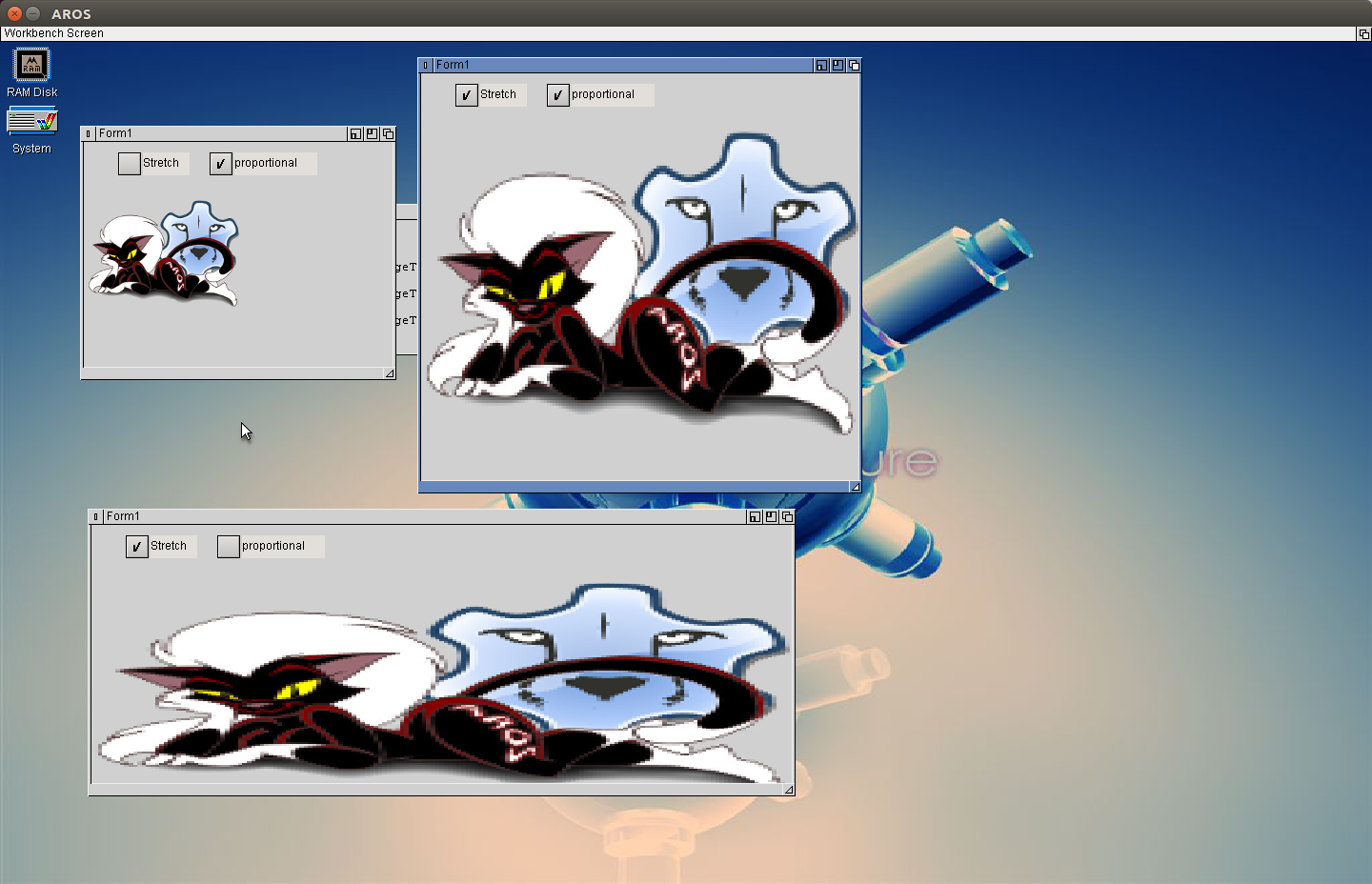
Dealing with bitmaps and images, bring the TImage to work. The principle I got from my fpGUI implementation again, using cybergraphics.library (for Amiga, MorphOS and so on maybe need an other solution? maybe also P96 or some native, but for AROS its ok). As start the WritePixelArrayAlpha() the problem it does not scale the image, but it supports Alpha channel so transparent parts are possible. But for TImage.Stretch we also need a StretchDraw, there is a ScalePixelArray() to scale images on drawing, it also supports ARGB, but sadly it does not work in my AROS sandbox. In the ABIv0-oT it does work but sadly the background is black and not transparent. I found that ScalePixelArray() draws ARGB data as 0RGB so ignore the Alpha channel. So not really useful. So I implemented an own scaling routine, (of course only nearest neighbour, fastest way 😉 ).
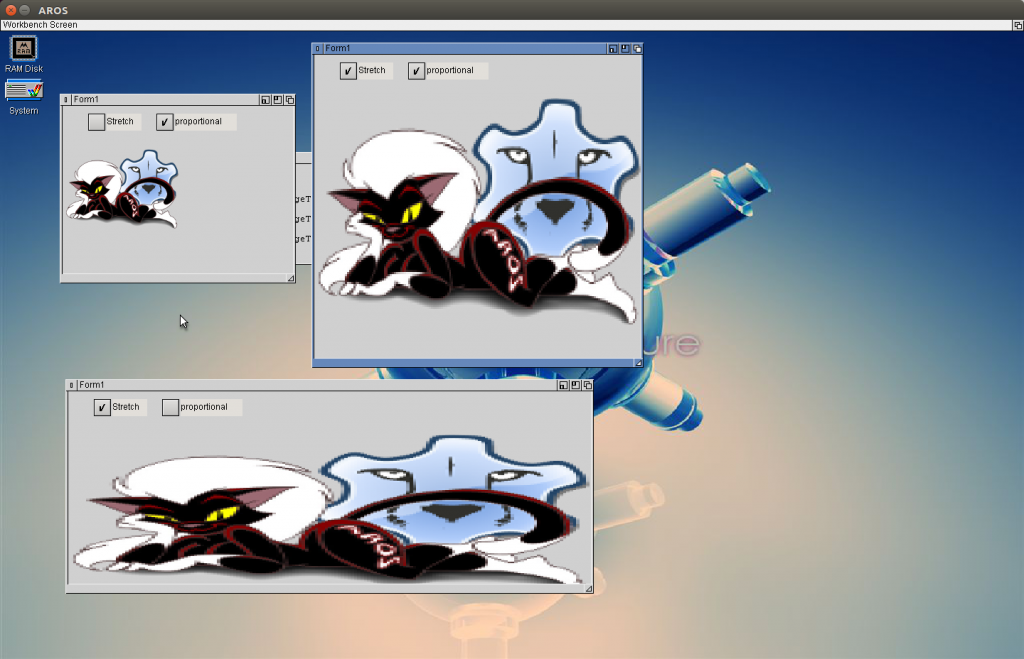
LCL-MUI TImage with stretching
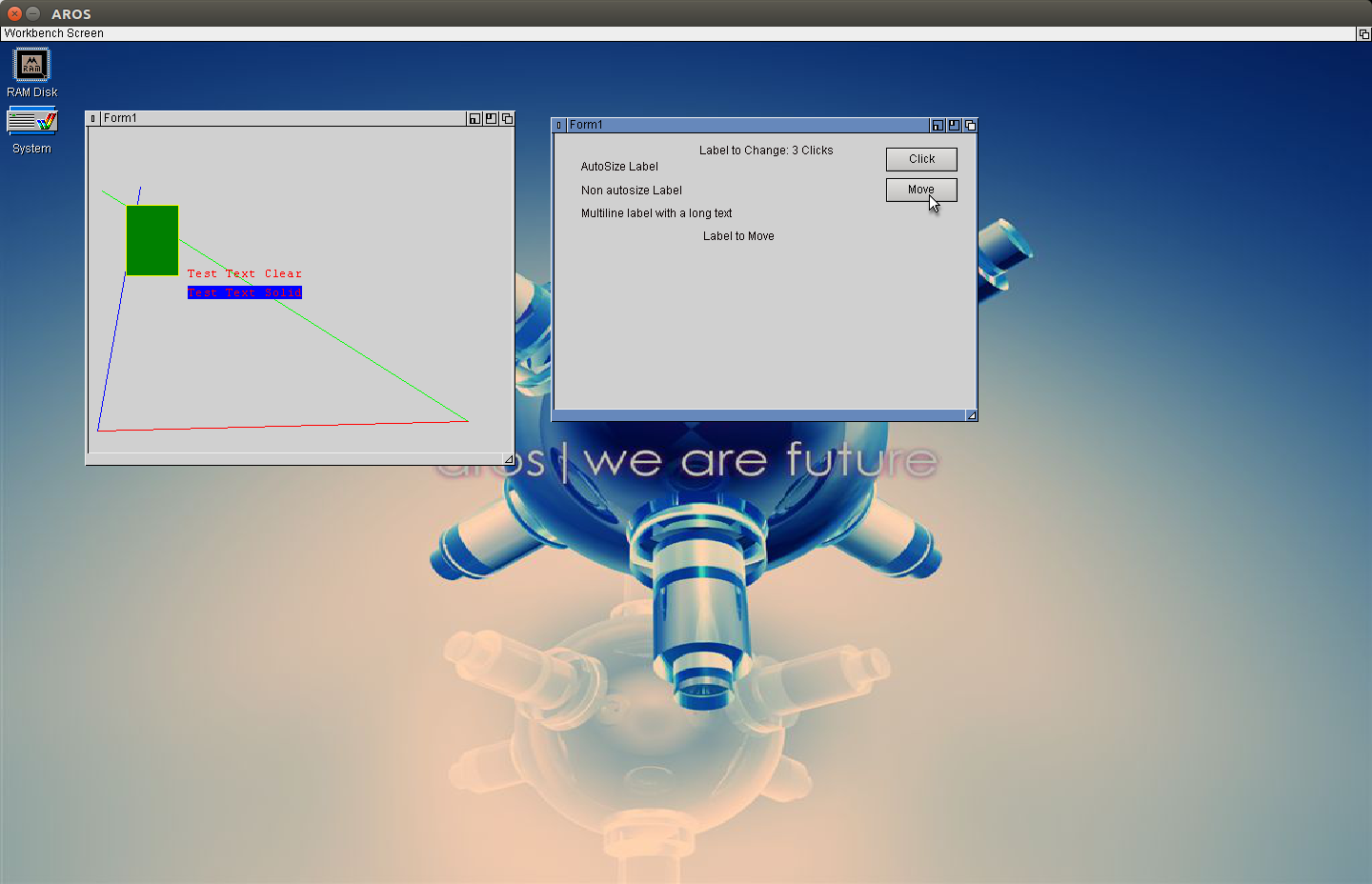
The Text is not finished, needs some more work, with the clipping. The theory is not so difficult but when how the clipping is removed is my problem at the moment. The font is still wrong but also easy just needs some diligent work… works exactly like Pens and Brushes which I implemented today. I started with Pens and Brush because it is much easier, next step will be font, I guess and then care about the clipping again. To test the Pen and Brush I used a PaintBox with different colors, with transparent brush. It’s not perfect but working.
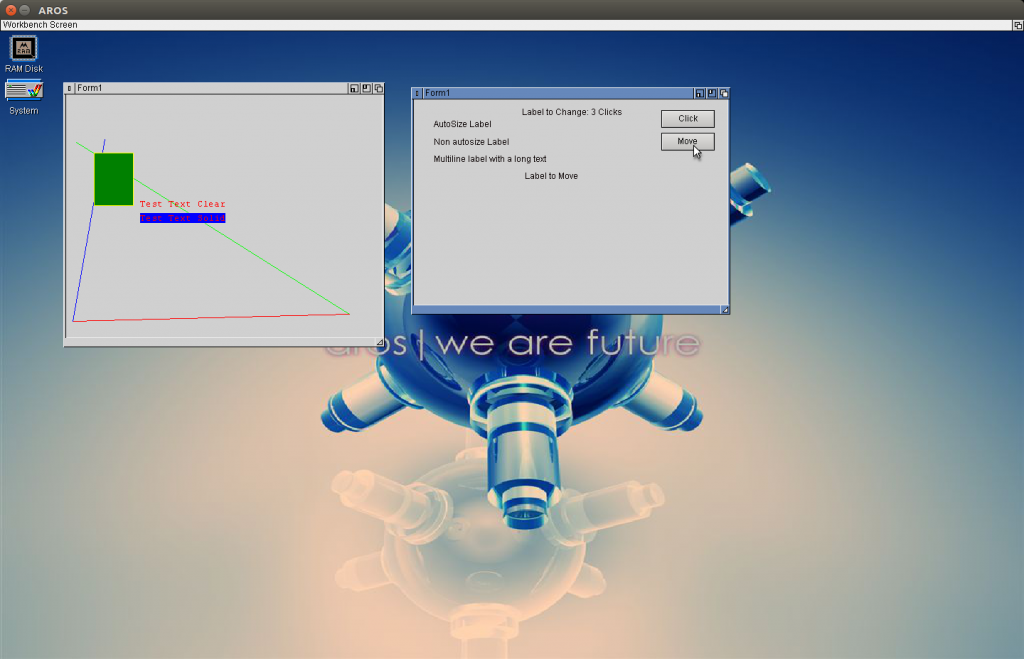
PaintBox (Left) and LabelTest (Right)
Working on the Drawing routines for LCL MUI/Zune, there is a Page describe a little bit more about how to implement a new Widgetset also how to make a TLabel. It is working more or less, the Label is painted alos repainted on resize window and so on. But it is on the wrong place. In the example the „clicked“ in the lower left window show be somwhat centered above the button. But the coordinates for the Textout always point to 0,0. I guessed it have something to do with the region defined. I tried to implement it but still it looks like this. Needs some more thinking.
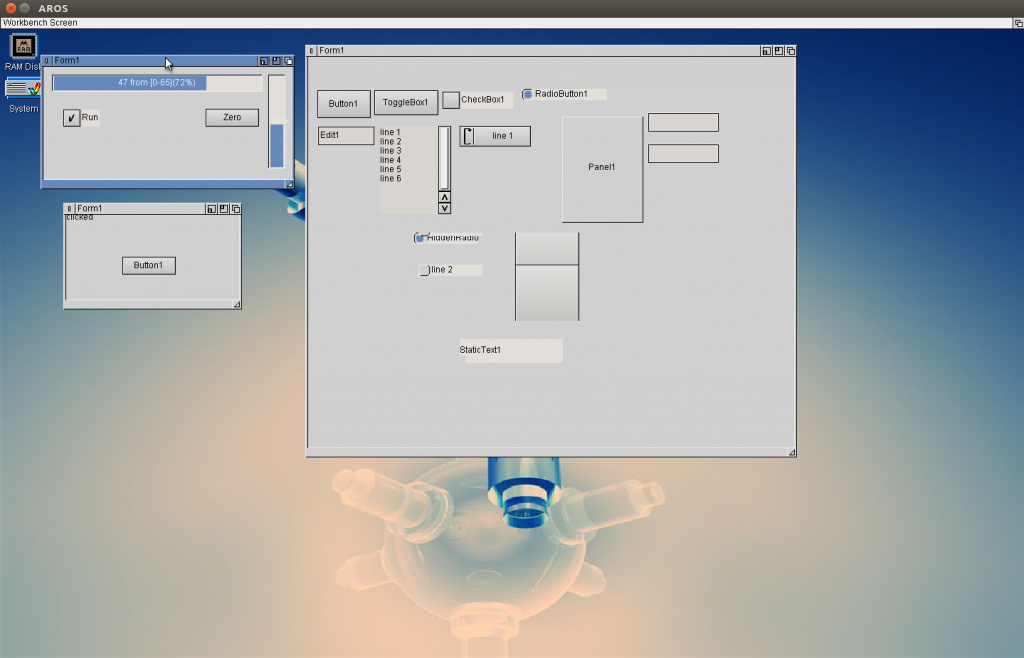
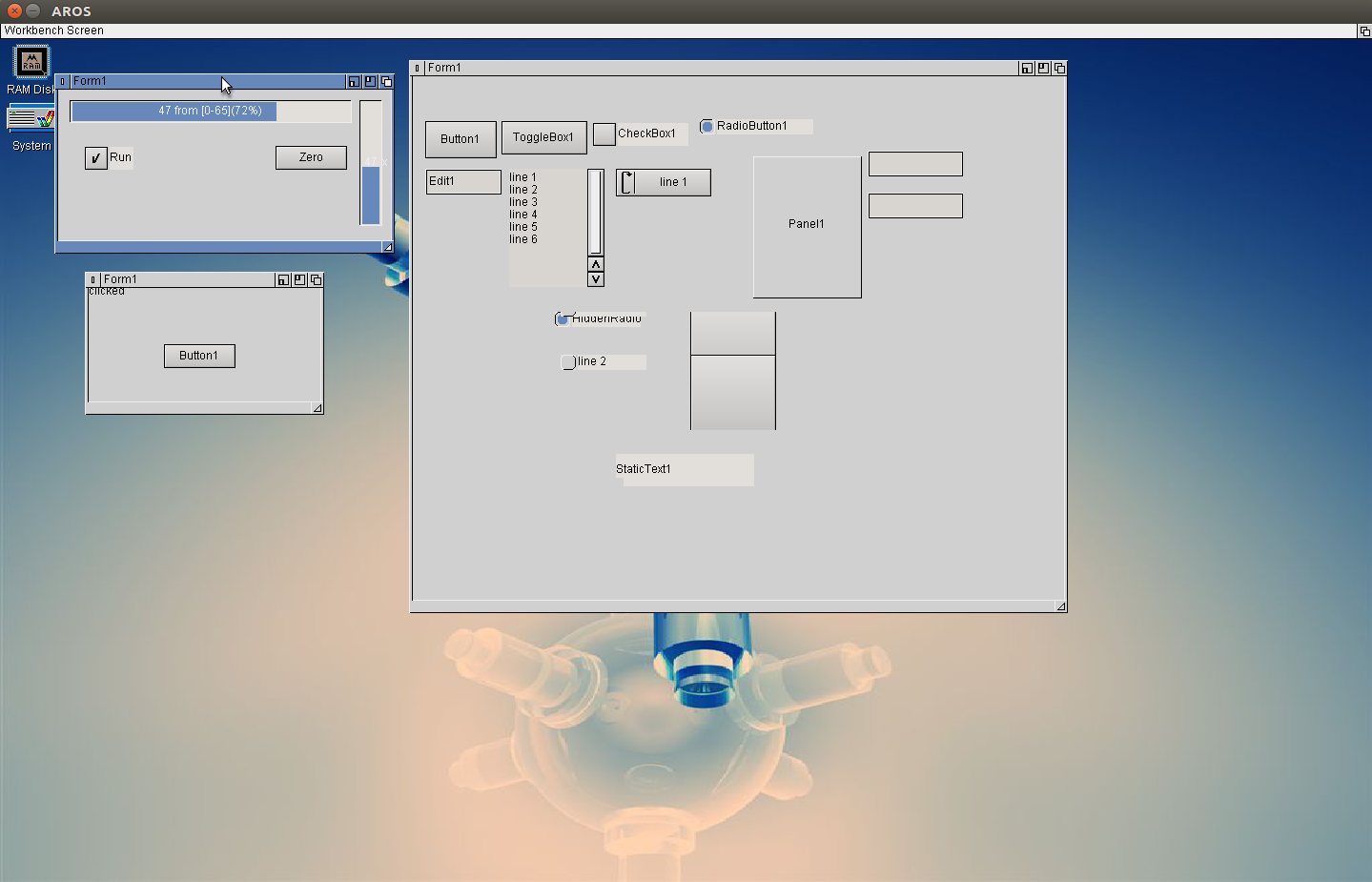
Progressbar, Label, Timer in LCL MUI
Because not so much time and mood for the label things I switched to some easier tasks and implemented the TTimer and ProgressBar, both very easy things.
For the Wiki I tried out every single item in the list and wrote down which is working and which is crashing or error message. Then slowly I can remove all this crashes. the Form I used for this experiments is shown on the right side. Of course I removed all the crashing and Widgets with error messages from the view before. Still much to do. 🙂
Some time before I created a own MUI/Zune class with freepascal to check how this is done and if it opens the possibility for ownerdrawn things in LCL with MUI. It worked but then I put it aside and didn’t care much about, but now as I restarted the MUI Interface for LCL I got it out again and tried to implement.
It’s called LCLGroupClass and created with (MUI-)Group as Basis. In principle its just one difference, The MUIM_DRAW is handled by installing a clipping range and call the OnPaint Event of the connected Pascal object, which then send the paint message to the LCL-Component.
But this was only the half way to go, the paint message also must do something or I can not check if it work. So I traced back the Panel drawing routines to the basic platform dependant function to draw and implemented them to the LCL MUI interface: DrawText and Frame3D. First it looked very easy, espeically the text drawing… but it became tricky again because the GetClientRect routine also have to work properly. The Documentation is very thin about this things, mostly non-existing. But when trace back it become obvious that LCL is still a one-to-one conversation of VCL and hence of Win32 API. So the MSDN help, which is really good was very helpful to find the right way to implement the drawing functions.
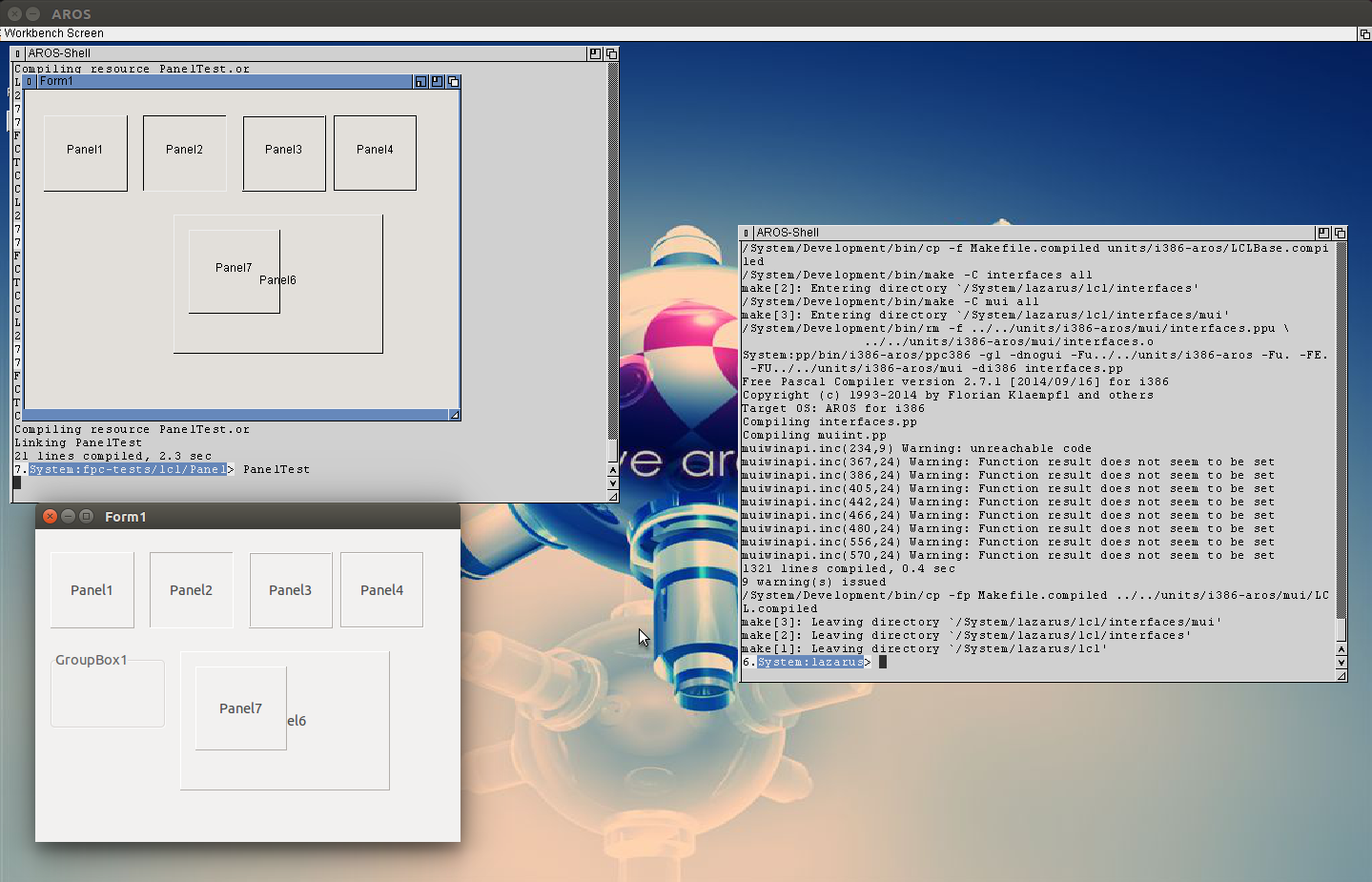
Thats the status now:
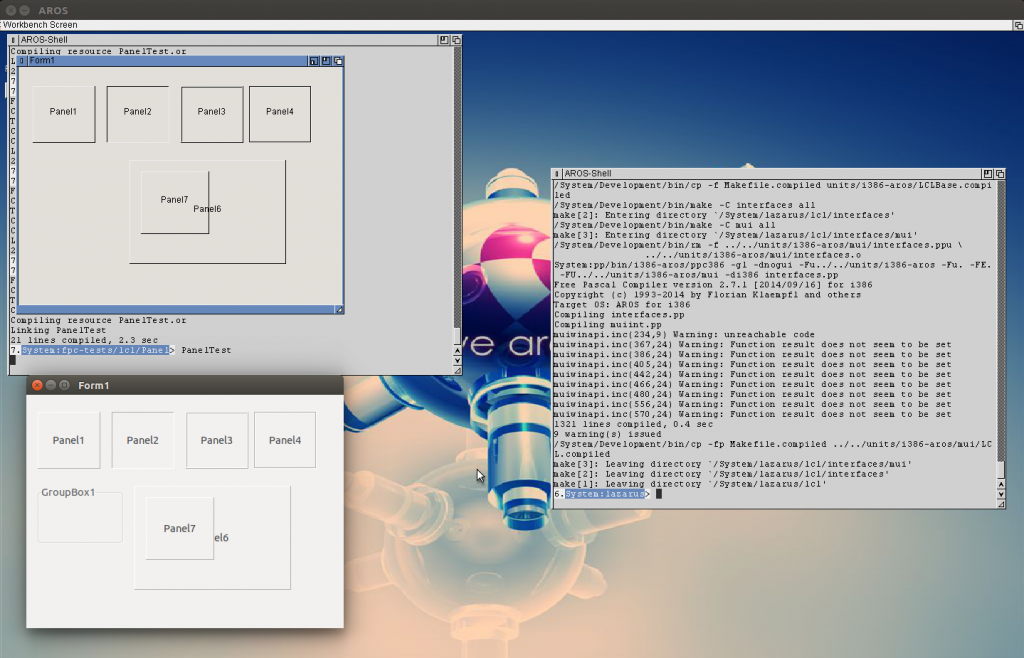
LCL MUI Panel in comparison with Linux LCL
As you can see the normal Panel border look already very like the original (atm there is not color support so I just use black and white for the shadow/highlight color, Maybe later would be interresting to find out the MUI settings for shadow and highlight) and the Text is more or like in the middle of the panels.
The Panels are still completely transparent, I guess because I still didn’t implement the FillRect routine which is used for initial cleaning.
If this is done, I think I do not need to call the original MUI drawing routine anymore, just use the LCL drawing.
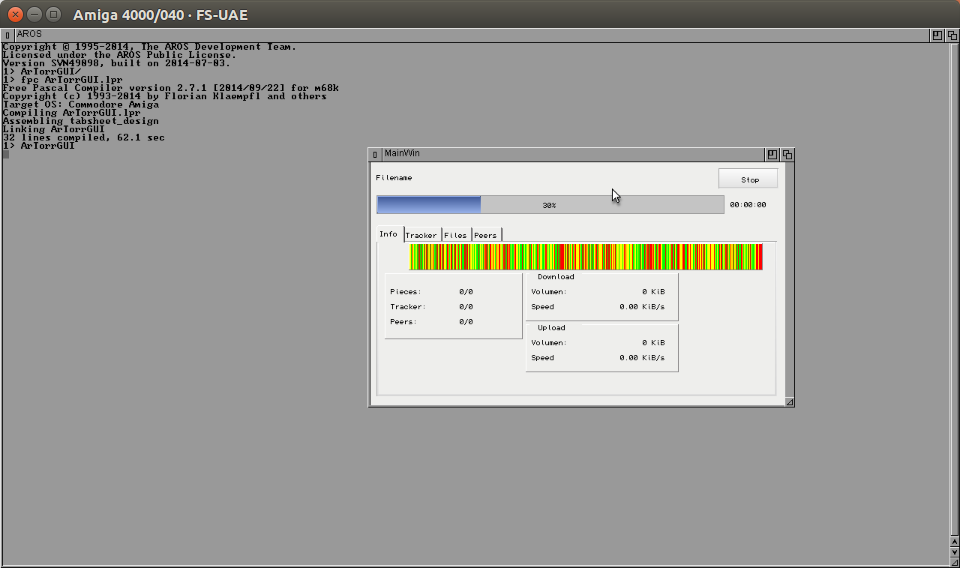
Native Amiga OS sadly does not have the Parent/Child window concept, which I need to implement fpGUI for it (every widget is an own Window). But the m68k AROS of course have this concept so it should be rather easy to bring it to at least a classic machine 😉 . I guessed it will be slow but I had no idea how slow 😛 the compilation of fpgui needs around 10 minutes (in my i386-aros some seconds, even my slow Server with Atom processor only needs around 10 seconds 😉 ).
The only „new“ thing I needs for AROS is the Parent/Child windows, which all reside in intuition unit. So I copied the intuition.pas of Amiga and copied the TWindow structure from AROS into (and renamed it to arosintuition). Some hlper function/constants are needed as well (NP_PARENT, to assign the parent on creation, IS_CHILD(), HAS_CHILD() function for status checking) and finished.
I had to deactivate some String things (mostly path/assign/drive checking, because they use BSTR)
And it worked on nearly the first try.
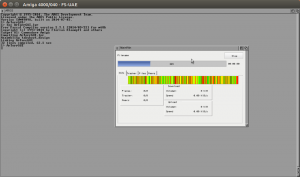
Problems appeared on Filerequesters, first of course because I did remove the BSTR2String conversion which was easy to reintroduce, but It seems the TDosList structure in Amiga unit is wrong, at Least I do not get the right output if using this one. I copied the one from AROS over, and it works. hmm maybe I have to check the original Amiga SDK, or some kind of alignment problem again?. The second problem in Filerequester was that the file were not visible… the height of every entry was something like one pixel 😐 strange problem. After a while testing of other programs I noticed that every picture is missing (in the screen shot there should be a picture on the Stop Button). SO I tried to trace back whats the problem, the BMP reading routine is just not Big endian compatible, its only little endian. SO I had to add some endianess conversion routines.
And finally it works and looks good.
The next logical step would be to try to compile LCL/Lazarus with m68k-aros and this fpGUI implementations as I did on i386. But BAD News from this side, this is not possible, and maybe it will be not possible soon. The problems appear from a rather unexpected side. LCL need resource Files, but this resources are not implemented for m68k-amiga and as long the file format is not ELF I’m not sure I can use the same resource compiler as for i386-aros, ok let’s say I’m rather sure I cannot use it ;-). That means LCL moves very far away for Amiga or even MorphOS, even I try again to implement a MUI-LCL interface.
Today I brought back the LCL for i386-aros to life, I started from zero, just checked out the lazarus svn trunk, and tried to compile.
of course it does not work at the first try.
I would not believe what was the most difficult step… it was the makefile creation. :O I had same problems… but good that I implemented the environment variables so I can use them to force the fpcmake to work.
The next point are the UTF8 function for file handling. And when I look into the source one could get in rage… seems the bad behaviour
{$ifdef win}

  Winthings

{$else}

  Unixthings

{$endif}
become the usual way to do it!
There are platforms out there which are NOT Unix and NOT Windows, Aros for example 🙂
Why not:
{$ifdef win}

  Winthings

{$endif}

{$ifdef unix}

  Unixthings

{$endif}
or even better: 😉
{$undef ThingsImplemented}

{$ifdef win}

  {$define ThingsImplemented}

  Winthings

{$endif}

{$ifdef unix}

  {$define ThingsImplemented}

  Unixthings

{$endif}

{$ifndef ThingsImplemented}

  {$FATAL Things not implemented}

{$undef}
I will never understand that, it is really trouble and makes the implementation harder than it have to be… because sometimes you get error messages from unix, sometimes from windows implementation, or it just compiles but gives completely non-sense results (mostly path things). And then you have to track back where this was included and why it tries to use the windows/linux things.
the good thing is in LCL seems not such things.. so it seems to be really platform independant, but the lazutils is horrible.
The integration of AROS into FPC trunk works very nicely already, I decided to make the first binary release of freepascal for AROS. I changed the installation a bit, introduced the package system to freepascal, so you only need to copy the folder to the harddisk and make sure the Envarc:sys/packages/freepascal points to this directory. (Which can be done by executing install script in the freepascal folder.) The package-Startup will then create all assigns ans pathes needed to operate fpc.
Until now the trunk fpc, the latest fpgui (1.2) are included, lcl/lazarus I didnt try with the new trunk version, I think later I will try also to update to the latest lazarus release and try to compile, which will need again much work I guess. As long as there are still things missing, I will supply both versions for download.
For the trunk integration I always need to check if this things also work at Amiga/MorphOS. I’m very happy that Amiga is working again. Its not so easy to cross compile it, until now I only got it to work on a i386-linux, but not at my x64 machine, the binutils does not want to compile currently.
Thats the reason I also prepared a freepascal m68k-amiga version. This should also work on a m68k-aros machine. At the moment I can not try, as long AROS vision and the nightly AROS iso seems not to work at e-uae at linux. Because its an amiga release (and not AROS) it only contains the Amiga functionality, so no FPGUI (there I need AROS special functions) but the FP-IDE is included.
There is a dedicated page for fpc-amiga:
FPC Amiga/AROS m68k
The AROS (i386) can still be found at:
FPC AROS