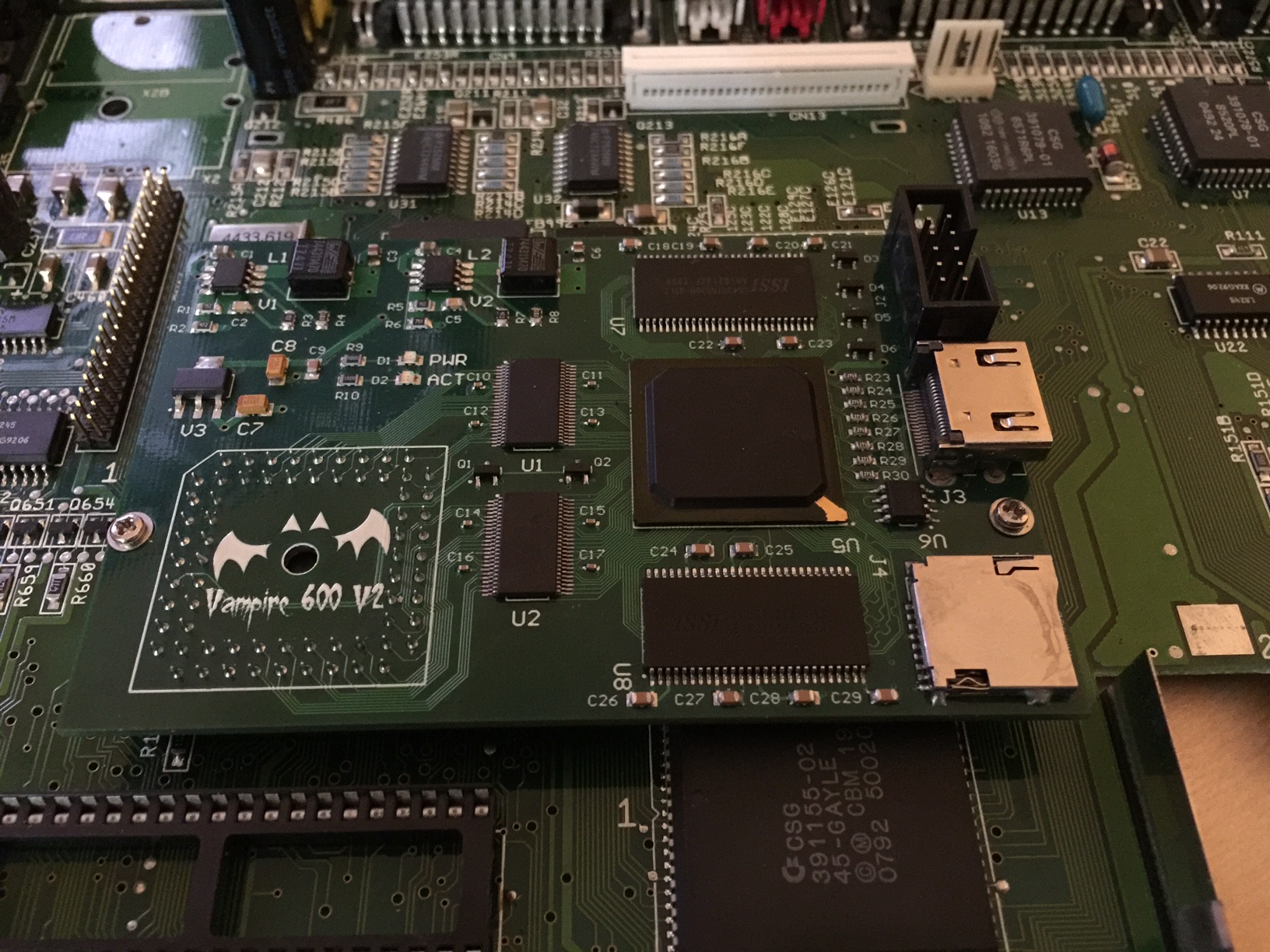
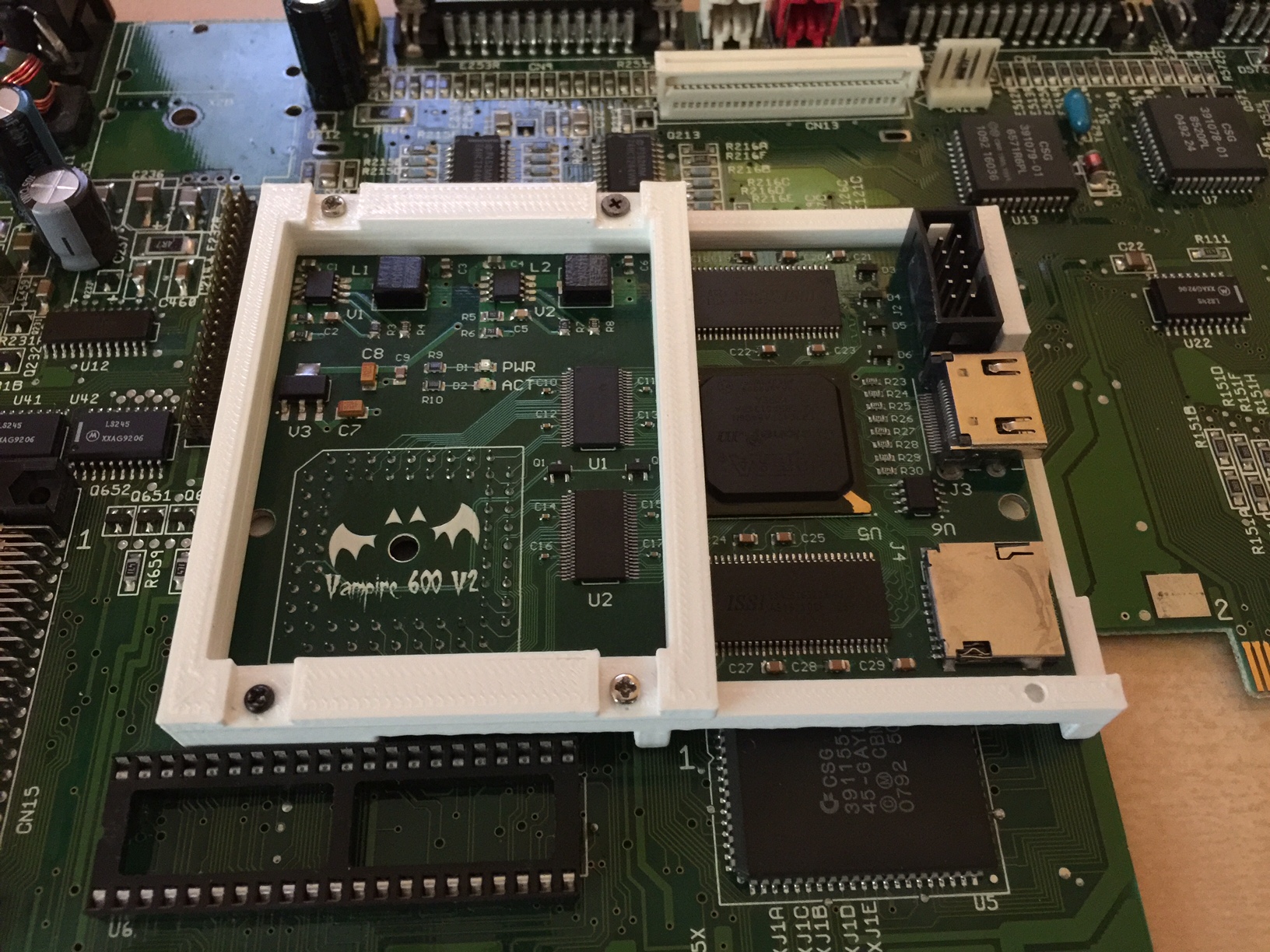
I found a holder for my Vampire in the Amiga 600.
The current solution are just two little feet attached with some tiny screws.
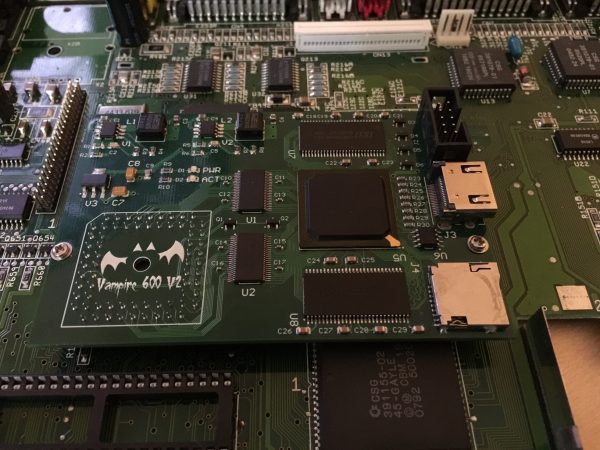
Of course two feet always wiggle around and after transport the Amiga 600 I have to open the case and press the CPU adapter to the right position.
The holder on Thingiverse should improve that. To spoil the result it works, if it is stable on some transportation, we will see ;-).
I guess the holder is meant to use without the ROM chip holder. The holes one the lower side to attach to the mainboard are a tiny bit shifted. Therefore I had to drill some new holes. Luckily the holder has enough spare place for the Vampire so the whole thing can be moved some millimeters.
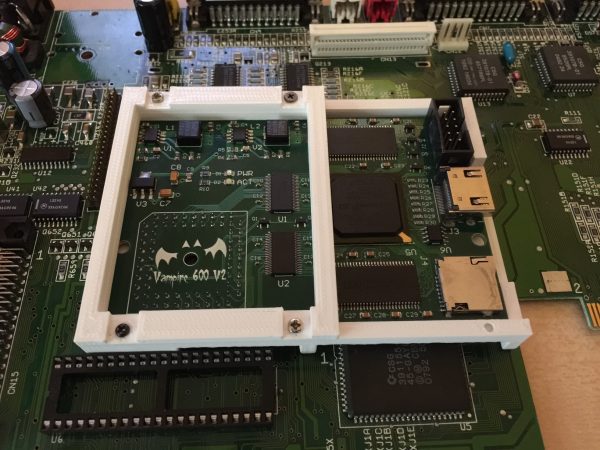
The holes for the upper part on the right side are missing (or moved to the end of the lower part, a little bit strange). But not a big problem because I used tiny self-drilling screws. It seems very tight and fixed now. I shaked the whole Amiga 600 a little bit still seems perfectly in place. We will see on next Amiga and RetroComputer Meeting in Berlin when I carry it around a while.
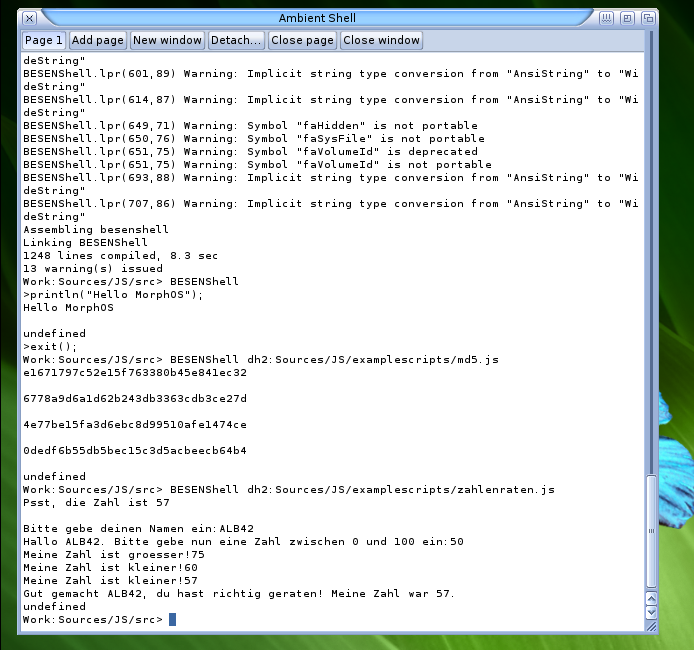
Compiled Besen for Amiga and MorphOS, some more small changes needed (mostly because for both CPUs no jit compiler is available). On MorphOS the it fails with a senseless error message: expected identifier found „“. when checking the position, no error to be found in middle of a parameter definition. Increasing the stack before compiling make it work, little bit strange, thats the first time fpc compiler need a bigger than normal stack (which is 256k defined inside the fpc code). It works nicely.
On Amiga the compilation was much less problematic, but the Exe do not work completely already gives error message on boot up about not initialized variable… most example sources only give this uninitialized variable error message, only this number guessing „game“ works. Little bit strange, maybe some m68k compilation problem?
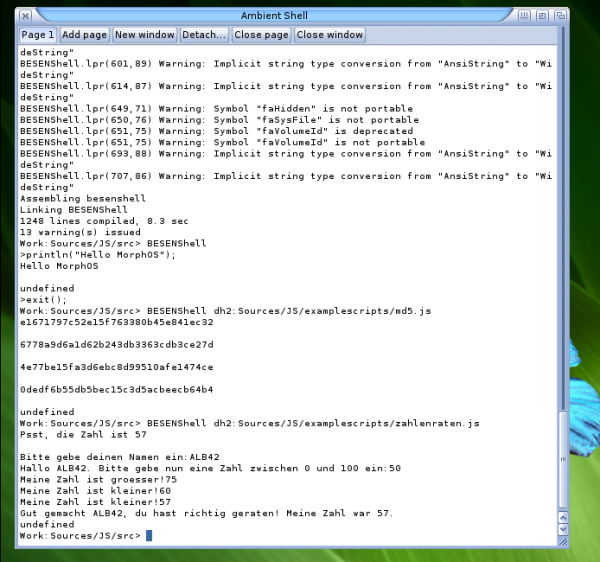
ECMAScript 5 on MorphOS
I downloaded the conformity test for ECMAScript 5 and let it run on AROS and the result is not bad: „Total tests: 1221 Passed: 1140 Failed: 80 Could not load: 1“ to put that into perspective my current Firefox (52.0.2 64-Bit Linux) gets following result: „Total tests: 1236 Passed: 1098 Failed: 135 Could not load: 3“.
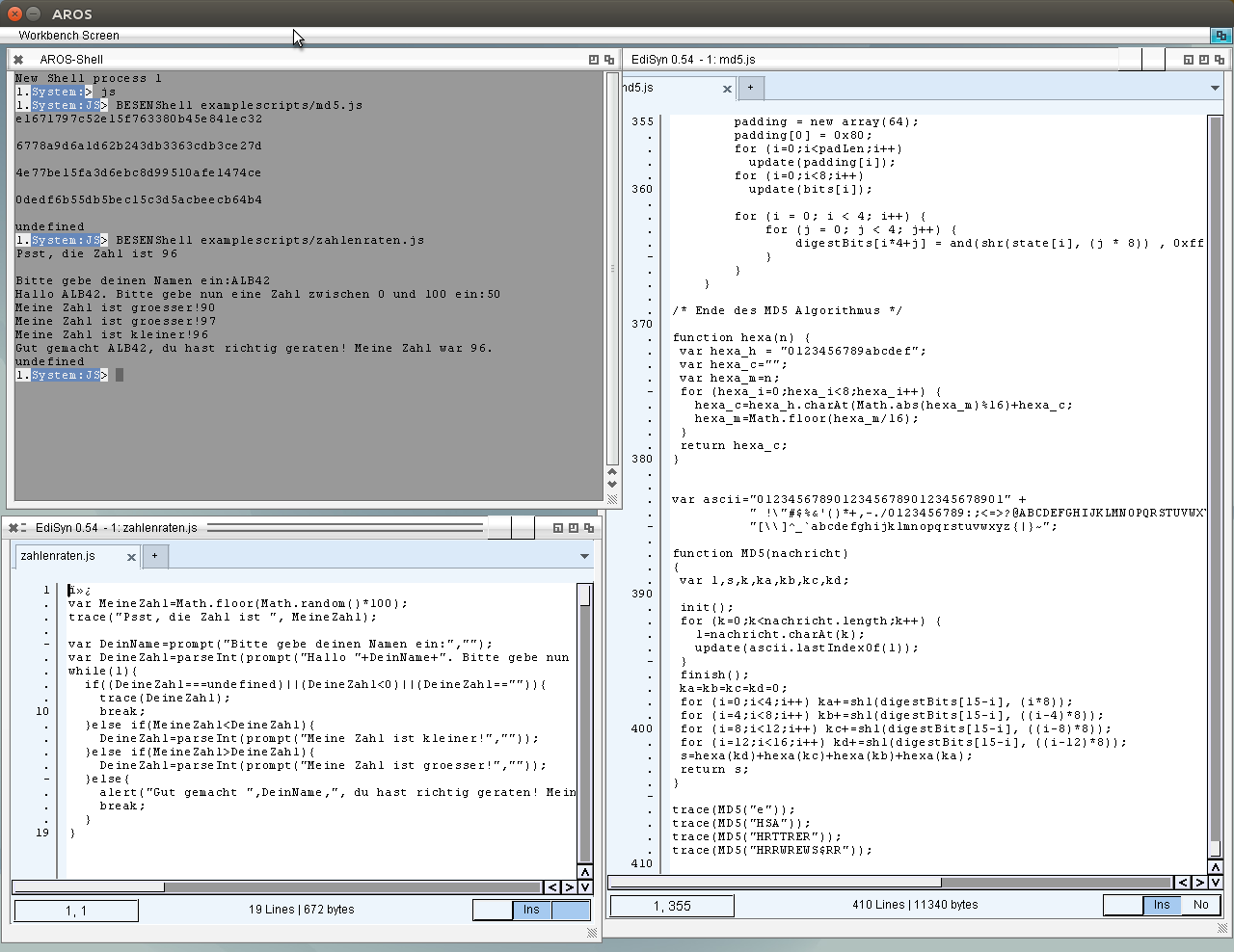
Today I found Besen by random 😉 „Complete ECMAScript Fifth Edition Implemention in Object Pascal“. If you do not know what ECMAScript is: usually it’s called JavaScript.
With very little changes it runs it compiles with FPC for AROS. 😉
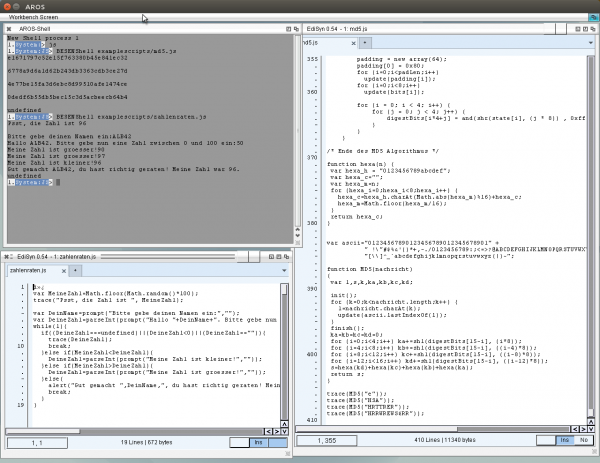
BESENShell on AROS
When I work on MUIMapparium usually I only work in Linux and test on AROS Linux-hosted. which is very convenient and fast. When starting the MUIMapparium I also tested at the end on every platform if it works and how is the speed. For the last two Releases I skipped this part, due to lack of time.
But yesterday I tried MUIMapparium on my Amiga 600 with Vampire and was shocked how slow it behave. The map moving is just not usable around a second reaction time. I downloaded/compiled older versions to check when this problem appeared. Deep in the back of my brain I guessed already that the fixed position calculation could be the reason (see here). Thats pure floating point calculation and a lot of them. I tested that on the initial implementation and it seemed not too slow, because for simple map moving and zoom only very two-three times this conversation have to be done, so the influence is not very big.
So why it’s now so slow? The difference is that before I tested with a bare MUIMapparium without any marker or tracks loaded. Marker only add a single conversation to the list. But Tracks need a conversation for every recorded (and maybe drawn) point. Remember the most GPS devices measure the position once per second, that means for an hour walk you get something about 3600 points (usually the GPS already strip them from „not moved“ points, nevertheless you get around 1000 points). For NG Amigas with their massive computing power especially on the FPU side, this is not much of a problem, 1000 fpu calculation with some hundreds MFlops are just done some milliseconds.
But on Vampire it’s a different story, no FPU, it has to use the softFPU emulation of FreePascal. This raised the question: How fast is the softFPU emulation on a Vampire in comparison to a real 68060 / 50Mhz FPU. The Vampire integer performance is much higher than the 68060 (around twice as fast, see here) but emulated FPU, there is a lot of code needed to emulate that correctly.
I used two tests for that, a simple Mandelbrot algorithm, in single and double precision and the well known SciMark from NIST. Compiled with either with FPC SoftFPU emulation or the 68881 FPU support.
Mandelbrot results (Runtimes, shorter is better)
| Test |
68060/50 MHz FPU |
68060/50Mhz SoftFPU |
Vampire SoftFPU |
Mandelbrot single precision |
0.12 s |
9.53 s |
3.81 s
|
| Mandelbrot double precision |
0.15 s |
23.72 s |
13.37 s |
When comparing the SoftFPU times of 060 and Vampire you can see the 2-3 times I experienced before already. But the (often called „very slow“) 68060 FPU leaves the SoftFPU Vampire in the dust far behind it. (In fact the dust is already settled down again, before the SoftFPU finished the calculation). Of course the errorbars for the calculations with FPU are huge, the time is too short for a reliable time measurement, but a bigger calculation just would need ages with SoftFPU 😉 and the trend is nicely visible.
Next is the SciMark, it uses various real life floating point calculation, like FFT, matrix multiplication, monte carlo simulation, if you work in science you know that stuff, if not just believe me that is what science programs do all day 😉
SciMark2 results (MFlops, higher is better)
Vampire V600 V2+ 128 MB SoftFPU code
**                                                               **
** SciMark2a Numeric Benchmark, see http://math.nist.gov/scimark **
**                                                               **
** Delphi Port, see http://code.google.com/p/scimark-delphi/     **
**                                                               **
Mininum running time = 2.00 seconds
Composite Score MFlops:     0.06
FFT             Mflops:     0.03    (N=1024)
SOR             Mflops:     0.12    (100 x 100)
MonteCarlo:     Mflops:     0.03
Sparse matmult  Mflops:     0.08    (N=1000, nz=5000)
LU              Mflops:     0.02    (M=100, N=100)
Amiga1200 68060/50 FPU code
**                                                               **
** SciMark2a Numeric Benchmark, see http://math.nist.gov/scimark **
**                                                               **
** Delphi Port, see http://code.google.com/p/scimark-delphi/     **
**                                                               **
Mininum running time = 2.00 seconds
Composite Score MFlops:     2.26
FFT             Mflops:     1.18    (N=1024)
SOR             Mflops:     5.05    (100 x 100)
MonteCarlo:     Mflops:     0.86
Sparse matmult  Mflops:     1.81    (N=1000, nz=5000)
LU              Mflops:     2.41    (M=100, N=100)
So it just shows the same trend. Attention: do not compare this MFlops with the theoretically MFlops most speedtests show you (like sysinfo), you can see, how different the tests behave. It depends very strong on which commands are used and how much memory bandwidth is needed.
In conclusion it shows really nicely why the MUIMapparium with a track on a Vampire is so slow currently, because of the slow SoftFPU. Very sad that the Vampire still lacks a proper FPU support. We (ChainQ and me) believe that it is possible to optimize the SoftFPU performance maybe 50% faster or even double, or lets aim for the stars.. 10 times faster than now (I do not believe that is even close to possible at all). It would still be around 5 times slower than a 68060/50 Mhz FPU, for the people believing a SoftFPU implementation could be a replacement for a native FPU in the FPGA.
That means, if it reacts very slowly on Vampire, just remove the track. 😉 I will work on this, reduce the needed calculations, (by using more memory), see at which places I could possibly go down to single precision (not much hope there ;-)) and of course reduce the number of points, in principle a LOD on the Zoomlevel.
P.S.
if you want to test SciMark you can download the FPu and SoftFPU exe from my server:SciMark FPU Version, SciMark SoftFPU Version. (I would be very interested in 68881/2 Results)
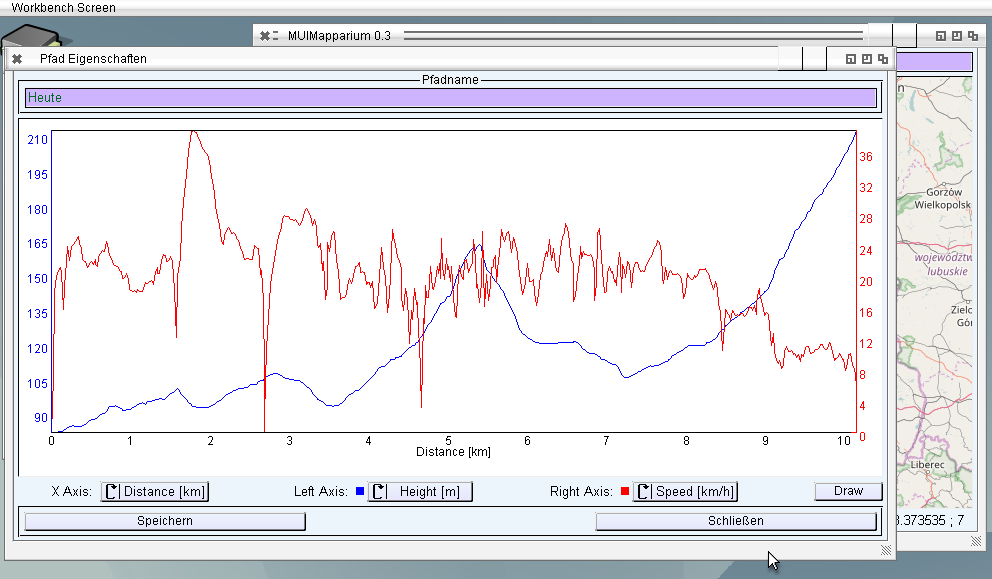
Working more on the Trackview to show the height and speed track, added a simple Popup Menu and a Data Reader. In the beginning I wanted to use the Bubble function of MUI to show the coordinates, but it flickers like hell if you move it over the map (because you have to destroy and recreate every time) and it makes very bad redrawing errors. On AROS for example when the bubble is over an other part of the window, the background behind it will not repaint, when the bubble disappear. On Amiga the background of the window is visible on the edges instead of my curve background. Also added a fine grid for better visibility of Values and heights, still fixed but maybe later can be disabled via menu.
I implemented a on screen (on-map) menu for zooming and to show the side panel, so do not need use the menu. I did that already for Mapparium but there only released for the special ARM version. There is also a key control available, the + and – keys can be used for zooms and cursor keys for movement.
I guess it will need one or two more version for MUIMapparium to reach the features of Mapparium but I guess it will be MUIMapparium will takes the Mapparium place (and Name) in the end.
MUIMapparium 0.3:
Reminder you can use the Example GPX file from the Mapparium page also.
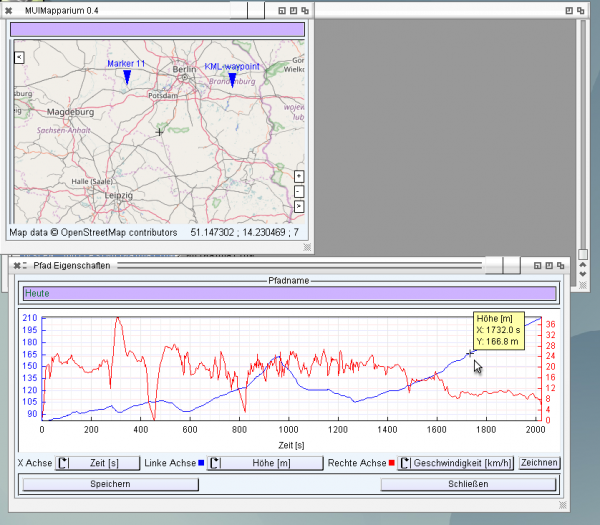
MUIMapparium 0.4 with track view
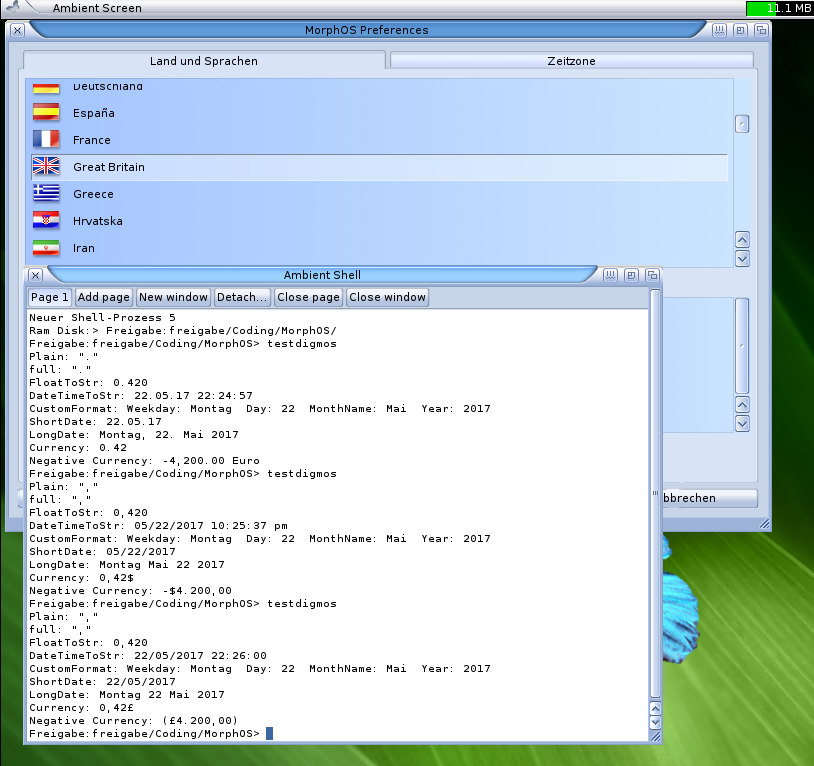
Still playing with locale settings on Amiga systems. FreePascal offer a possibility to care about international settings like decimalseparator, date formats and currency symbol. So I looked a little bit into and the system is comparable, still much work, so I’m not sure if really put to every start of a program, or maybe it would be better to put it to a separate unit and you have to include and invoke it by hand. We will discuss that.
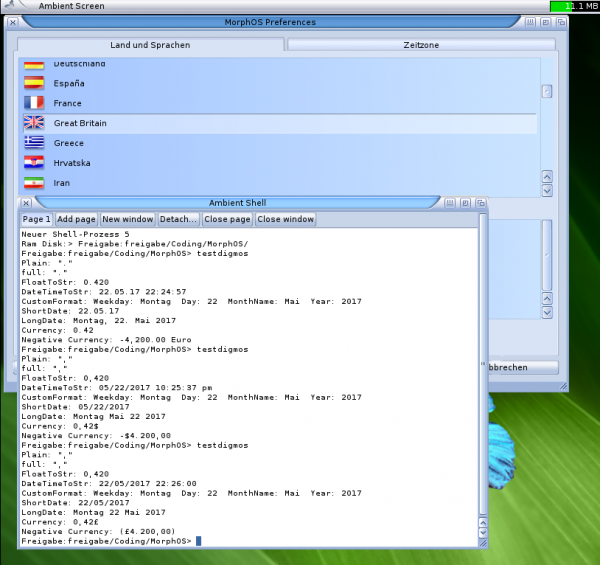
Testprogram with Germany, USA and UK Locale Setting
Starting the same test program 3 times and changed the Locale Country setting in between. (For me rather funny that the currency format for positive and negative Values are so different not so nice if you have them in a table) But so far it works very nicely.
LCL has powerful packages for example the Chart component (or the Edit component with Highlighter). MUI already have some, but not so powerful and not available for all platforms (especially ARM-AROS and AROS64). I try to keep on the included basic classes to keep it compatible.
I used the very powerful TAChart component in Mapparium to show the Height/Speed trace of a track. Of course for MUIMapparium I also want to have that, so I started to implement a plot class for MUI. Not so powerful but already very nice with two Y-Axes, Zoom and Autoscale.
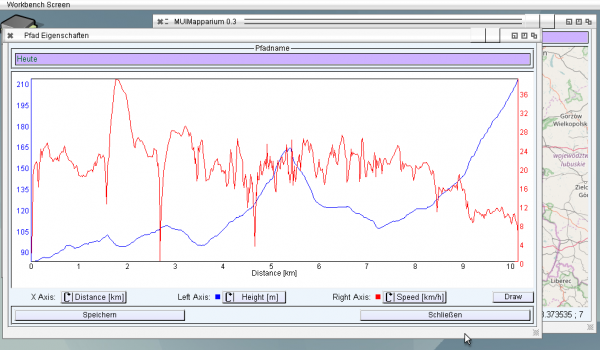
MUI Plot component start
It already works rather nicely, as first approach can be used like this.
I designed it already in a very abstract way in principle a TPaintBox for MUI and based on that the Plot class, that means I can use them in other programs as well.
Activated the localization for MUIMapparium currently only for english and german (of course ;-)) implemented also the local library unit for AmigaOS4 so localization is available on all platforms.
I also activated the AREXX interface currently only two commands are implemented: goto lat lon [zoom] to jump to a position and addwaypoint lat lon „Name“ to create a waypoint. The Portname is the same as for Mapparium an example script can be found in rexx folder. The AREXX port does not work for AROS, Zune has no AREXX support currently.
I tried to compile it on AROS64 sadly the program did not work, it just freeze. Little bit strange sometimes it start but crash directly. I tried some other programs on AROS64 and they work rather nicely so why MUIMapparium not. The difference was easy it uses threads, finally I found the solution, the Critical Sections in FreePascal are mapped to SignalSemaphores of Amiga. In contrast to other OS the SignalSemaphores are not just simple pointers but a complicated structure. The given size there was ok for 32 bit Systems but for 64 bit the structure is much bigger. I included it for that release maybe someone want to try it 😉
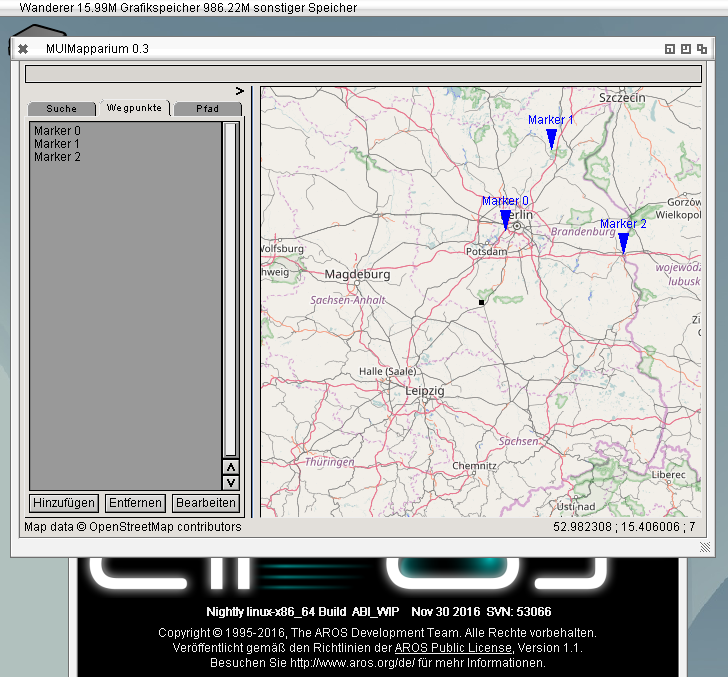
MUIMapparium 0.3:
Reminder you can use the Example GPX file from the Mapparium page also.
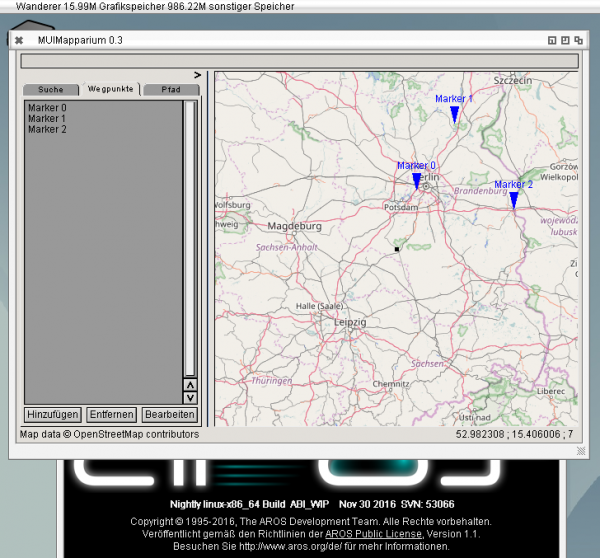
MUIMapparium 0.3 on AROS x64
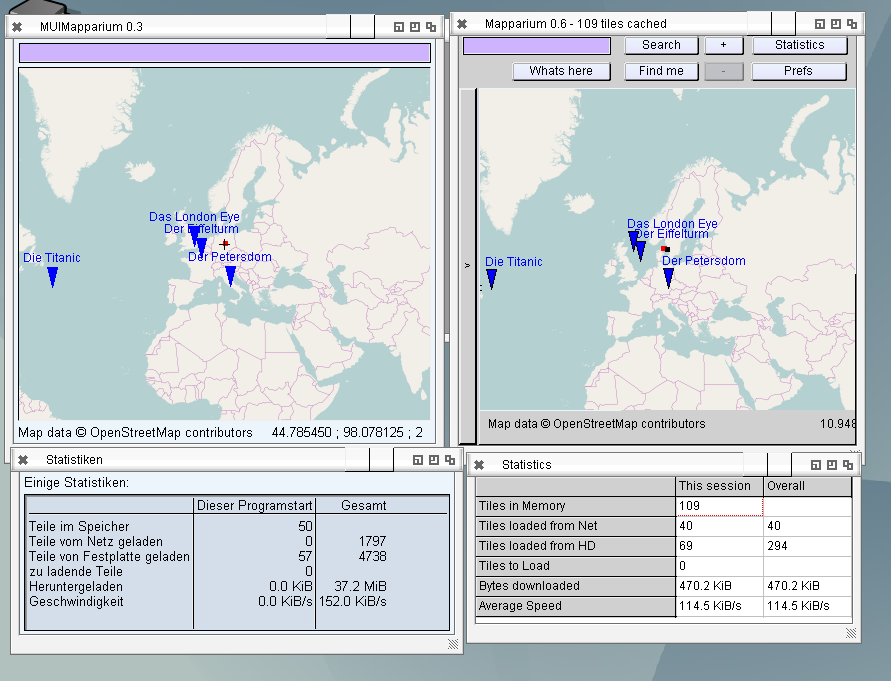
Working on a very old bug. I’m not sure if someone noticed it, at least nobody reported it. The coordinate to pixel conversation was not very precise because it used a average resolution for every tile. This works well for higher zoom levels where the resolution does not change much inside a tile. But for lower zoom levels, especially the whole world picture this is certainly not right any easily visible when using way points. See for example Mapparium 0.6 on the right side of the image, all way points are (and tracks) are shifted to north. The solution was not very difficult but needed some thinking, basically a rounding error and precision problem.
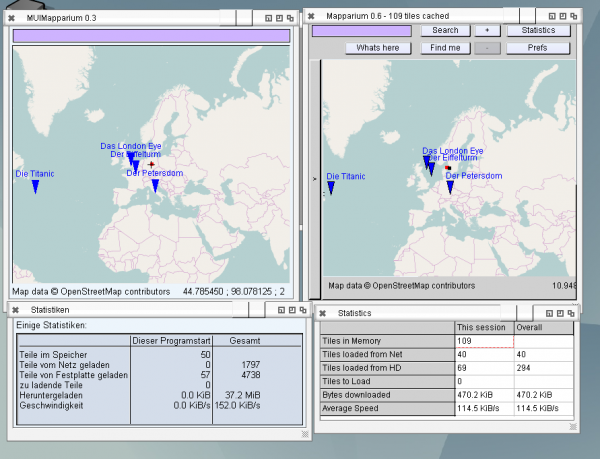
MUIMapparium (Left) and Mapparium (right) Waypoint position comparison and german locale
I also start to play with localization. I never did that before, especially not in FreePascal but it’s not very complicated, just diligent work to replace all strings. So next version will also be available in german (and maybe later some more languages, at least I got an offer for french localization). There is one small problem with that, there is no locale library unit in FreePascal for AmigaOS4 so either I make some defines to turn it off for OS4 or implement the library unit.
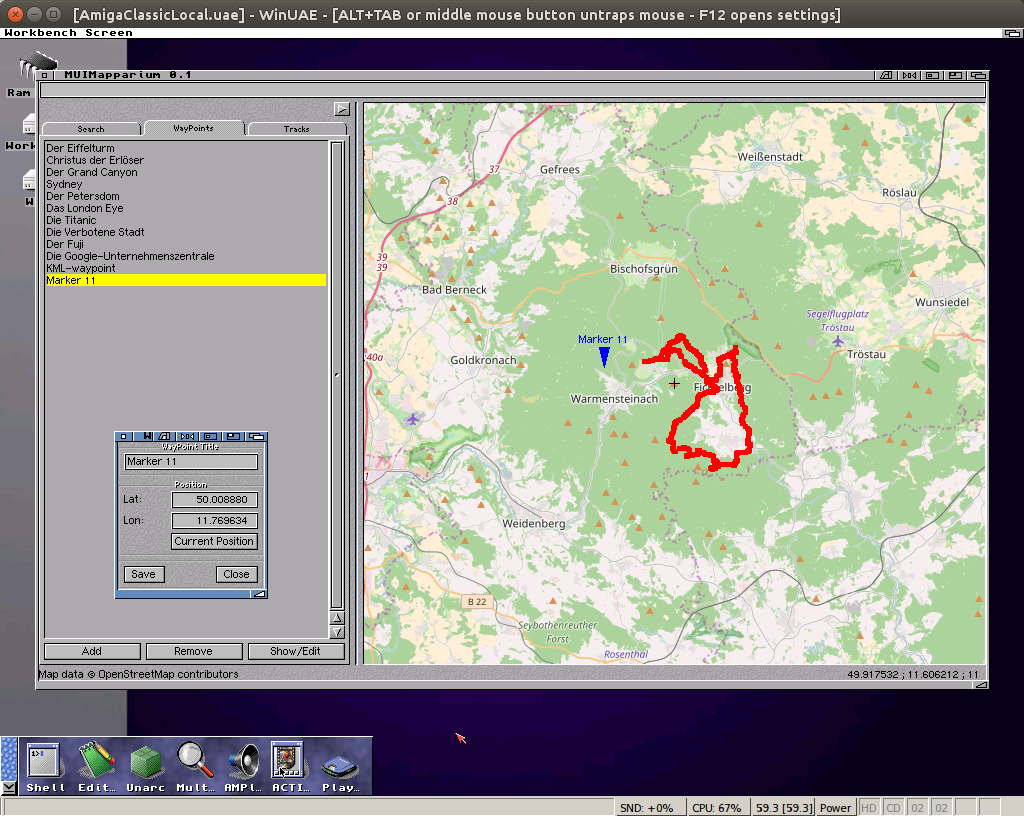
Had some time to work a little bit on MUIMapparium, mainly implemented way points and tracks including loading and saving, same formats as Mapparium. Due to multiple requests I created a OS4 version again, but I have no way to test it. Still it’s only a very early version of MUIMapparium.
MUIMapparium 0.2:
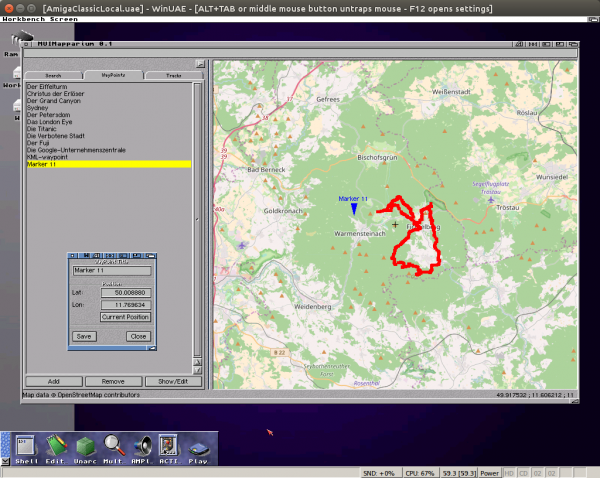
MUIMapparium 0.2 for Amiga