I worked a little bit more on the ImageViewer „APict“ included Zooming and Move with Mouse/Scrollbar, fixed a lot of bugs in my LCL code. Especially the scrollbars was hard to understand, because the MUI scrollbar and the LCL Scrollbars work a little bit different -> need to convert the Positions/Pagesize/Min/Max.
The Result works very nice now, this could really a very helpful tool for me, (even at Windows/Linux) to sort my files. My Plan is to insert some file functions also (delete or copy/move the currently viewed File to an other Folder, this is what I miss in most other image viewers)
At the moment the image loader is rather slow, but I remember I found faster routines in the web maybe later I give it a shot, or make some clever „preload“ of next image.
Download:
APict 1.1 for i386-aros
Source again available at GitHub
Some years before I played around with raytracing a little bit. I was amazed that this old source just compiles at AROS and work 😀
As long I’m working very much with images at the moment and the internal tools of AROS seems to have some problems with some special BMPs I wrote a little own Image Viewer for me (a little bit with IrfanView in mind)
At the moment I only opens BMP, ICO, JPG, PNM, PNG maybe later will add some more, I remember I had a very nice image library which compiles out of the box on AROS, could be used then for TIFF/TGA and so on as well (maybe even IFF?)
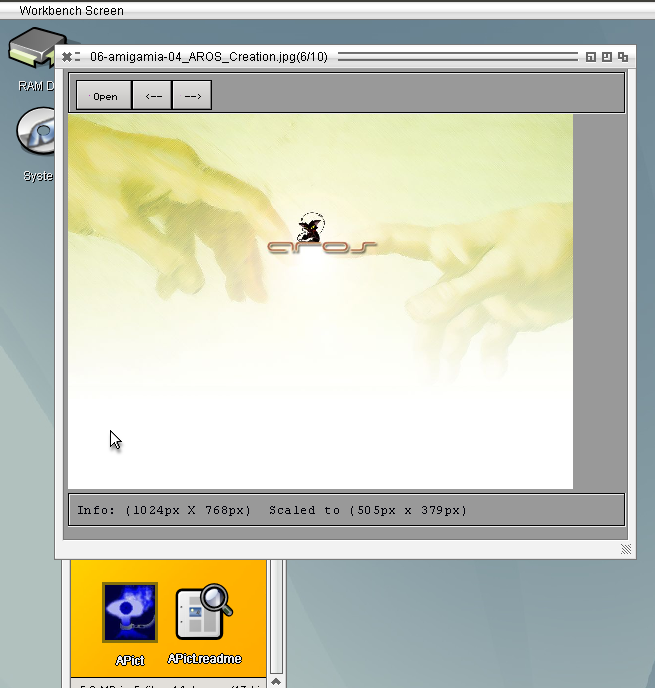
Until now it is no AROS specific things inside, but maybe would be a nice thing to make an example Datatype loader in pascal language. But atm for my needs this is more than enough to fast browse through my images saved in one debugging session
APict 1.0 for i386-aros
Source again available at GitHub
Magorium send me a link to a pacman clone for freepascal which does not work on AROS currently. I tried to find out whats wrong with it. First it was only the offscreen painting problem which I tried to overcome. But then I noticed how bad this program is, when talking about programming style. The whole drawing is done outside the paint events, which leads to a very bad performance on widgets which does not support drawing outside Paint events (like the MUI interface) because for every draw call the whole widget is called to repaint. The whole process is just paint driven so if you computer is slower it become easier to solve because all items move slower.
I changed it to a paint event driven painting and it work, faster but still very slow.
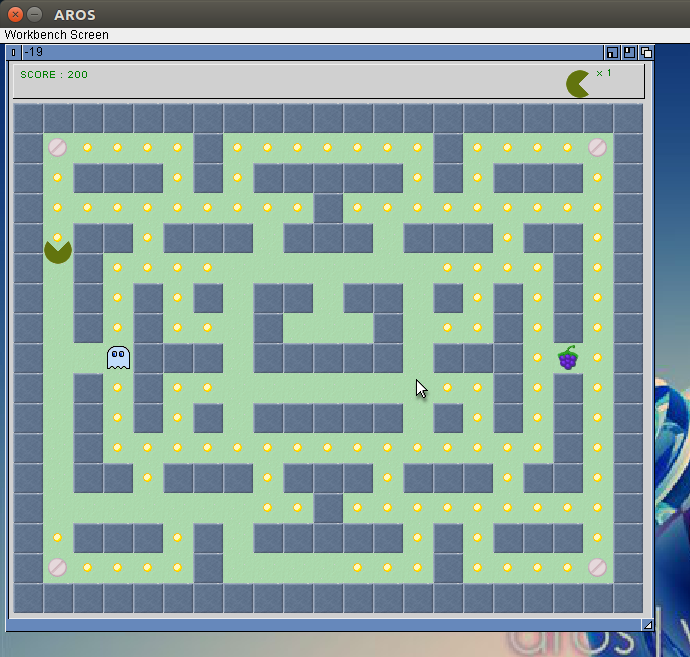
Of course this is still not a good method, a better approach would be to collect the static pieces into an Bitmap and then draw it at once to the screen in Paint event, and then only paint the Ghosts and the Pac Man to the screen.
An eating of Points/pills and so on would lead to change of the TBitmap. But there only one piece is redrawn. Maybe then it would be come much faster.
But there again one would need an offscreen drawing method, which is possible already, but no chance to plot it to screen. I’m still working on the concept for it but seems I still didn’t find a way. Still fighting with keys and mouse events but at least the pacman clone work now.
Still no interrest on freepascal on AROS, seems my programs didn’t help.
Still fighting with LCL drawing and Event calling, especially the Pen setting and loops in Event makes me headache. There are still some problems inside but I cannot figure out what.
For tests I wrote again a little Testgame, this time a Minesweeper clone.
The Source is again available at GitHub.
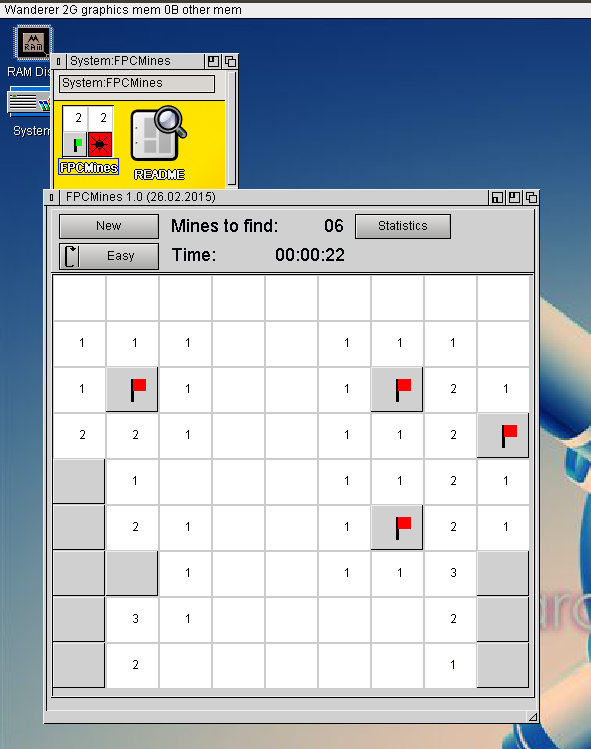
FPC Mines on AROS
Same as for the last game, I wrote it in Lazarus Linux and tested in AROS, both looks rather the same. From time to time I must recheck at windows also.
Download for AROS
Today I finished the ArTorr 0.1 Release.
Download:
ArTorr 0.1
News:
- New fancy gui, with pieces and availibility view and more 😉
- Piece-get randomization
- Can be started from shell with torrent file as parameter
- If no parameter given a requester to select will appear
Howto:
- Download the archive
- Unpack at a location you like (in the archive is a Folder with Icon)
- Navigate to the ArTorr Folder
- Start the Program by double click onto the icon
- Select the torrent file
- See how the download goes
- Press quit or close at any time to break the download, the download will be continue when you restart with the same torrent file
- Downloaded files can be found in „Output“ directory in the ArTorr folder
Atm I’m very busy to bring the AROS-fpc to the main branch and also play a little bit with the Amiga Freepascal (I want it for comparison with AROS). So there is only limited time for ArTorr.
But today I bring the new GUI to live already working rather nice. Ok behind the curtain still much to do. I have to think how to prevent, that the gui has to access deep into the Torrent class properties to get all the informations to show. There should be a better solution.
My original plan was to introduce first seeding to ArTorr and then create a GUI, but hmm I have more fun with GUI creating currently. First time I really use the uidesigner for a little bit gui creation (not only testing)
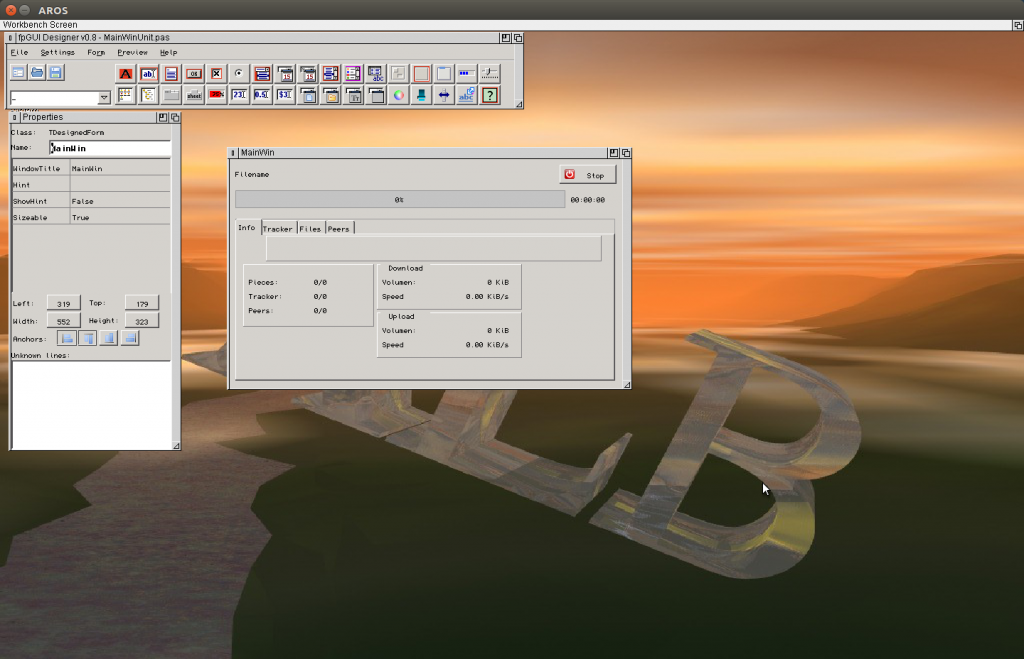
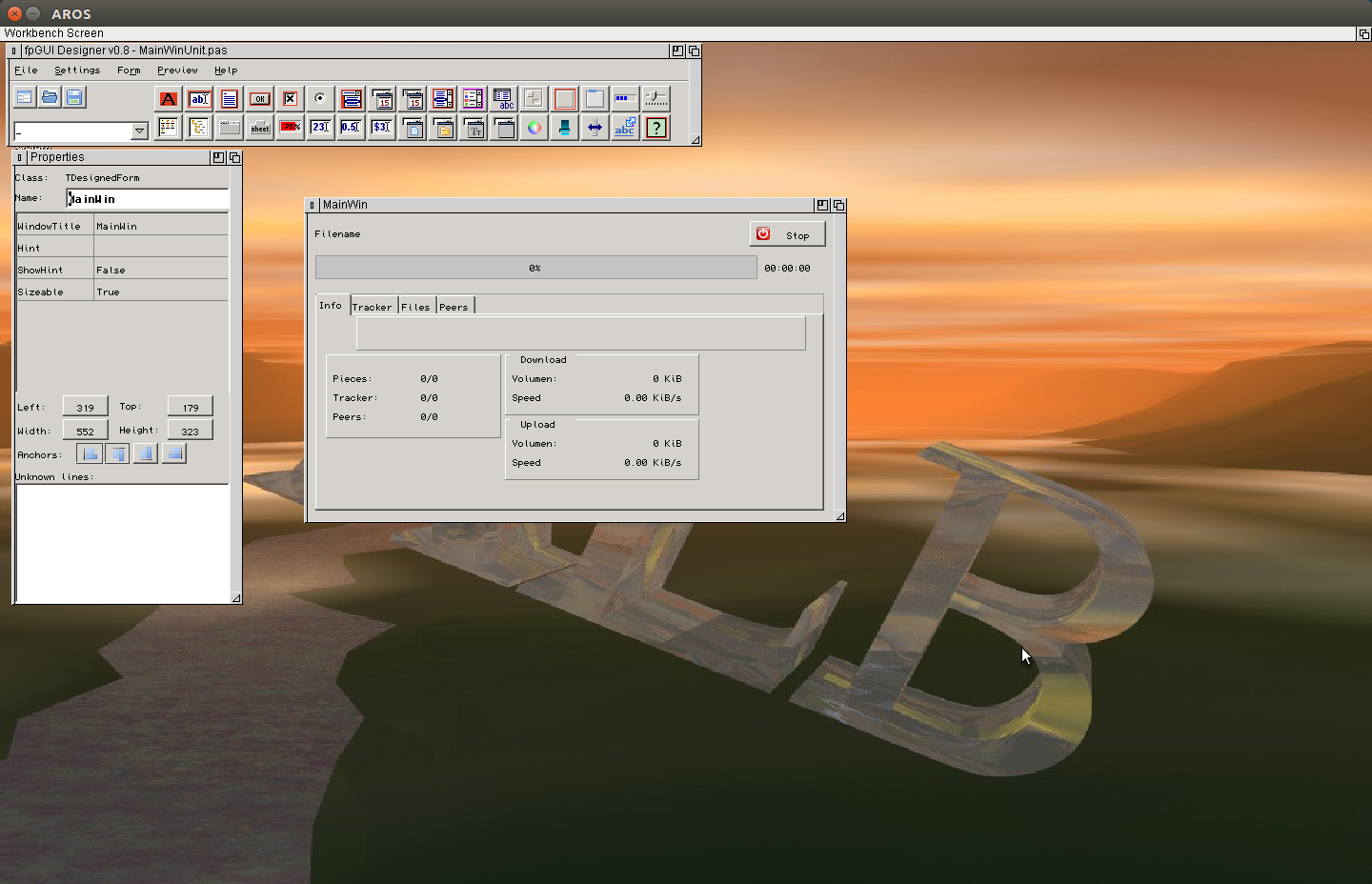
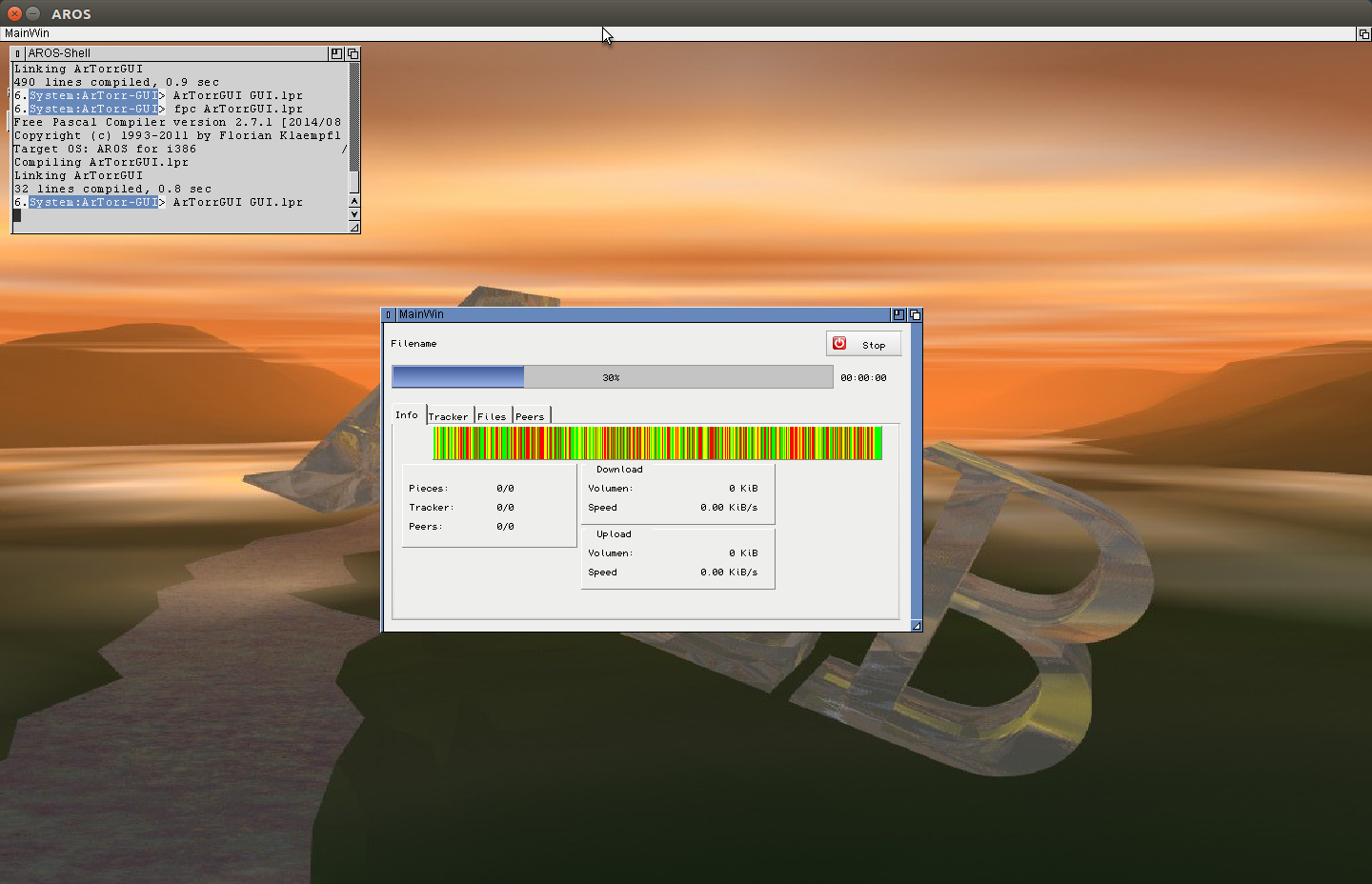
The final ArTorr LAyout looks at the moment like this:
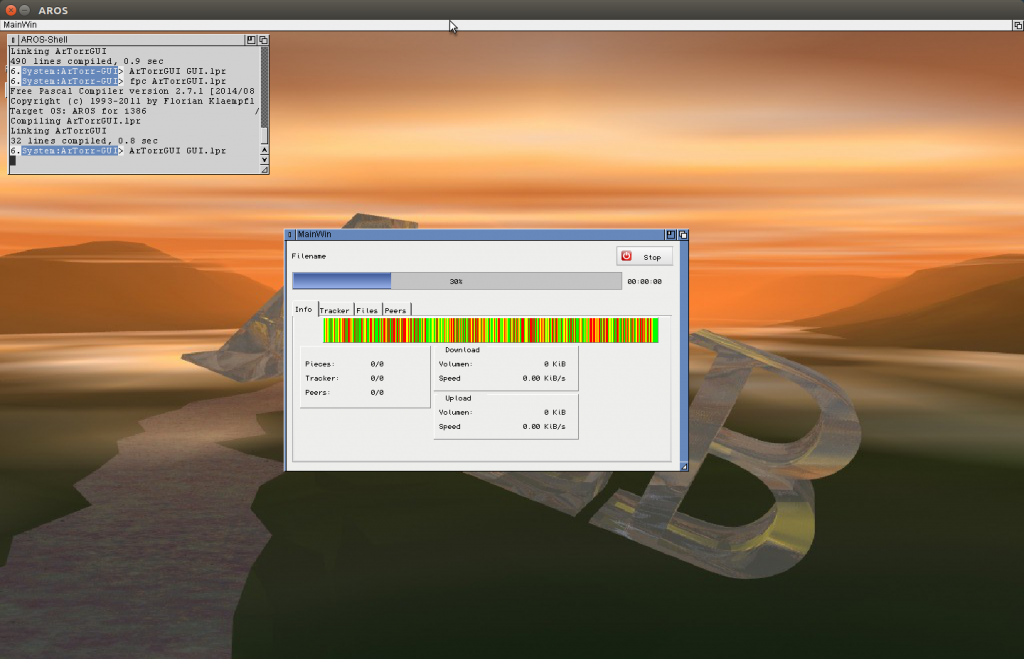
(I filled the pieces view with some random Values, as it will be later, red missing, yellow downloading, green arrived)
My new tracker connection via UDP and HTTP works very nicely. So now all network actions are non blocking. I’m rather satisfied with the whole thing.. it does work without additional Threads. So all the GUI, Network, statistics, sha1 calculation and File writing in a single Thread (the main thread) and it still can reach 3 MB/s and more. Not bad I would say.
Besides this I played little bit the FPGUI Styles and created a very simple (from the Demo style) to make the buttons and so on a little bit modern 😉 looks much better I would say.
So today I made a new Release of ArTorr Version 0.02 new features in short:
- UDP Tracker
- HTTP tracker error handling (working redirect, thanks magorium for this file/report)
- Tracker communication non blocking 🙂
- a little bit nicer interface, but still the same debugging GUI 😉
Download:
ArTorr 0.02
The two words in the headline seems to have no connection… hmm yes its right, I’m just to lazy to write two seperate messages 😛
So the first: Syscall… or better SYSCALL 😉
I backported the SYSCALLs for AROS from the freepascal trunk to my branch. Karoly was so kind to implement (see here) but the rtl there is far from usable. And with the backported we can already begin to transfer the systemlibraries to the new schema, then later not so much work 😛
The porting was more difficult as i guessed, the changes in the code are not so many as you see in the commit, BUT some of this codeparts even does not exists in my branch… introduced in between. Seems also in this part much things happend. But after try to understand the code and compare with PowerPC-MorphOS I found the way to do it.
I tested it with some simple functions from exec.library and it works nicely.
for example:
function RawDoFmtLocal(const formatString: PChar;

  const dataStream: Pointer; PutChProc: Pointer;

  PutChData: Pointer): Pointer; syscall AOS_ExecBase 87;
I backed a release out of it, just to have it released, my primary target stays the torrent client.
The second point… UDP
I released the ArTorr yesterday and already some bug reports arrived at my desk. On of them was rather simple to understand … in the torrent file was no HTTP tracker, only UDP trackers. I didn’t know such things exist, my files always had at least one HTTP tracker included. The problem is, I have no idea how UDP or the Bittorrent Tracker UDP work. Very helpful is the official text: UDP Tracker Protocol for BitTorrent. But stays the problem how to do a UDP connection. I searched a lot for example codes but the most working with synapse or lNet, both I have not available. But i found this page: Programming with UDP sockets which explains, in C, how UDP connections are working. Its rather easy I would say, even simpler than a TCP connection, and much better for non blocking calls.
So I tried to implement the protocol, its rather straight forward. so tomorrow I will see how it will fit into ArTorr, if this is working I will see how to write myself the HTTP Protocol for the tracker and then make the whole thing non-blocking. 😉 Seems thats my major topic… make things non blocking.