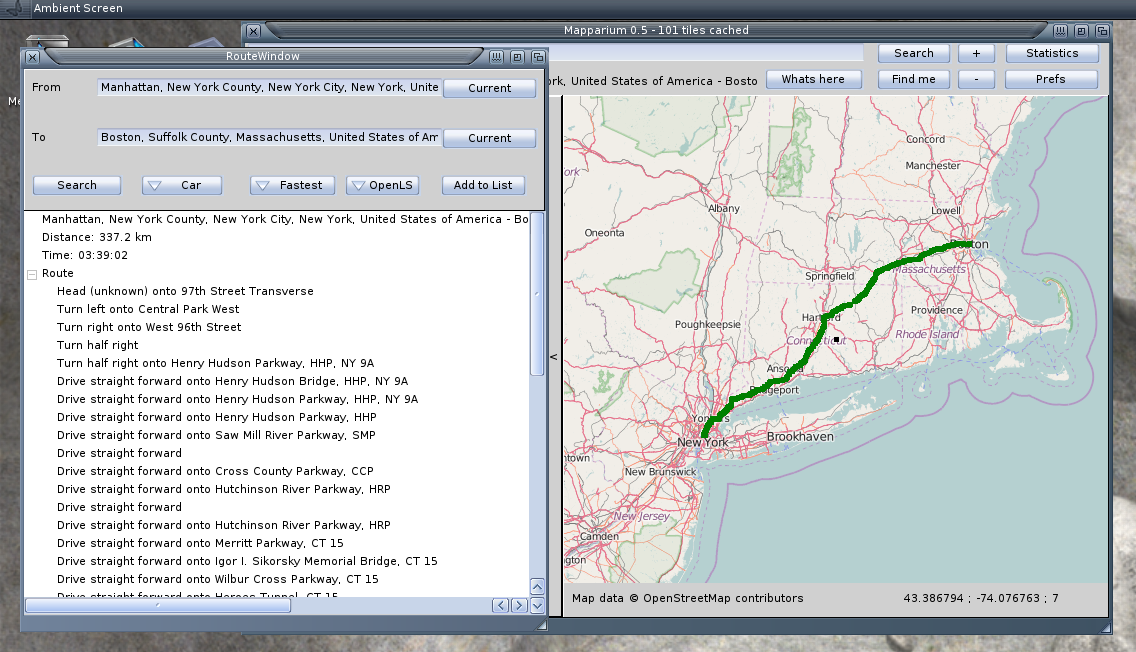
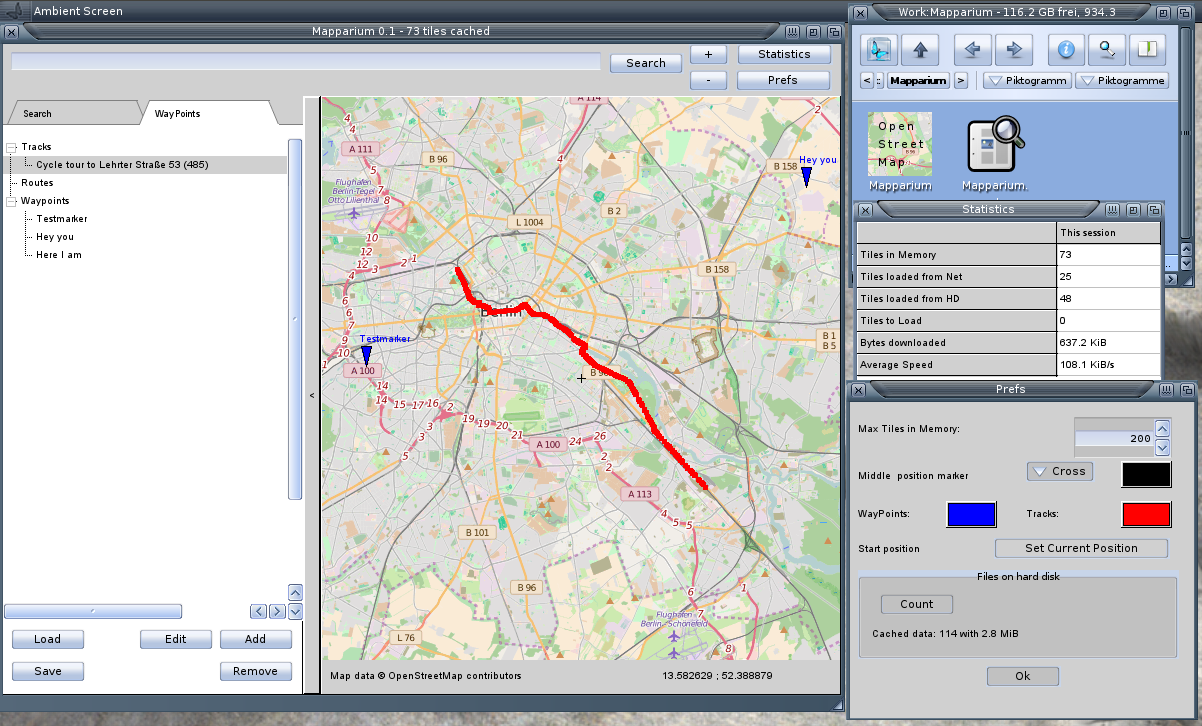
The new Mapparium has some basic route calculation support. I found two usable services, YOUR and OpenLS. Both have positive and negative sides, YOUR is much more reliable but only support the orders as text without coordinates where the direction order is active. OpenLS had on my tests some speed issues, sometimes very slow, even 1 day offline as it seems, but it supplies orders also with position informations.
Changes
FIX: AROS invisible search text
ADD: Routing calculation via YOUR or OpenLS
FIX: better Prefs window
ADD: Save/load routes from GPX
CHG: Open TrackView or RouteView on Show/Edit Button
I got a question, if I will continue with my RSS reader I started a while before. So I searched for it, nice, it’s still on the backup 😛 and it still compiles. The home made HTML parser and print looks still strange, and the whole program is just a start. In fact I did this only to fiddle around with XML/Networking, tried some different RSS feeds all (in the list) seemed to work nicely. But to make a real usable program out of it, I was and I’m still too lazy :-P. And I also don’t think there is a real use for RSS today and every Browser has it already build in. So as an answer I’m not sure if I will ever continue it, Sorry.
I got already some requests for easy route planning inside Mapparium, for me thats not so important, because mostly I just drive without a plan. But it’s funny to play around. In fact I plan both ways of planning, online search „from to“ and manual planing by defining some points. But first make the online search, rather easy with „YOUR“. Sadly the by turn announcements are only supplied as text wit no relations to the route. That means you cannot click onto a announcement and zoom to the map where it should happen. I found another one from the university of Heidelberg, and it has map coordinates for every turn. But today when I tried to implement it’s offline :-O I’m a little bit hesitated to include such a service, if it is this unstable to use. Especially because it’s not just offline, but just lagging some minutes to timeout, which is very annoying, because it looks like the application is crashed. (But just waiting for the answer.)
New Version of Mapparium for all Amiga systems.
Most important changes are, AREXX Port (not available on AROS, due to Zune restriction), Find by IP, Check position, localized search and support for Garmin FIT data. Have fun for me it works already better than my other route inspector programs, I also use it on Linux as my default. I just notice when adding many routes it becomes a litte messy, because the start of every route is the same, maybe I need an option to hide routes from the view.
Changes:
ADD: Clear HD Cache by Button in Prefs to a certain zoom level
ADD: Find current position (by ip)
ADD: Search position by ip (type: ip:x.x.x.x to search)
ADD: Get address for current position
ADD: Zoom in by double mouse click
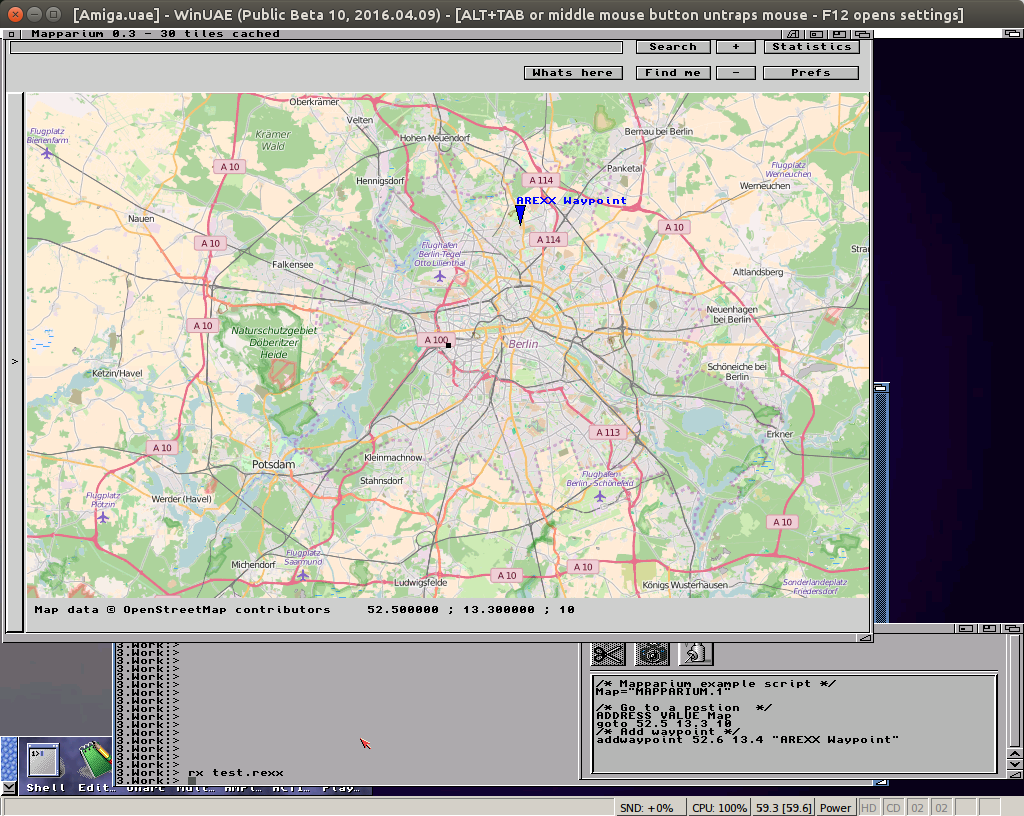
ADD: AREXX port with commands „goto“ and „addwaypoint“
Polluks wrote a little AREXX script to extract positions from JPG exif informations to show on the map, it also create geo: URIs suitable for Mapparium. He also asked me if it would be possible to include AREXX support directly to Mapparium. I always played with the idea to try some AREXX support things, but never had a reason. In principle is rather easy to get a message and return a error value.
I added two simple commands to Mapparium, goto and addwaypoint.
Mapparium with AREXX
At AROS sadly I didn’t get the AREXX (or Regina) to work, thats the reason I implement for Amiga Classic at the moment.
Strange problem appeared with Mapparium on AmigaOS4, all texts are invisible. The funny thing: on my UAE and the OS4 computer at Amiga meeting it was working, difficult to debug. But thanks to some guys at amiga.org I was able to solve it. First I thought it was some Font issue but then I found an informations about color setting in AmigaOS4 and that the given color also contains an alpha value and this was of course always zero for my setting now. MorphOS/AROS/Amiga does not need there a value. And after a failed try (I missed one call) I got a positive feedback from Amiga.org.
Besides this I fixed some little things and implemented Garmin tcx reading (also a xml format but seems only for tracks). Because of this I decided to make a new release for all platforms not only for AmigaOS4 and called it 0.3.
Mapparium 0.3
OpenStreetMap viewer for all Amiga systems.
0.3
FIX: Invisible texts on OS4
FIX: Go offline if internet is down
FIX: Start folder for load/save dialogs
FIX: Filter for dialogs
FIX: Version informations
ADD: Load tracks from Garmin TCX files
ADD: Set size of middle marker
ADD: Support for geo: URIs
ADD: DblClick to lower panel copies middle position to clipboard as geo: URI
I optimized Mapparium drawing a little bit for 68k Amiga at least in UAE it’s working now with reasonable speed (even faster than the native OS4 I tried). On a real Amiga of course will be much slower. I do not have a Graphics card (which is needed for this program). Maybe later I find one to test.
Working on the Mapparium, implementing an view for the height and speed curve of a track. The new TAChart component became much more powerful the last years. Now one also can add multiple Y-Axis so different scaling for two curves.
When you click on a track (single mouse click) it shows the curves for this track with the time as x-axis and height and speed as y-axes. I’m not sure if the distance would be a better x axis as default.
I saw already on MorphOS that the arrows for spin edit are rather big if they are one over the other. The idea was to make them side by side.
The OpenStreetMap is now named Mapparium and I created a Release, until now only for MorphOS and AROS(i386). The Version for Amiga 68k needs a little bit more optimization, and for AmigaOS4 it needs a request ;-).