AmiTube MorphOS streaming
just a little video showing off the upcoming direct download and stream function of AmiTube
just a little video showing off the upcoming direct download and stream function of AmiTube
As I wrote before, It makes not much sense to use AmiTube on NG Amigas because the could in principle just use the original movie files without conversation. I started to work on this a bit.
On the first picture it’s AmiTube in the back with the new Button „Get Original“ (better name needed 😉 ) which opens a new window. There you can select one of the available resolutions () and formats (should print more there about the codecs maybe). Then when an entry is chosen and „Download to HD“ is pressed it invokes wget to actually get the movie directly from YouTube. A classical YouTube downloader then. (I saved it to ram and used MPlayer to see if the file is ok)

The second try was to directly stream the movie from YouTube, that would be even more cool, it first failed because my MPlayer had no SSL build-in, but a new one (1.4) has, so now that works as well.
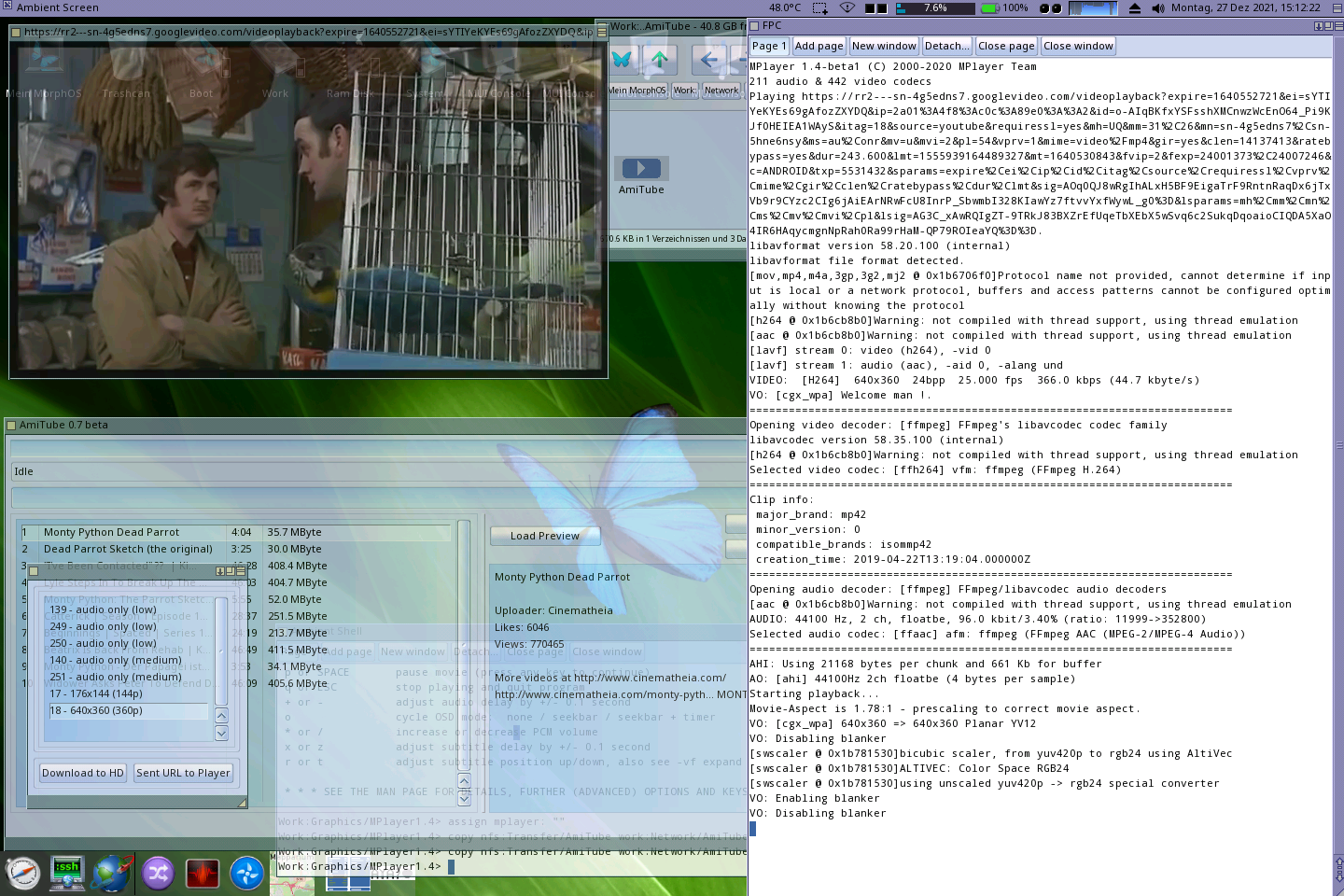
So I guess that works somehow, I will play around a bit with it, maybe it will make it to next release. Then it would make a lot of sense to release a MorphOS and AmigaOS4 version I guess, as YT downloader.
I got some request for AmiTube for AROS because with the MPEG feature it is nicely possible to download and view videos in AROS. In AOS4 and MorphOS you can easily just use the m68k Version because of the seamless integration of 68k Emulation. But in AROS this is no possbile, therefore I compiled a special version for i386 AROS ABIv0 and ARM AROS.

Download at the AmiTube Page
Don’t forget to set a MPEG as default and a suitable MPEG player like mplayer, in principle a simple downloader would be enough for AROS (and AOS4, MorphOS for that matter) i386/arm should be fast enough to play the original format, so no conversation is needed at all.
A new Version of AmiTube is ready for release, most important changes are the localization (only german until now, but more to come) and preview icons, which makes it much easier to decide if a movie worth downloading.

Full Changes list:
Preview Icons
Download as always on the AmiTube Page
After some beta testing today I release the Version 0.5 of AmiTube. Most important news:
I also created a dedicated page where always the most recent AmiTube Version can be downloaded.
Download: AmiTube Page
Have Fun.
the next Version of AmiTube will give the choice which format you want your youtube video converted to, here are the specs for each format and an estimated size for a 30 seconds video:
One can easily see, how the quality increases which each setting and how much better MPEG1 is in comparison with CDXL, but of course for a standard Amiga such Video CD MPEG1 is much too slow to play and thats the power of CDXL to play even on such slow hardware.
Just to finish that (for me the program and services around are now more or less finished) I will publish this AmiTube program which you can use to watch short YouTube videos on your ordinary Amiga 68k.
As one can notice in the last video I changed my setup from MultiView to AGABlaster, which is much better to play the CDXL videos, faster and smoother, also the palette switching works better. (you can change the default player in Preferences)
Download: AmiTube 0.3
If you use that program, remember the conversation is done on my Server, please do not overdo it (try to convert a 2 hour video or convert hundreds of videos) other (and myself) need that Server for other things as well 😉
And please do not share or publish this program, anywhere! If one want to have it, here its free download it from my page. Thanks!
I tried the YoutTube client now on my real A1200 (with a 68060) and it works nicely, of course the network speed is much slower than that in UAE. But it’s still ok, not too long waiting times. (with that short videos). It depends very much on the video how good they look in 160 px width and only 32 colors, of course such Eric Schwartz videos are nice they had only very little colors. But I also found different ones like this „Seed“ looks very nice even so small.
I played around with different settings and noticed that not the conversation to CDXL is here the slow bit (its only 3-4 seconds, because it’s not HAM but just 32 colors) but the download speed from youtube. It seems that YouTube throttles downloads of the movies… hmm of course they want you to force to watch them on the page. But hey what can you do, it’s just for fun.
You thought it would be impossible to let an m68k Amiga play YouTube videos, you are surely mistaken, lets have a look:
You remember the CDXL stuff I showed before? Of course with that you can create a relatively low quality video from an YouTube video, and if you do that on a server and just download the converted video file you can watch youtube videos on your amiga.
The search and downloading is done via youtube_dl the conversation to CDXL using the docker container I showed earlier.
Sorry for the bad sound, but it seems to be my UAE setup is a bit strange in sound settings, never really used the sound there, also other sounds sounds a bit crackly. I should try that video on a real Amiga and with other players than Multiview to see, or better hear, if its better, or the conversation is so weak.
I remember I had some problems with the sound in big bug bunny movie as well, the sound was not loud enough and the 8 bit conversation made it really bad.
Maybe you remember when I improved the TProcess implementation for MorphOS using a Chess GUI and an uci chess client. The Author of that chess client contacted me to ask if I could publish the Chess GUI. I did not plan to publish it because it was really just a test, but ok, why not. It also includes the Source (LGPL) and some engines (also the mentioned predateur, which works nicely)
Download MUIeschecs with Source and engines
