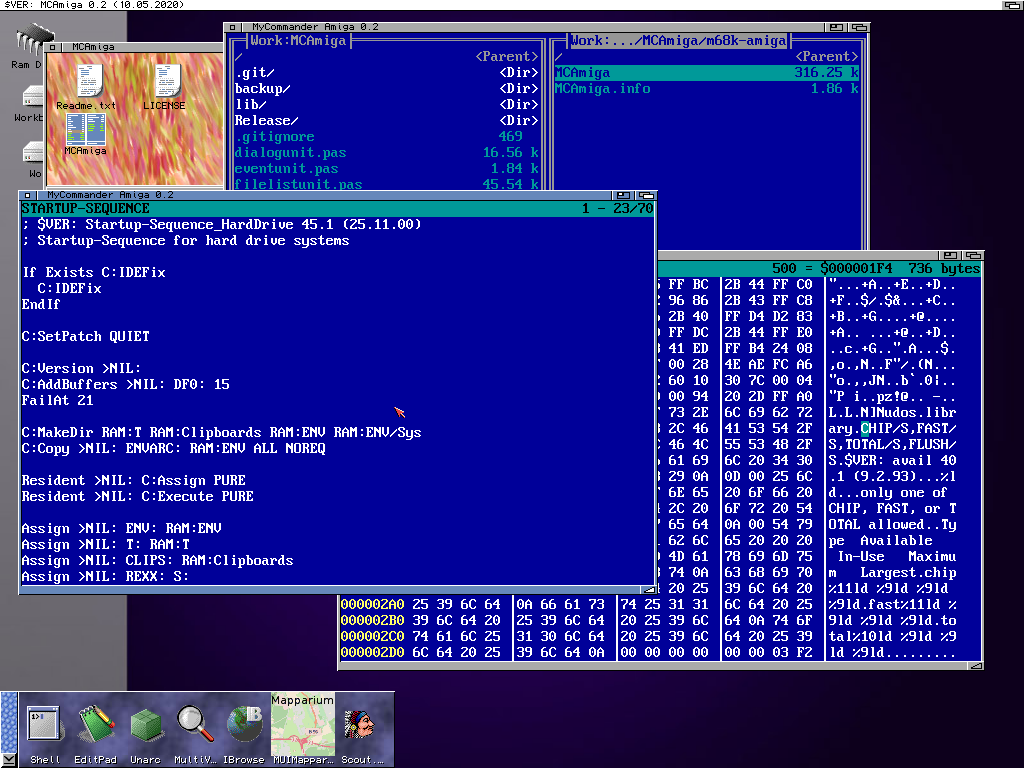
Worked a little bit on the mouse control for MCAmiga, the mouse/video unit combination makes it very easy, exactly the same mechanisms than the keyboard events. So now you can also use the mouse to click on buttons or select files. The search and jump function was already included in the last version but I did not show them in a video, so I included them here.
The second part was to activate app window functionality, that you can drag and drop a file onto one of the two panels and the program will automatically jump to that directory and file. I did give me some headache though, because initially it did not work on Classic Amiga and MorphOS, and I found out that the FreePascal workbench unit had a big bug. The syscall offset of the needed Function AddAppWindowA was wrong. Now thats fixed as well.
Download as always for all Amiga systems on the programs page.
MCAmiga work continues, move now completely works (also with the fast move when source and destination are on the same harddisk). I build in a little text viewer also with hex display which I use very often, and for editor you can define yourself which editor you want to use, ed, editpad or what else you like. Already works very nicely and I use it frequently now, and hopefully that motivates me to improve it further. 😉
MCAmiga 0.2
There where some little changes needed to make it compile for other Amiga Systems (AROS, MorphOS, AmigaOS4) but not serious changes, but I did not try them, so be careful when using it.
Continuing playing with the video unit, learn how to resize the window, something I did not implement in the vidcrt unit in freepascal. The commander style application already is kind of usable for basic stuff. Copy, Delete, Rename, basic movement, selecting such stuff (move is not implemented until now and a lot of error checking is missing, especially overwriting :-P)
I took a lot of work to get the resize stuff working, especially if an additional window like the help is open at this moment, but finally that is working well.
If you want to play with it (68konly atm) you can download the exe of MCAmiga, but be warned it’s just a playground for me, so bugs may occur a lot, and do some harm to your files.
Playing around with the video unit, really easy to write a norton/midnight commander style application with it. Not really seriously plan to make such app, but to be fair, Amiga is lacking a good norton/midnight commander style app which is fully controllable via keyboard (typical amiga application are more mouse centered, like dopus 4/5, filemaster and so on)
Inspired by Charlies 8 bit coding I took my KC85/4 (Easy Germanys home computer) out. But my BASIC knowledge is very limited, so I soon switched to Pascal ;-). Yeah the source is a bit longer (maybe could be shortened but I did not try to make it as short as possible) but because it’s a compiler, it is much faster.
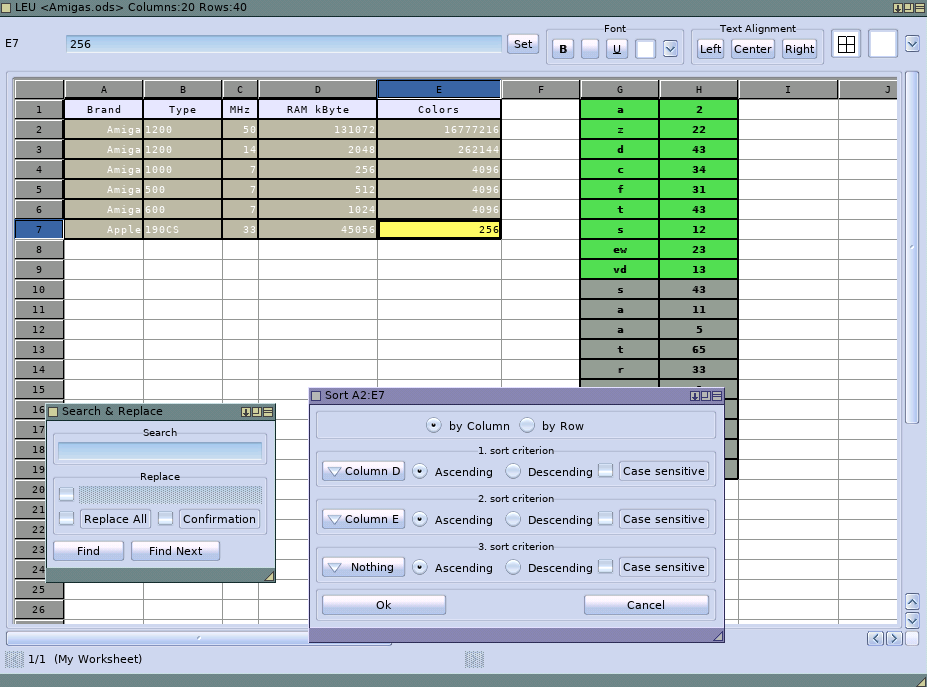
Implemented basic sorting and search function including replace, very basic but working, also the sorting close to the LibreOffice sorting, multi key sorting (up to 3 but in principle could make more, but is more than 3 really useful?) Together with the Format options this should be enough for a new LEU Version release Leu 0.08.
Fixed a little bug in Leu regarding number format. If no number format was selected the output format was one char too long, resulting in very ugly rounding errors. Already long time before I started to implement a solution to set the number format for a cell. But it was very crude and not ready to release, so I deactivated it for Leu 0.07. But this bug got me back to work. 😉 I started to implement a format settings window, a little bit inspired by the LibreOffice one. Finally its working, not perfect but already usable.
Also fixed some small problems with the color blending on selection for RTG systems (for <15bit screens it will just use a fixed color for the selection) and new now the fixed col/row will show where the selected cell is. much easier to find, especially if it is out of scroll area.
Updated Online Amiga FPC Compiler again with the latest CRT unit and also tried a bunch of console based games using CRT units, all work more or less (some need some adjustments in the code) some of them are even single file pascal source files, so can be used in the online compiler.
Fixed some little problems on MorphOS and also some little problems inside the DeadCold code (missing error checking) and for that I forked the original repository to my github.
Tried DeadCold on my Draco (in principle 68060 Amiga with RTG Card) and it works rather ok, certainly playable. With some little errors of course, but a nice showcase that it can work.
On my Amiga 1200 (030/AGA) it also work but the colors are not there, needs some debugging.