Accomplished some advances for the torrent client… oh people we come closer to a release.
First I implemented the checking of Hash, when a piece is finished. To make sure there was no error in the network or so.
As next point on my list was the state machine for the Bittorrent network, which needs some simplification… so i made a little drawing of the states and transitions, its not very complicated, rather linear and implemented this behaviour. Works fine.
The next point is a big point on my list, a little bit complicated, multiple files. The pieces in the torrent stream are not stopping at a file border or so… just like a stream. On the first sight its not a big deal, if you have the pieces in an order.. but if they arrive randomly you have to calculate the position in the file and in the piece you recieved. For the sha1 calculation I have to keep the piece together, or I would just adjust the blocks inside a piece to get the file border. But I think I got it… downloaded just now a torrent file with 5 files in 3 different folders.. and it worked fine. Still needs a little bit finetuning for the recognition at start, if the file is already there and the sha1 check. Also I have to think about how to check if a file is finished (but not the whole torrent download) that I can rename it already and set free for the user.
I have one more point on my list before i would make a first alpha release…. tracker communication, multiple trackers, tracker reannounce, refresh peerlist, maybe also write an own communication with the tracker (non blocking you remember ;), the TfpHTTPClient is blocking of course)
Good news on the speed front, I transfered the ATorrent program to a native installation (Icaros in qemu) and there its really fast up to >3 MB/s (I have 50MBit so something like 5 MB/s possible), So 3 MB/s (Linux Mint DVD torrent Size: 1.3GB) in a virtual machine not bad, I would say. (Compiled on Linux it reaches also up to 3MB/s). This means my network handling is not that bad.
Seems the tap network for Linux hosted is very slow. there I always only get maximal 200 kb/s even on a local torrent network. (btw. the downloade file is 232.8 MB)
Until now I do not need any Threading. I’m still thinking if it later I will include some Threading possibilities. But my experience with threading at AROS are not so good, often not reproduceable crashes and deadlocks, even for code work perfectly on Linux/Windows.
To achieve this speed level I had to tweek the requests management and peer balancing. It work now much better but I’m still not satisfied. Some examples: If a request timed out (after a minute) I disconnect the peer. I noticed thats not always needed.. sometimes one packages time out but then later the other packages arrive (maybe a problem of the other side). Second: now all peers get the request with same priority, thats not bad but would make more sense if a fast peer is prefered over a slower/limited peer. I think about a kind of credit system for example: all peers start with 100 points. A request to a peer costs 10 Points, if the piece data arrive it earns again 10 points if it arrive at a specific time if it is faster it earns more point if it is slower it earns lower point.
A Timed out package costs 50 points. If the program has a slot free for it chooses the peer with highest points.
hmm maybe such thing would work, but difficult to test and set the right credits for every action.
I’m still playing with this debian torrent to see how real world torrent networks react. And one thing what happen, quiet often I would say, that the other side is not available from one second to the other. The problem is that my calls wait for data… the only solution make EVERY read from the socket non blocking, and thats exactly what I did.
Especially the handshake I noticed can need quiet a long time.. so in the past my handshake often failed, I just stopped to early… but I dont want to wait there until the answer arrive. Same for the payload, or better worse for payload.. I played around with the badwidth limiting of transmission (the other side of my torrent test network) and it seems that it makes this limit by slow down the piece sending.. so if he want to sent one block (usually 16kbyte Size) and the limit is set to 5kb/s it just divides the package in 3 part and send every second one of the parts ;). Nice idea btw. I will remember this when I include a limiter myself one day.
So I build something like a state machine for the network part, that can download the payload or make the handshake piece by piece. sometimes it makes it a little bit slower for one peer, but MUCH faster for multiple peers if one is limited or just slow.
In the video one can see how the download runs and at the same time new peers make the handshake. (before it always freezed at thisd position so I limited the handshake time to 100 ms)
To make some small speed tests I also begin to count the bytes transfered and measure the time… the speed is shown as the window title atm.
I only counts the real pieces bytes and not the network overhead.
Local I saw something like 700kb/s for small files and for big files something like 200kb/s on the real network.. mostly 60-70 but also once for two peers 180kb/s. Thats not very fast, but ok. Its not optimized and I notice the program waste much time for the debugoutput. First I bring it to work then I care about optimizations.
I work on a Torrent client for AROS in Freepascal, as long as I didn’t find suitable sources for the BitTorrent Protocol, I used mainly the specification. This two pages were very helpful:
Wiki Theory, BitTorrent RFC. But even more useful was to listen to the connections of other Torrent clients with Wireshark. Wireshark knows and decodes the Bittorrent packages and also shows if my program produces an illegal package (wrong size for example).
The first stage was more or less just a dirty first try… very simple, just coded for my two torrent files, and my seeder and tracker on the server (transmission). At 10.08.2014 this was ready to run.. and it downloaded very nicely the little picture… in fact I was really curious if there really arrive a picture or just junk. But (already at first try) the picture looks very good and also a binary diff showed no differences.
If this proof was done I begun completely from zero, made a little sketch for the classes I would need to read/andalyze the torrent file, tracker communication, torrent communication.
I use Lazarus at Linux to write the code. The GUI is LCL for now, but later I think I will change to FPGUI native it just work much better on AROS. I could design own components, for the pieces view for example. Its just much easier to write the code in Lazarus with Code completion and hotkeys for find declaration and online debugging of course. So I try to keep the source compatible between AROS and Linux. And beside one part this worked very nicely.
The parts where I got problems, was the networking… of course… especially the non blocking calls via MSG_DONTWAIT seems not to work at AROS. (Now I know they can not work.. this constant is not present in the whole AROS TCPStack source code, only in the SDK includes ;)). I decided to check for other ways to non blocking calls.. of course one can set the complete socket to nonblocking, but all ways I found in Internet seems not to work on the AROS platform. By looking through the source for „recvfrom“ I found the hint to look for FIONBIO to set with the Ioctl() call (At AROS IoctlSocket()). I don’t know why I didn’t saw it before… Now when I search for nonblocking I can find this solution. maybe I just used the wrong keywords 😉 Nevertheless IOctl(socket, FIONBIO, 1) does work.
At 13.08.2014 the second stage was ready to run, with the nonblocking socket calls.
It downloads nicely from two seeder at the same time. I had to tweek a little bit on both torrent client, set limits and so on to get this situation.
We have there:
192.168.0.238: Desktop where also AROS runs.
192.168.0.128: Windows Notebook with µTorrent
192.168.0.254: the server where also the tracker run and transmission.
As next I tried to go to a real torrent file with a real world tracker and seeder. I tried with some trackers and client at home at it works nicely. I’m rather sure that my client will not disturb other people in the bittorrent network with wrong packages or so.
But.. how to say… I did not work at all.. first, some hosts are just not available. And I made a non blocking call for the transfer but the connect was still blocking… So I reprogrammed it to a non blocking socket connect. (If you also want to do it: google for „socket connect timeout“). The principle is rather easy set the socket to nonblocking connect the socket and check with Select() (At AROS WaitSelect()) if the socket connects, there you can set a timeout. and also can make a loop to poll messageloop in between.
The second problem appears that some peers in the world, unchoke me, I send them some requests for packages and they never answer to them. I limited the maximum numbers for requests, hence after a while, my request queue was full of never answered requests (I waited and hour and nothing happend). I’m not sure whats the reason for this „not answering“ peers.
The solution is simple I just also brought a time out time for every request. I think later such things must be set in config or so.
In the beginning I wanted to use an AROS related torrent package, so I tried Icaros and Broadway torrents, but both do not work.. no seeders (I rechecked at my windows machine). I changed to debian iso torrent. (Many torrent files will not work, because I did not include multi file support, so atm the torrent MUST consist of a single file, besides this I only support HTTP trackers, so no UDP). But the debian ISO is fine, good tracker (the ubuntu tracker refuse my connect, I think because it does not know my PeerID Format), and many many seeds. Ok this was an other problem.. Of course more seeds is better but very inefficient as I noticed.. So I limited the number to 5 connections at a time. But then I had the problem that dead peers blocking my list and sometimes I have no peers to download… So i also implemented a refresh of peers, kick dead peers from the list and connect some new. At 14.08.2014, today.. was the day to run my client successfully in the wild on a real life torrent network:
There are some more things to notice:
- At the beginning it needs long time, looks like frozen, because he check the SHA1 of the file (which is already there and rather big, around 250MB) Later I will make a gui for it with progressbar or so.
- The file is already partial downloaded, I decided to use the same way as many other software so the partly downloaded get the extension „.part“, the sha1 check at start is used to determine which part still have to be downloaded
- In the beginning some peers are dead, later they are replaced with other peers and connected, with more peers the download runs rather nicely forward.
I’m already very happy about this result, even I’m still far away from a releaseable program. But it makes really fun to work with it.
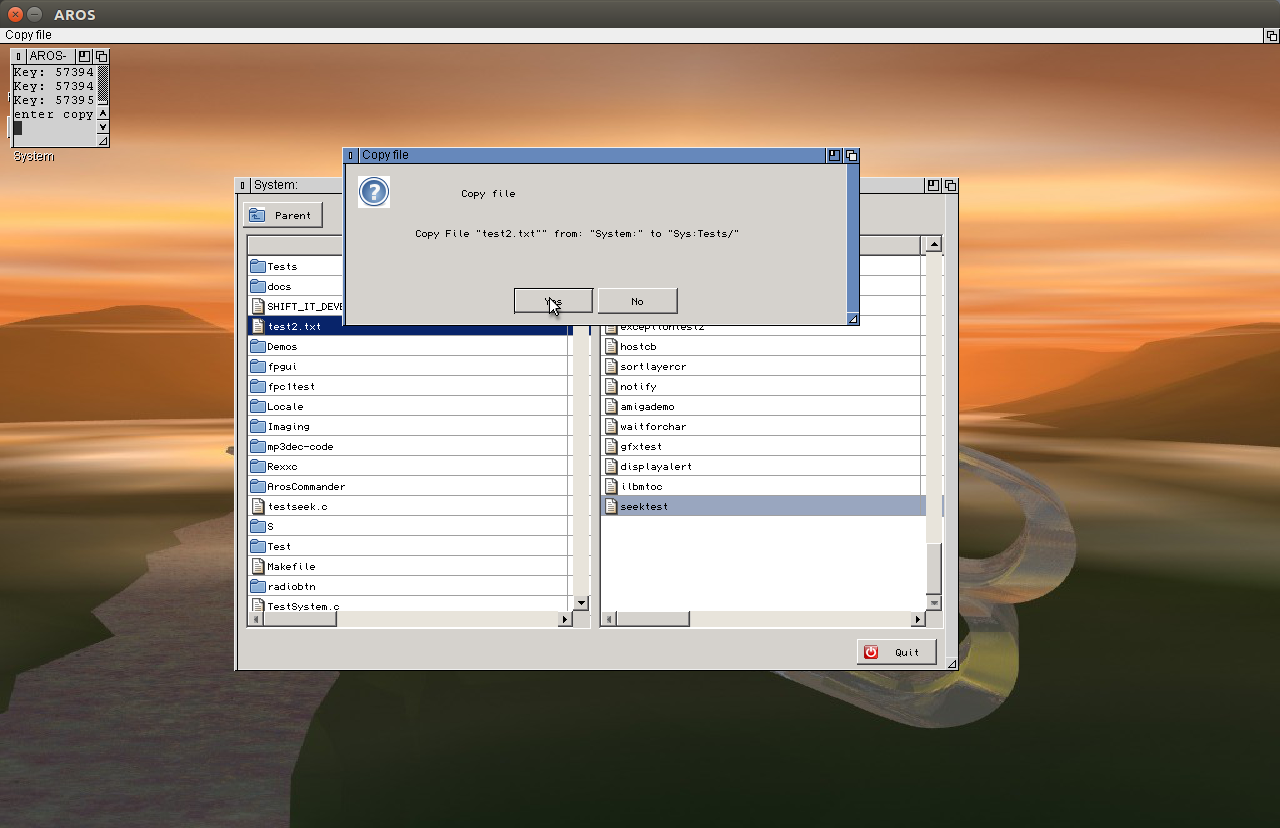
The commander like interface works very nicely already. Already possible Enter Directory(Return) and go one Directory up (Backspace), Copy(F5), Delete(F8) (Files and Directories) and Create(F7) Directories. Move(F6) I left out for now… I have to think about because of short cuts if on the same device could use the System function instead of recursive moving files.
‚+‘ key let you select File with a pattern, ‚-‚ key deselect with a pattern.
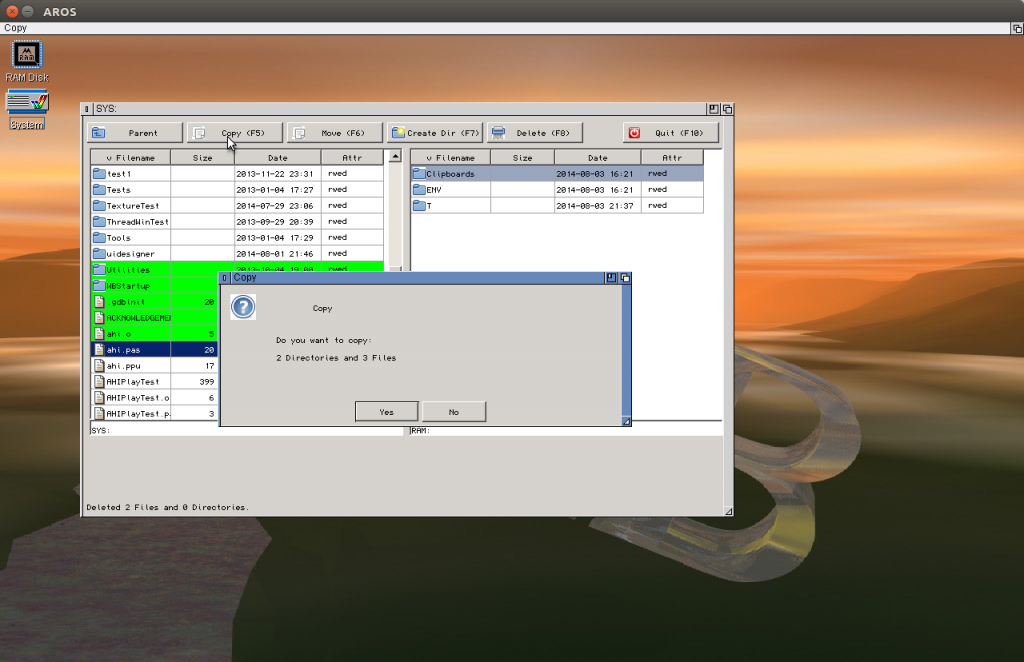
And the whole time I’m developing there was NO CRASH of the Program or AROS. :O I’m really surprised. Seems this wrong focus bug after modal window really helped a lot to bring stability to the program.
But of course there is also shadow.. the Alignment does not Work at all. If I make the Alignment by hand it works perfectly. but if I use Align (alTop, alBottom and so on) it looks VERY wrong… difficult to understand whats wrong there.
Still have no idea how to debug this situation.
After the Shift it-game project I switched to a new project I had in mind already long time before.
A two window file explorer, like total commander, midnight commander or so, for aros in fpc or course.
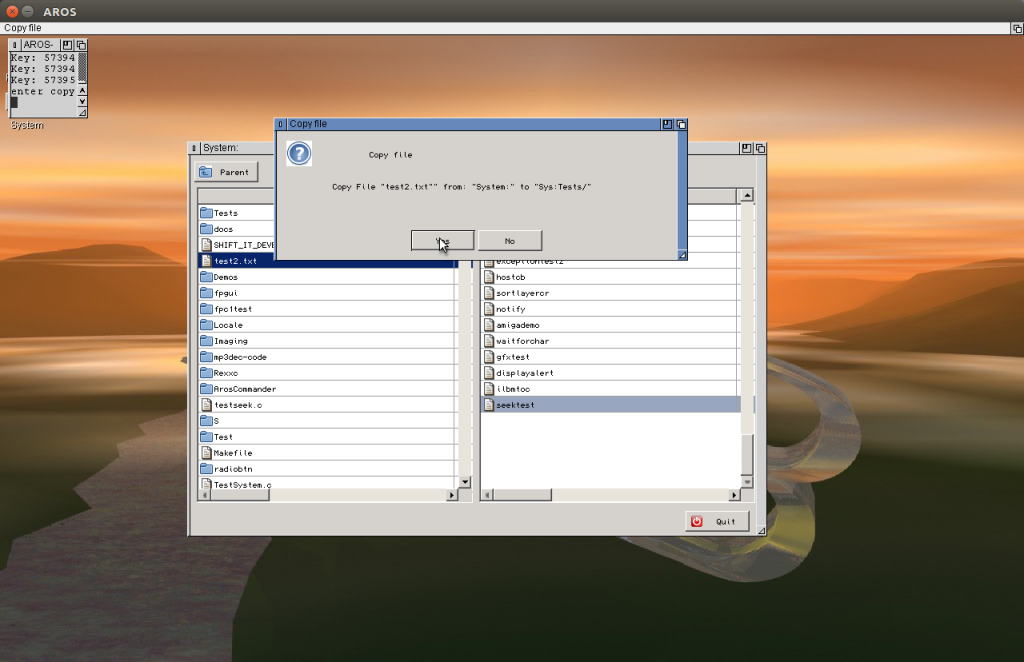
Yeah I know nobody needs such thing today there are already so many of them out there.
Two reason to start this project:
- I’m not really satisfied with the commander like programs at aros, they all missing a good keyboard control. Directory opus is VERY nice, I even use it at Windows, where it has a nice keyboard control. but at aros, it is an ancient version from the old Amiga there the mouse is for sure in the main focus of the programmer. The keybaord control is very difficult, you even have to activate it everytime you have a new window.
- the main reason is not really to create a useable program, (if this happen also ok) but is more or less and study object to search for fpgui-AROS or freepascal bugs. There still many inside. I tried with the example programs, but there often it just works.. or the program is already so complex, and not written by me. Its hard to track such bugs in code written by others.
I already found and fixedtwo nasty bugs on handling modal windows, so I think it worth to continue.
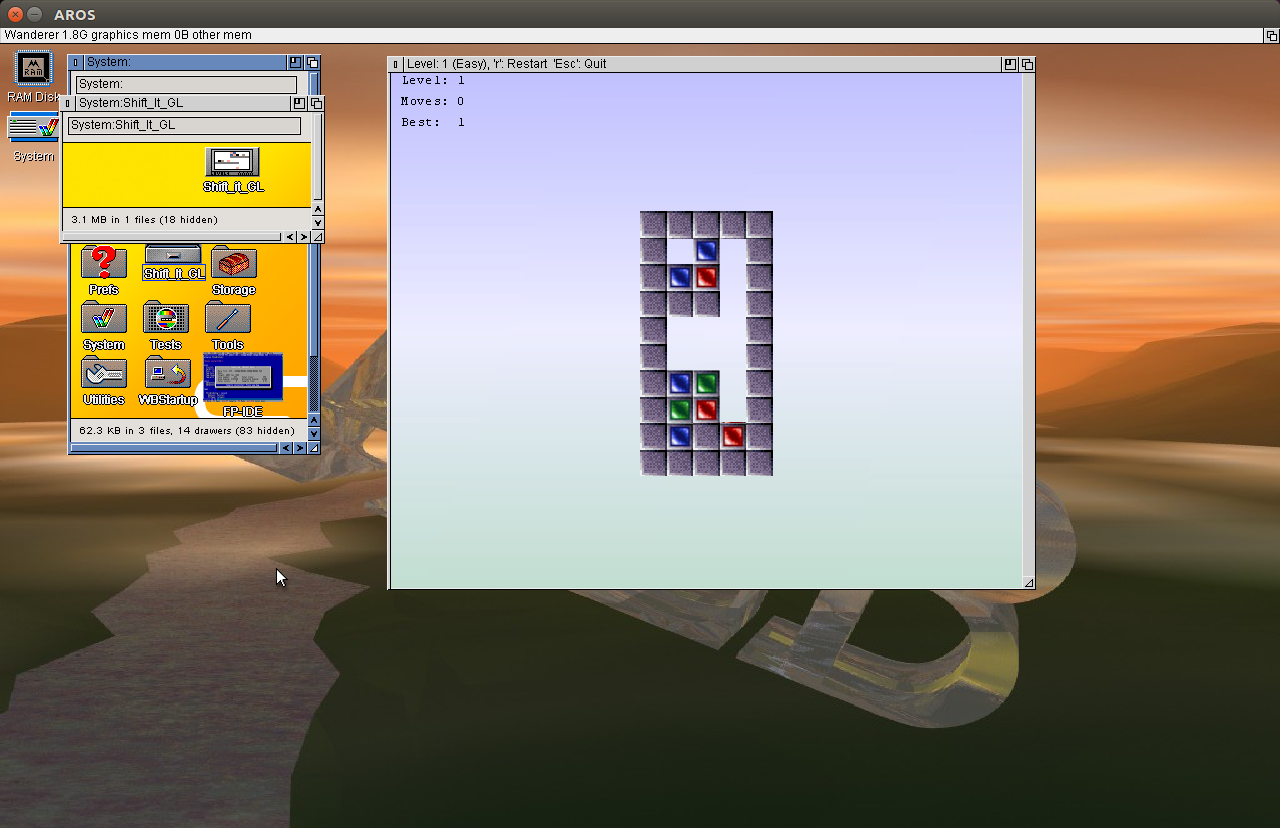
This days I played around with the OpenGL functions in AROS. Sadly very buggy… so my dream to port Shift IT GL to aros moved rather far away… but finally I managed to create a Version which does not crash the whole time (but still rather often). But it works… I’m already very satisfied. 40 levels of fun 😉
Download Package:
Shift it GL for i386-aros
Install: unpack the archive to the place you want (Games folder or so) the game comes in an own folder with Icon.
Aim: Remove all colored blocks from the level
How: Equal colored blocks disappear if 2 or more lay next to each other (one side is touching). If you click on a block and if a movement to right or left is possible empty boxes are showed next to block. Click on an empty box to move the block to there. Blocks can not float in free space, but fall down if no other block or level is underneath.
In the upper left edge the statistics are shown: Level number and moves you did. „Best“ shows shortest (known) way to remove all blocks. For hard mode you have to find this optimal solution. (I remember for at least one level there is a even shorter solution than the „Best“ given.)
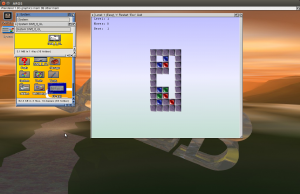
Press „r“ to restart a level, „Esc“ to quit program. You can rotate the level just by clicking on the background and move around, a middle mouse click recenters the view.
The ToolTypes of the program supply some additional options: (all possibilities are included disabled via parenthesis).
„HARD“ Hard mode. You must find the best solution with the number of moves denoted in „Best“, if not given Easy mode is enabled, no limit of movements
„CHEAT“ Cheat mode. do not use it! haha just a joke! I didn’t include the password system, so its the only way to go to a specific level after closing the program, (not have to play all the levels again, which would be very frustrating, especially when if the program crashed and THIS WILL HAPPEN!) press n to jump to next level.
„STARTLEVEL=x“ replace the „x“ by a number 1-40 to jump directly to this level, only available if „CHEAT“ is also set
„SAFE“ = Safe mode, deactiave all block animation and view changes -> much faster.
„HIDEBG“ = Hide background (no gradient in back, just white), much faster for software rendering machines
„SHOWFPS“ = Show fps of last frame, and average over last 10 frames. Should be only for testing, because usually the pciture is only drawn when needed, if this option is activated its drawn by timer, so this option generates much higher load.
Again a release, not much changed.
Only a small bug in FP-IDE: Copy to/from AROS only copied 256 Chars. Now it should work also with longer texts. I also will from now on always post the MD5 of the archive file.
I didn’t find a md5 tool for Aros so I wrote one (GenerateMD5) and also set it for download.
it does not compare, just give out the Hash, so you have to compare by eye. Later I will a better one which also can compare from a *.md5 file.
I was searching for an mp3 decoder in pascal… seems it does not exists… (or at least not for free to download).
Of course there are many C examples, so I took a very simple C source, I ported it to Pascal, not a very fast source, but hopefully easier to understand.
The port work (even at AROS 😉 ) but is really VERY slow.
After a long time again a little bugfix release of fpc, and first release of clipboard support for aros (there is an example script in the src directory of fp)
The news:
- lower case filenames for FP-ide
- better handling of parameter with quotes and empty parameter
- NewObjectA in intuition with right calling
- fixed wrong pathes when started from WB and file is in root
- Bugfixes for Copyfile-routine in fileutil (lcl) and some other fileutil routines
- Copy to AROS Clipboard, paste from AROS Clipboard added to FP IDE
- GetTextFromClip and PutTextToClip functions added (as easy function to use clipboard in aros)
- Iffparse unit added
Download like always on the fpc aros page