I work on a Torrent client for AROS in Freepascal, as long as I didn’t find suitable sources for the BitTorrent Protocol, I used mainly the specification. This two pages were very helpful:
Wiki Theory, BitTorrent RFC. But even more useful was to listen to the connections of other Torrent clients with Wireshark. Wireshark knows and decodes the Bittorrent packages and also shows if my program produces an illegal package (wrong size for example).
The first stage was more or less just a dirty first try… very simple, just coded for my two torrent files, and my seeder and tracker on the server (transmission). At 10.08.2014 this was ready to run.. and it downloaded very nicely the little picture… in fact I was really curious if there really arrive a picture or just junk. But (already at first try) the picture looks very good and also a binary diff showed no differences.
If this proof was done I begun completely from zero, made a little sketch for the classes I would need to read/andalyze the torrent file, tracker communication, torrent communication.
I use Lazarus at Linux to write the code. The GUI is LCL for now, but later I think I will change to FPGUI native it just work much better on AROS. I could design own components, for the pieces view for example. Its just much easier to write the code in Lazarus with Code completion and hotkeys for find declaration and online debugging of course. So I try to keep the source compatible between AROS and Linux. And beside one part this worked very nicely.
The parts where I got problems, was the networking… of course… especially the non blocking calls via MSG_DONTWAIT seems not to work at AROS. (Now I know they can not work.. this constant is not present in the whole AROS TCPStack source code, only in the SDK includes ;)). I decided to check for other ways to non blocking calls.. of course one can set the complete socket to nonblocking, but all ways I found in Internet seems not to work on the AROS platform. By looking through the source for „recvfrom“ I found the hint to look for FIONBIO to set with the Ioctl() call (At AROS IoctlSocket()). I don’t know why I didn’t saw it before… Now when I search for nonblocking I can find this solution. maybe I just used the wrong keywords 😉 Nevertheless IOctl(socket, FIONBIO, 1) does work.
At 13.08.2014 the second stage was ready to run, with the nonblocking socket calls.
It downloads nicely from two seeder at the same time. I had to tweek a little bit on both torrent client, set limits and so on to get this situation.
We have there:
192.168.0.238: Desktop where also AROS runs.
192.168.0.128: Windows Notebook with µTorrent
192.168.0.254: the server where also the tracker run and transmission.
As next I tried to go to a real torrent file with a real world tracker and seeder. I tried with some trackers and client at home at it works nicely. I’m rather sure that my client will not disturb other people in the bittorrent network with wrong packages or so.
But.. how to say… I did not work at all.. first, some hosts are just not available. And I made a non blocking call for the transfer but the connect was still blocking… So I reprogrammed it to a non blocking socket connect. (If you also want to do it: google for „socket connect timeout“). The principle is rather easy set the socket to nonblocking connect the socket and check with Select() (At AROS WaitSelect()) if the socket connects, there you can set a timeout. and also can make a loop to poll messageloop in between.
The second problem appears that some peers in the world, unchoke me, I send them some requests for packages and they never answer to them. I limited the maximum numbers for requests, hence after a while, my request queue was full of never answered requests (I waited and hour and nothing happend). I’m not sure whats the reason for this „not answering“ peers.
The solution is simple I just also brought a time out time for every request. I think later such things must be set in config or so.
In the beginning I wanted to use an AROS related torrent package, so I tried Icaros and Broadway torrents, but both do not work.. no seeders (I rechecked at my windows machine). I changed to debian iso torrent. (Many torrent files will not work, because I did not include multi file support, so atm the torrent MUST consist of a single file, besides this I only support HTTP trackers, so no UDP). But the debian ISO is fine, good tracker (the ubuntu tracker refuse my connect, I think because it does not know my PeerID Format), and many many seeds. Ok this was an other problem.. Of course more seeds is better but very inefficient as I noticed.. So I limited the number to 5 connections at a time. But then I had the problem that dead peers blocking my list and sometimes I have no peers to download… So i also implemented a refresh of peers, kick dead peers from the list and connect some new. At 14.08.2014, today.. was the day to run my client successfully in the wild on a real life torrent network:
There are some more things to notice:
- At the beginning it needs long time, looks like frozen, because he check the SHA1 of the file (which is already there and rather big, around 250MB) Later I will make a gui for it with progressbar or so.
- The file is already partial downloaded, I decided to use the same way as many other software so the partly downloaded get the extension „.part“, the sha1 check at start is used to determine which part still have to be downloaded
- In the beginning some peers are dead, later they are replaced with other peers and connected, with more peers the download runs rather nicely forward.
I’m already very happy about this result, even I’m still far away from a releaseable program. But it makes really fun to work with it.
I worked a little bit more on this mouse movement problem and I think now I got it and voila also the displacement bug of Menu disappeared. so now menu and combobox looks ok to me.
The maximus editor didn’t start at my machine anymore.. a little threading bug was the reason.. I didn’t know they use threading… in a EDITOR! how useless.. seems its meant to check for filesystem changes. But… to be honest.. a Timer would do it in this case.
I wanted to try maximus because I remember there was a strange font bug inside: The position of cursor does not fit to the char position. I tried a little bit, but in the end I have to say.. the maximus ist just poorly written. It just takes a width of a char to calculate the cursor position. By default a fixed width font is set, of course with fixes font it works. But this font seems not available by default in AROS so it uses the default font which is NOT fixed width. If no ini file is there for maximus it uses „#Edit2“ as the default font which is „Courier New“.. I changed the default to „ttcourier“ which is available by default in AROS. The #Edit1 I changed to „fixed“ which looks nicer for me. but also other fonts like sans mono or so work nicely.
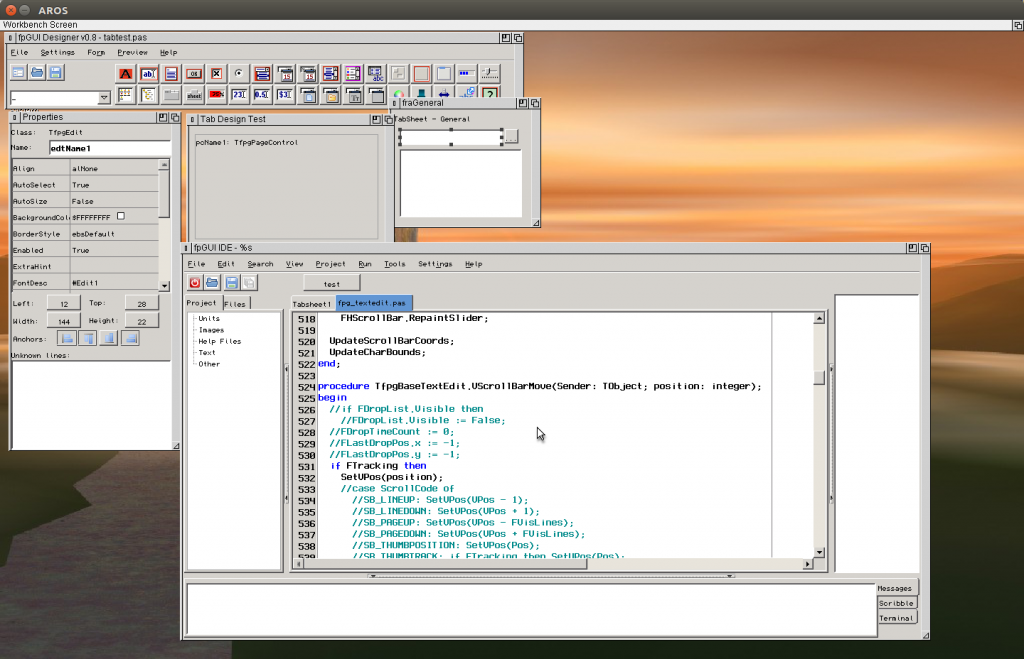
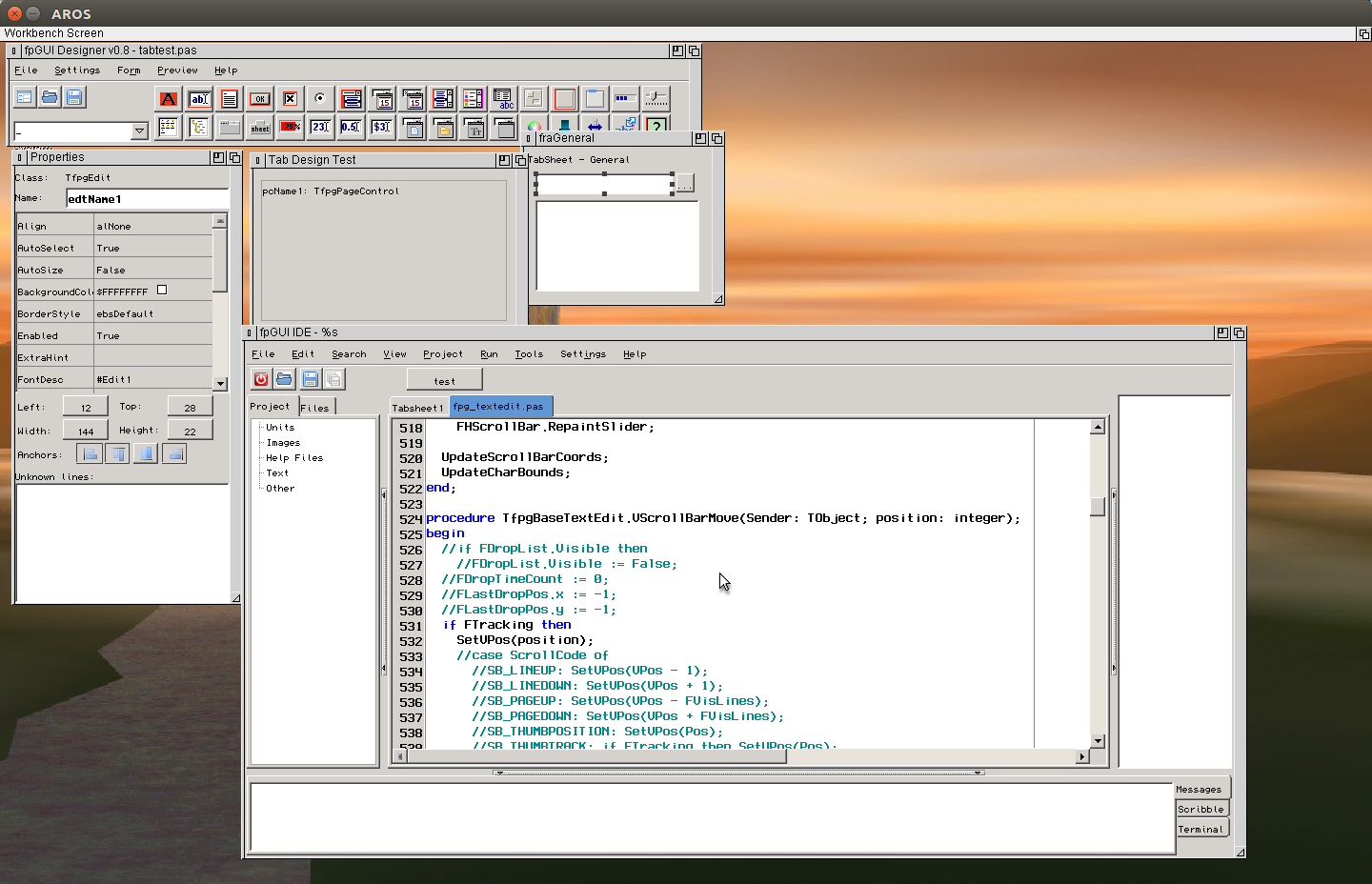
The uidesigner is working.. but the movement of items is hard.. because it always jumps around. I noticed a hack in the GDI (Windows) implementation of FPGUI which captures the mouse when the editor is there. I also implemented this behaviour and now it moves smoothly.. In fact I did implement before already.. but the initial call to activate this function was missing.
As last I tried every single example in fpgui (/example/gui) and the most of them work really nice now. There I found a strange bug for TimerTest or animation examples.. seems the timer fire very seldom.
Initially I thought the reason is that there comes so seldom messages from aros.. but then I measured the time between messages and it is really short.. 0 to 20 ms, so no or one task switch. so thats not the reason it fires so seldom. In the timertest there is a Timer should fire every 50 ms but it looks more like 500ms-1s. Finally I found the reason, the time when the Timer should fire is determined by a Now() call. My Millisecond count in the result was just wrong, alawys an order to small. Type mismatch in the converter routine.
So now the animtest also works rather fast.. hmm I always thought my image drawing routine is so slow that I should improve it, seems it is not THAT slow 😉 OK in the colorwheel example you can see that it is VERY slow ;).
I think this changing are very important, it really improves the fpgui functionality a lot. So I created a release today for public again.
Available at the FPC DownloadPage
I try to find the displacement bug. I do not believe that it is some kind of fpgui bug.. and my debug output seems to tell me exactly the same.. it seems that my widget really try to send the right coordinates for a scroll bar (scrollbar is the most common problem) but the AROS Window does not move to there, but move some pixels more/less (depends on movement directions).
At this point I asked myself, how AROS knows where to paint the window?, because the window is REALLY there.. it reacts to clicks and so on, but the window coordinates tell its at a completely different position. Than I found a strange thing for the displaced case… the WindowLayer (PWindow^.WLayer) is at the wrong position. I can directly investigate after the movement for example the window^.top moved by 15 but the Window^.WLayer^.Bounds.MinY moved by 22 pixel. The difference is 17.. hmm suspicious this is width of the border decoration.. but this window has no border… but of course the top window has one. Solution unknown, I have to think about.
The second thing I investigated was the wrong mouse position in Menus/Combobox. In principle the solution was very easy.. even, again, very strange.
First things first. I have a Zero Zero window as top window usually. ZeroZero because then I don’t need to care about paint over the edge when drawing and do now need to calculate. The mouse position in this window work perfect. Also for borderless window, where I switched off the Zero Zero because do not need it (and it troubles the access, seems AROS still try to remove the borders, so I get negative values in side the Window).
So far it work.. but my Widgets are also borderless windows inside this top window (Parent-Children) and the mouse position in this windows seems to depend in what kind of Window they reside, if the parentwindow is a zerozero window with borders this borders also have influence to the mouseposition in this children. After some forward-backward calculations I think I got it right now. there I also found some bugs for Leave/Enter Events.. and Events to not Active Widgets (Mouse Move).
The result is that the Combobox now work much more smooth, always get the right entry when point to it, you can even close it by clicking outside the Combobox window. Also the Menudemo works much better, get the right selection as expected. If you click outside the menu the menu does not close (ESC close it) but this seems by purpose, but it also does not anylonger click to the nearest entry as before. The only Thing what seems to be a little bit strange: the menu opens directly above the MenuName. I thought its some kind of move displacement or WindowToScreen coordiate miscalculation. BUT for the ComboBox it works perfectly. So If I change it to the right position for menu its completly wrong for the combobox. Also something I have to compare, maybe compare in the FPGUI source code to see why it is different.
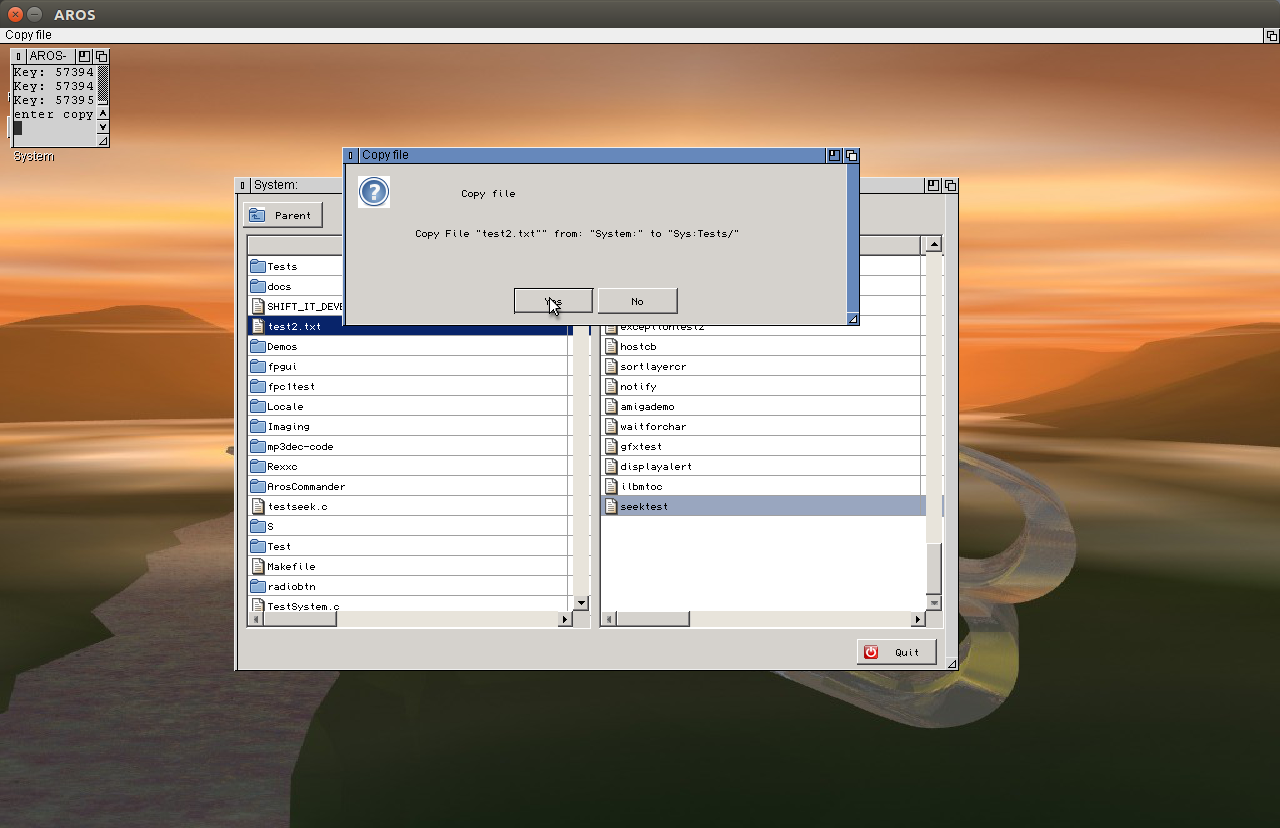
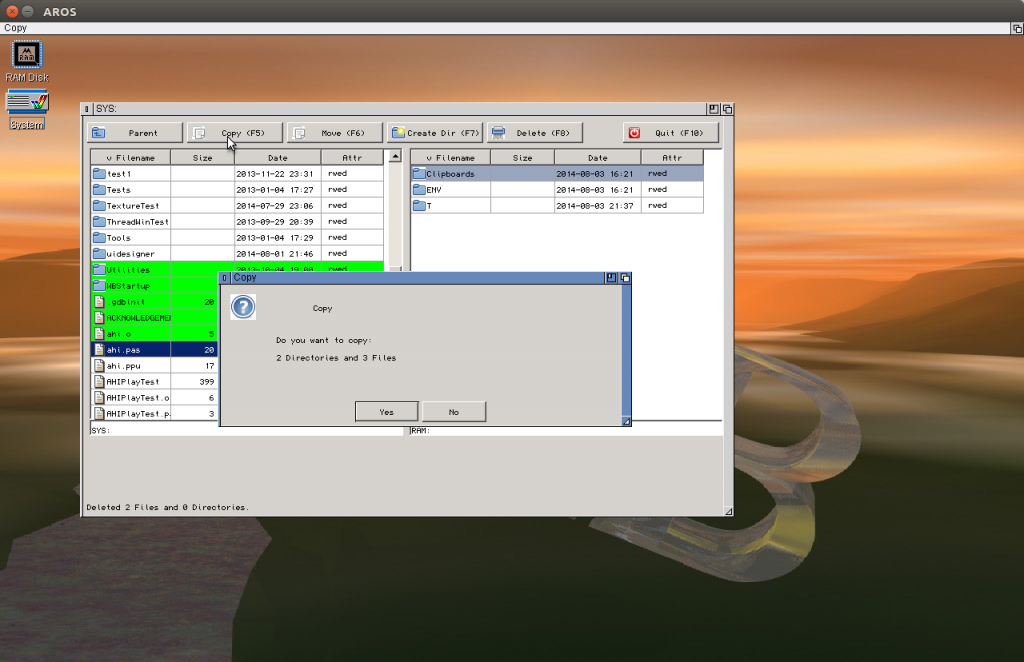
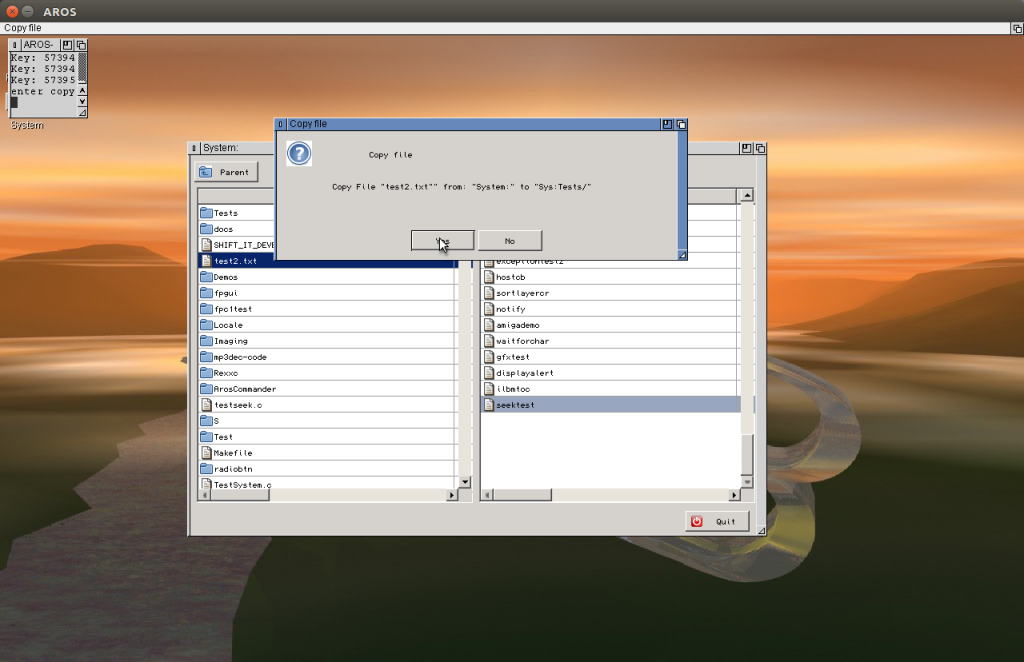
The commander like interface works very nicely already. Already possible Enter Directory(Return) and go one Directory up (Backspace), Copy(F5), Delete(F8) (Files and Directories) and Create(F7) Directories. Move(F6) I left out for now… I have to think about because of short cuts if on the same device could use the System function instead of recursive moving files.
‚+‘ key let you select File with a pattern, ‚-‚ key deselect with a pattern.
And the whole time I’m developing there was NO CRASH of the Program or AROS. :O I’m really surprised. Seems this wrong focus bug after modal window really helped a lot to bring stability to the program.
But of course there is also shadow.. the Alignment does not Work at all. If I make the Alignment by hand it works perfectly. but if I use Align (alTop, alBottom and so on) it looks VERY wrong… difficult to understand whats wrong there.
Still have no idea how to debug this situation.
After the Shift it-game project I switched to a new project I had in mind already long time before.
A two window file explorer, like total commander, midnight commander or so, for aros in fpc or course.
Yeah I know nobody needs such thing today there are already so many of them out there.
Two reason to start this project:
- I’m not really satisfied with the commander like programs at aros, they all missing a good keyboard control. Directory opus is VERY nice, I even use it at Windows, where it has a nice keyboard control. but at aros, it is an ancient version from the old Amiga there the mouse is for sure in the main focus of the programmer. The keybaord control is very difficult, you even have to activate it everytime you have a new window.
- the main reason is not really to create a useable program, (if this happen also ok) but is more or less and study object to search for fpgui-AROS or freepascal bugs. There still many inside. I tried with the example programs, but there often it just works.. or the program is already so complex, and not written by me. Its hard to track such bugs in code written by others.
I already found and fixedtwo nasty bugs on handling modal windows, so I think it worth to continue.
I found out whats wrong with my OpenGL Shift-it. There is a Division by zero exception in the gl library, especially on tiny vertextes (like the one on tip of a sphere) or on tiny slices of clipped boxes.
The question was, why it does work in C, but not work in freepascal. because I tried to make a sphere using gluSphere() in C, and it worked perfectly, but in my program it always crashed.
On the Hunt of the source of Exception, I first had to find out which kind of FPU exception/Trap it is. So I wrote my own traphandler and checked the parameters when enter the traphandler, sadly the fpu content was already cleared and the buffer where the content of the FPU registers should be noted was not assigned.
So I took an other way.. and set the FPU exception one by one to masked and checked when the crash disappeared.
I expected bad things with the masked expections on other parts of the calculation. It surprigingly worked VERY nicely. That way I found out, that Division by Zero exception flag mask this crash.
This made me curious and I checked how the setting of standard C programs are in AROS. I made a simple C program which reads out the FPU Control register (which controls the exceptions) and I got a $37F.. this reallly made me laughing loud (my wife must thinking, that I became mad.) becasue that simply mean, all FPU exceptions are masked… means ignored. I also checked my C-OpenGL program, the same. In my Freepascal programs I always find $1372: which means „Invalid Operation“, „Division By Zero“ and „Overflow“ are not masked.
I found out that also at Delphi, they deactivate all FPU exceptions by default if OpenGL is used (in the opengl unit initialization section). Now I’m thinking: one way would be to deactivate FPU exceptions for all FPC programs at AROS (becasue I have no way to catch them), or simply deactivate it for programs using OpenGL (as Delphi is doing).
A nice sidemark: This error only happen for software rendering, if you use hardware rendering it disappears completely. I didn’t know that I can use hardware rendering in linux-hosted mode, a user at aros-exec told me I should try the mesa.library in sys:storage/libs which has hardware support for linux-hosted installations. This indeed is very nice and then the game makes really fun.
The next step for the game would be to include sounds, the password system and some GUI for configuration, but all this things I postponed now. The game is already rather nice, the coding was really fun. And a proof that you really can make nice games/programs for AROS with FPC 😉
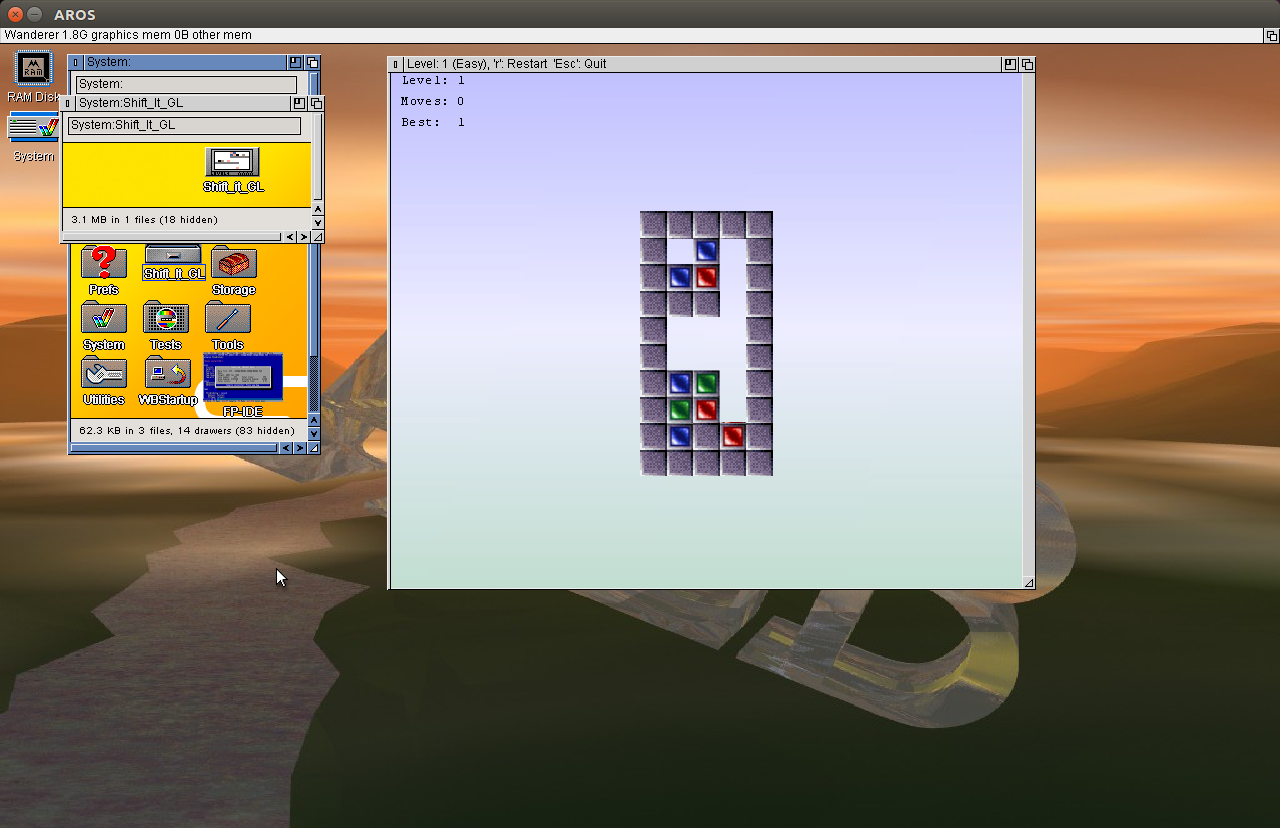
This days I played around with the OpenGL functions in AROS. Sadly very buggy… so my dream to port Shift IT GL to aros moved rather far away… but finally I managed to create a Version which does not crash the whole time (but still rather often). But it works… I’m already very satisfied. 40 levels of fun 😉
Download Package:
Shift it GL for i386-aros
Install: unpack the archive to the place you want (Games folder or so) the game comes in an own folder with Icon.
Aim: Remove all colored blocks from the level
How: Equal colored blocks disappear if 2 or more lay next to each other (one side is touching). If you click on a block and if a movement to right or left is possible empty boxes are showed next to block. Click on an empty box to move the block to there. Blocks can not float in free space, but fall down if no other block or level is underneath.
In the upper left edge the statistics are shown: Level number and moves you did. „Best“ shows shortest (known) way to remove all blocks. For hard mode you have to find this optimal solution. (I remember for at least one level there is a even shorter solution than the „Best“ given.)
Press „r“ to restart a level, „Esc“ to quit program. You can rotate the level just by clicking on the background and move around, a middle mouse click recenters the view.
The ToolTypes of the program supply some additional options: (all possibilities are included disabled via parenthesis).
„HARD“ Hard mode. You must find the best solution with the number of moves denoted in „Best“, if not given Easy mode is enabled, no limit of movements
„CHEAT“ Cheat mode. do not use it! haha just a joke! I didn’t include the password system, so its the only way to go to a specific level after closing the program, (not have to play all the levels again, which would be very frustrating, especially when if the program crashed and THIS WILL HAPPEN!) press n to jump to next level.
„STARTLEVEL=x“ replace the „x“ by a number 1-40 to jump directly to this level, only available if „CHEAT“ is also set
„SAFE“ = Safe mode, deactiave all block animation and view changes -> much faster.
„HIDEBG“ = Hide background (no gradient in back, just white), much faster for software rendering machines
„SHOWFPS“ = Show fps of last frame, and average over last 10 frames. Should be only for testing, because usually the pciture is only drawn when needed, if this option is activated its drawn by timer, so this option generates much higher load.
New Version of Freepascal is available:
– Sockets, fcl-net (SSockets, resolve unit)
– IncludeTrailingPathDelimiter repaired to NOT c: -> C:\ (fpgui requester works better now)
– AllFilesmask changed to ‚#?‘ (its the normal Amiga-style mask) but PathConv/FindFirst support ‚*‘ and ‚#?‘ also.
if you want to try out sockets.. look into packages/fcl-base/examples/isocksrv.pp and isockcli.pp
maybe I will copy them to examples next time.
After very long time finally finished the Intuition unit including all macros, varargs Versions and documentation, this was really hard work, and I was very busy the last month.
So today there is a release of the newest FPC for AROS with completed Intuition.
As next I will clean the code a little bit and try to update the official SVN.
A source snapshot is included this time. Finished Intuition is a good state I think to make a source release.
Besides this I released the raw XMLs needed to created the HTML/CHM developer documentation for the included aros specific Units.
Releases can be found at FPC AROS Page.
A new Release of FPC for AROS is out today.
The only new thing is:
* Support for Threads (using TThread class)
Thanks to Mag, he supplied some example codes and the library wrapper unit in the FPC-AROS Wiki.
So my interrest was awaked and I need a little break from the boring basic library rewriting and documentary work.
Implemented id the TThread Class and the Critical sections functionality, „TEvents“ are still not supported as long I dont know exactly how they are working, it seems its not directly possible to do such thing in AROS, maybe must self write a mechanism for it.
AROS Threads (with thread.library) have no chance to suspend/kill from outside and so on.
The suspend I managed with a Mutex Condition, wich can be fired with a „resume“, but this makes it impossible to Suspend the Thread from outside. But this is not allowed at some other platforms as well, Resume and Suspend are even marked as deprecated in newer Delphi/Freepascal versions.
I known a nice replacement for Suspend is the TEvent feature which is still not available for aros… but I’m working on this until this the suspend inside the thread and resume from outside must do it.
An example for the us of threads with suspend resume and critical sections can be found in pp/fp/src/threadtest.pas inside the archive