Finally there is something to see in the Synedit control.
Last week I managed to get the lcl so far that it does not crash anymore when there is a synedit inside the window. But there was no drawing at all. Now I traces some deeper into the paint routine of it and manage to let it draw. Many of the WinAPI calls needed were just not implemented in the AROS LCL. A Big step towards a Lazarus at AROS.
It’s not completely working, but you can move the cursor (visible when you hit a begin/end -> Highlight of both) and you can fold/unfold pats of the source by clicking on the boxes on the left side.
The Caret is now shown, I guess due to XOR things missing and typing does not work, which is a little bit strange, the events are there and fired, in the games they are working nicely and the cursor keys work.
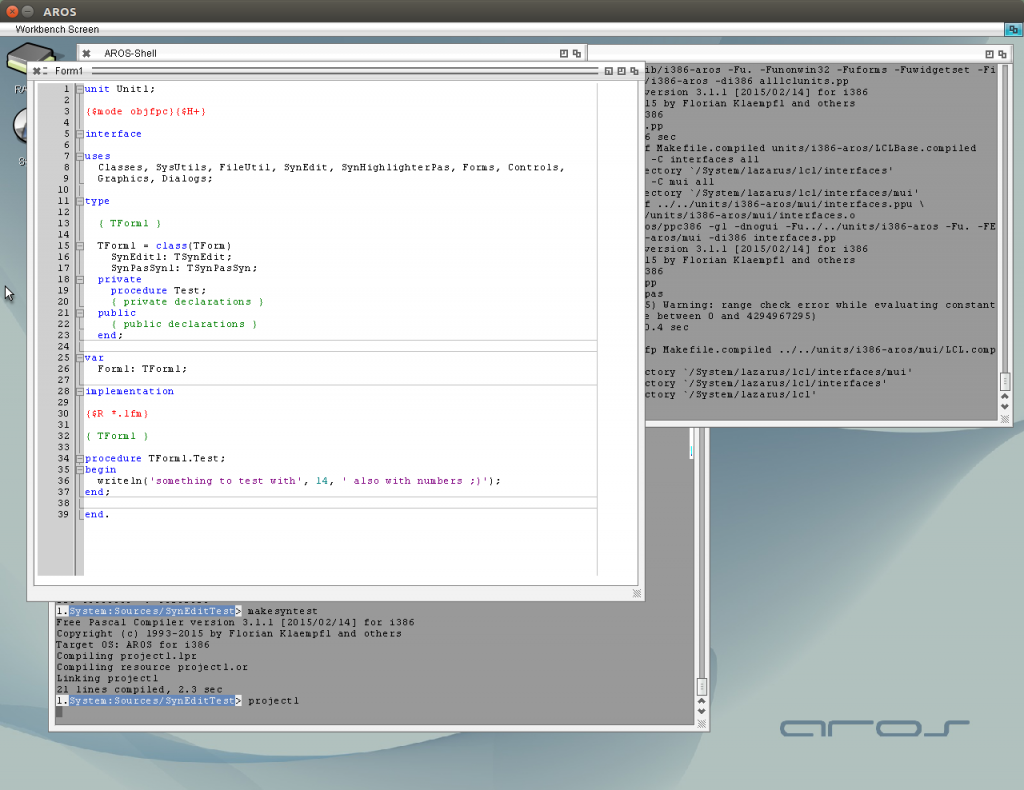
SynEdit Control in AROS
I worked a little bit more on the ImageViewer „APict“ included Zooming and Move with Mouse/Scrollbar, fixed a lot of bugs in my LCL code. Especially the scrollbars was hard to understand, because the MUI scrollbar and the LCL Scrollbars work a little bit different -> need to convert the Positions/Pagesize/Min/Max.
The Result works very nice now, this could really a very helpful tool for me, (even at Windows/Linux) to sort my files. My Plan is to insert some file functions also (delete or copy/move the currently viewed File to an other Folder, this is what I miss in most other image viewers)
At the moment the image loader is rather slow, but I remember I found faster routines in the web maybe later I give it a shot, or make some clever „preload“ of next image.
Download:
APict 1.1 for i386-aros
Source again available at GitHub
Some years before I played around with raytracing a little bit. I was amazed that this old source just compiles at AROS and work 😀
As long I’m working very much with images at the moment and the internal tools of AROS seems to have some problems with some special BMPs I wrote a little own Image Viewer for me (a little bit with IrfanView in mind)
At the moment I only opens BMP, ICO, JPG, PNM, PNG maybe later will add some more, I remember I had a very nice image library which compiles out of the box on AROS, could be used then for TIFF/TGA and so on as well (maybe even IFF?)
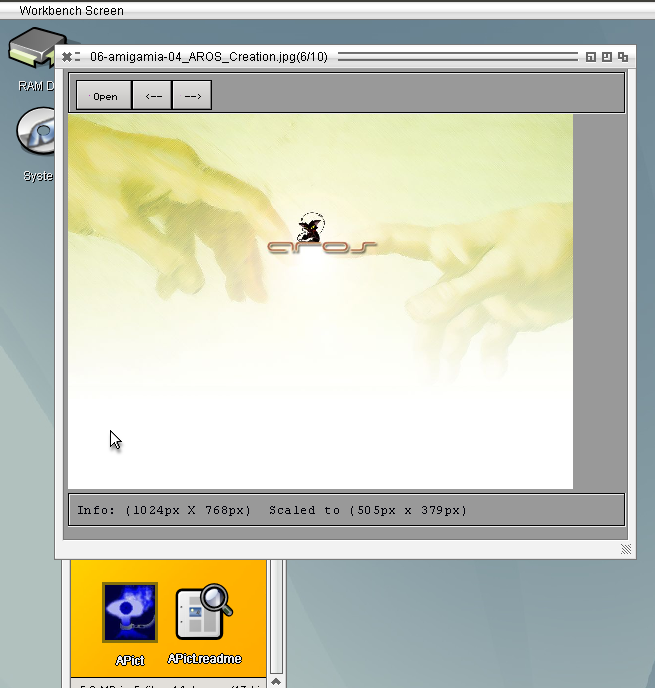
Until now it is no AROS specific things inside, but maybe would be a nice thing to make an example Datatype loader in pascal language. But atm for my needs this is more than enough to fast browse through my images saved in one debugging session
APict 1.0 for i386-aros
Source again available at GitHub
Finally I (at least once) got it. Painted on a TBitmap.Canvas then saved it to file, but there is a big problem with it. It only works on newer AROS, so ABIv0-ot. At my old AROS development installation it always crash. Seems the cybergraphics.library is very buggy ReadPixelArray and WritePixelArray crash. So If I continue this way it will only run on newer AROS, on old it will just crash.
The versionsnumbers differ a lot (41.2 <> 51.2) so, maybe I could make a block for this functions if the version number is lower then 51.
Magorium send me a link to a pacman clone for freepascal which does not work on AROS currently. I tried to find out whats wrong with it. First it was only the offscreen painting problem which I tried to overcome. But then I noticed how bad this program is, when talking about programming style. The whole drawing is done outside the paint events, which leads to a very bad performance on widgets which does not support drawing outside Paint events (like the MUI interface) because for every draw call the whole widget is called to repaint. The whole process is just paint driven so if you computer is slower it become easier to solve because all items move slower.
I changed it to a paint event driven painting and it work, faster but still very slow.
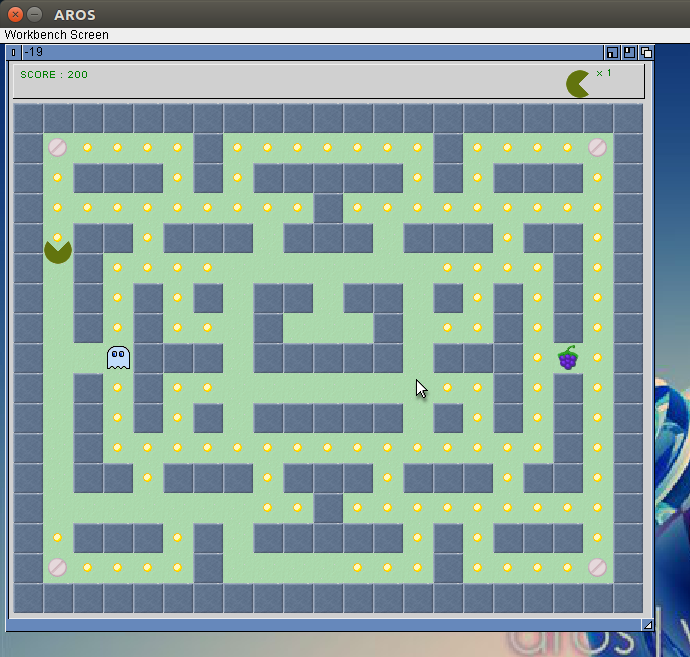
Of course this is still not a good method, a better approach would be to collect the static pieces into an Bitmap and then draw it at once to the screen in Paint event, and then only paint the Ghosts and the Pac Man to the screen.
An eating of Points/pills and so on would lead to change of the TBitmap. But there only one piece is redrawn. Maybe then it would be come much faster.
But there again one would need an offscreen drawing method, which is possible already, but no chance to plot it to screen. I’m still working on the concept for it but seems I still didn’t find a way. Still fighting with keys and mouse events but at least the pacman clone work now.
Still no interrest on freepascal on AROS, seems my programs didn’t help.
Still fighting with LCL drawing and Event calling, especially the Pen setting and loops in Event makes me headache. There are still some problems inside but I cannot figure out what.
For tests I wrote again a little Testgame, this time a Minesweeper clone.
The Source is again available at GitHub.
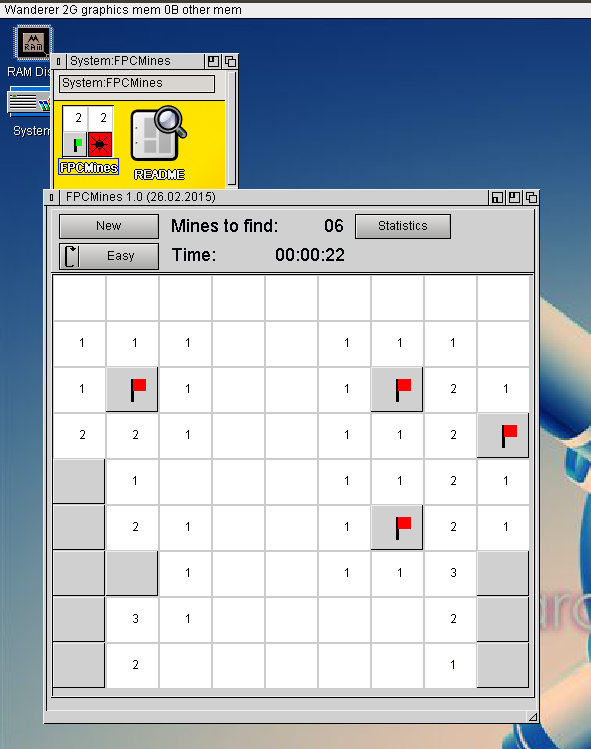
FPC Mines on AROS
Same as for the last game, I wrote it in Lazarus Linux and tested in AROS, both looks rather the same. From time to time I must recheck at windows also.
Download for AROS
I had to update the Zune LCL to newest SVN-revision because some footprint changed with the newer freepascal version, but then every Zune-LCL program crashed on Exit.
Seems a not initialized variable was the origin of the crash, took me three days to find it.
I wrote a little game as testproject for the lcl implementation (Lazarus Linux). The Source can be compiled without any changes or IFDEFs at Linux, Windows and AROS and all are nicely working.
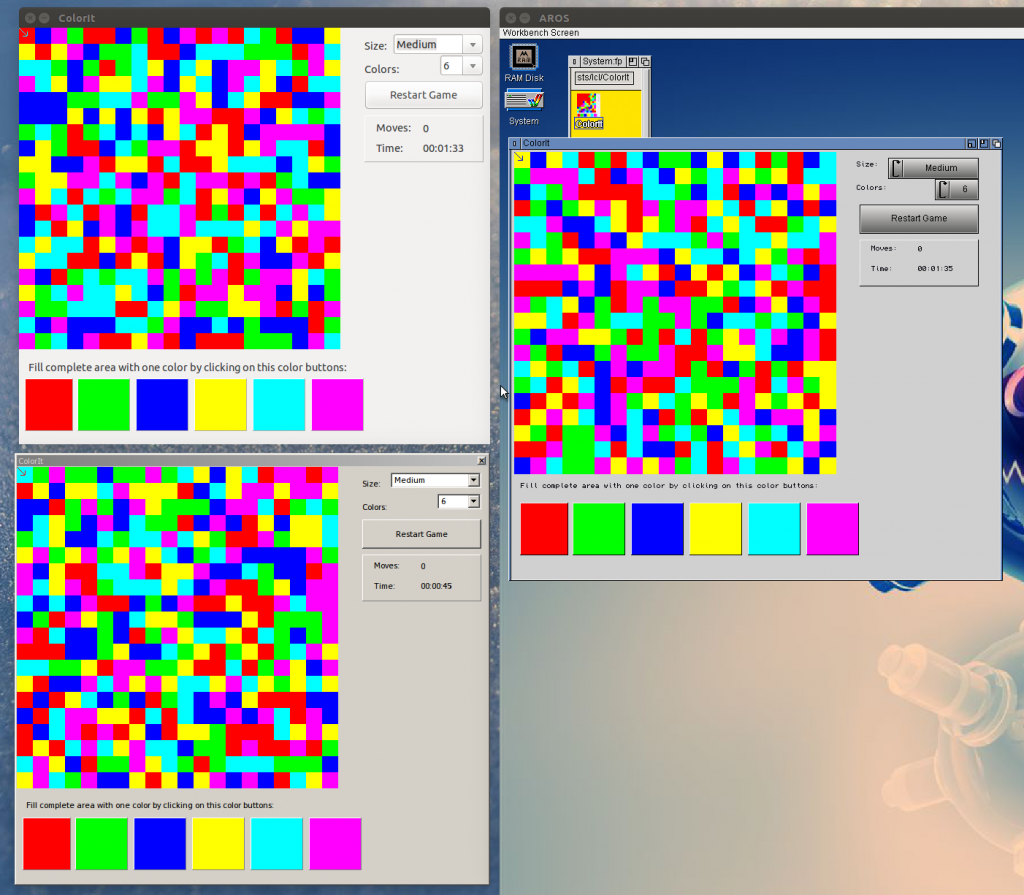
The source code is uploaded to the fpc-tests repository at GitHub.
Binaries for the different platforms:
Its not really important to get the Buttons with images on to work, but its a good opportunity to test my way of drawing to standard MUI Classes. The drawing was not a real problem but to calculate the position and sizes is really trouble and much work. I’m still not sure if it is working right for every case (size of Glyph, Length of Text, Height of Text, Position of Glyph). But as first implementation it is ok so.
The other thing , a little bit more important, I implemented Scrollbars, rather easy, just the property names are a little bit strange and the LCL Event was not so obvious.
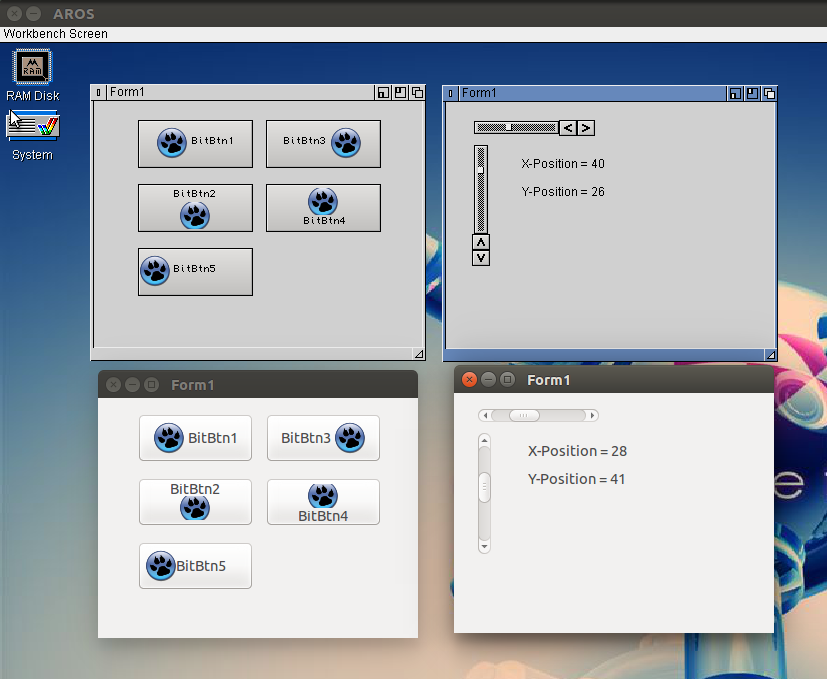
BitBtn and Scrollbars AROS (top) and Linux (bottom)
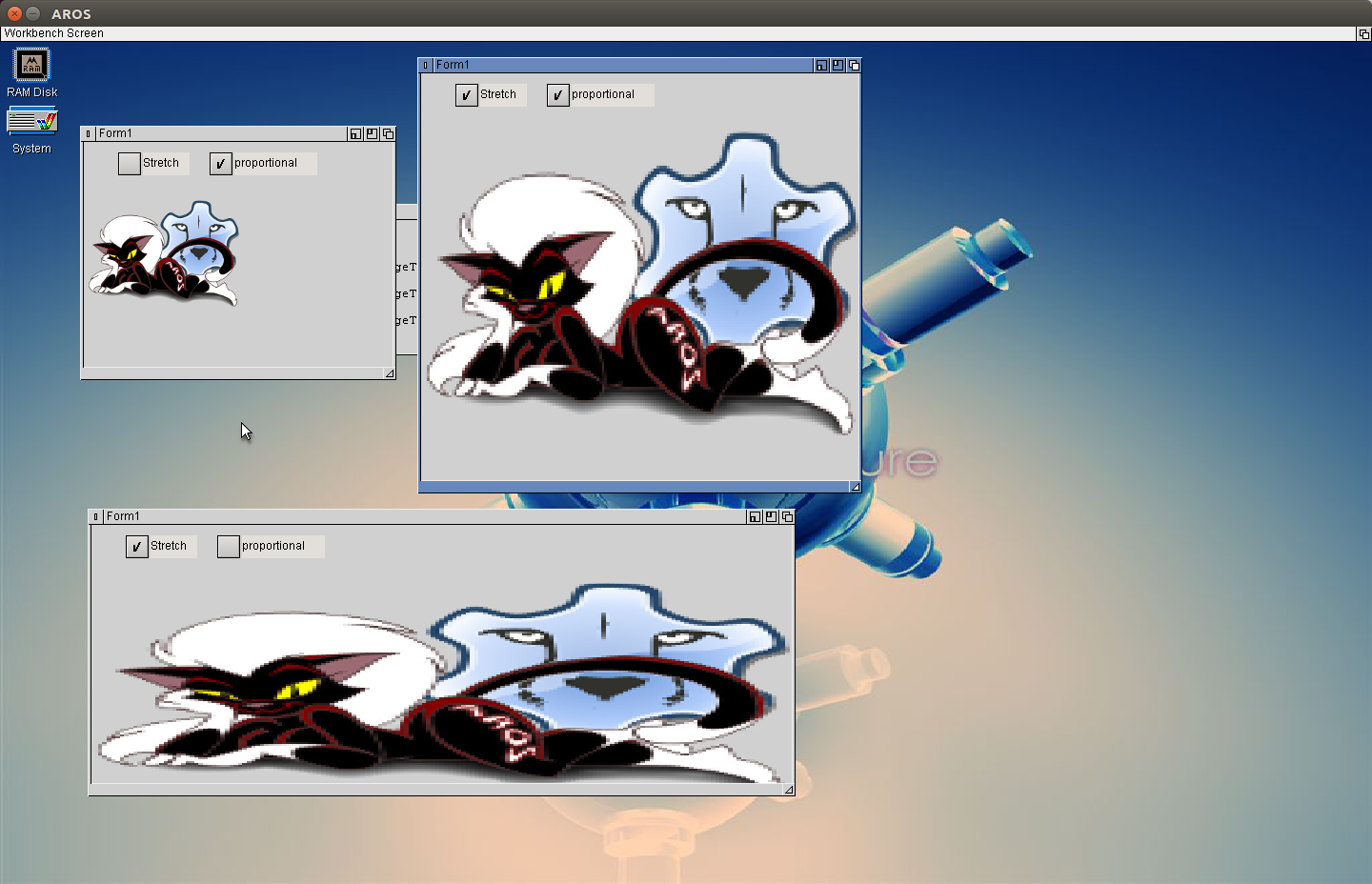
Dealing with bitmaps and images, bring the TImage to work. The principle I got from my fpGUI implementation again, using cybergraphics.library (for Amiga, MorphOS and so on maybe need an other solution? maybe also P96 or some native, but for AROS its ok). As start the WritePixelArrayAlpha() the problem it does not scale the image, but it supports Alpha channel so transparent parts are possible. But for TImage.Stretch we also need a StretchDraw, there is a ScalePixelArray() to scale images on drawing, it also supports ARGB, but sadly it does not work in my AROS sandbox. In the ABIv0-oT it does work but sadly the background is black and not transparent. I found that ScalePixelArray() draws ARGB data as 0RGB so ignore the Alpha channel. So not really useful. So I implemented an own scaling routine, (of course only nearest neighbour, fastest way 😉 ).
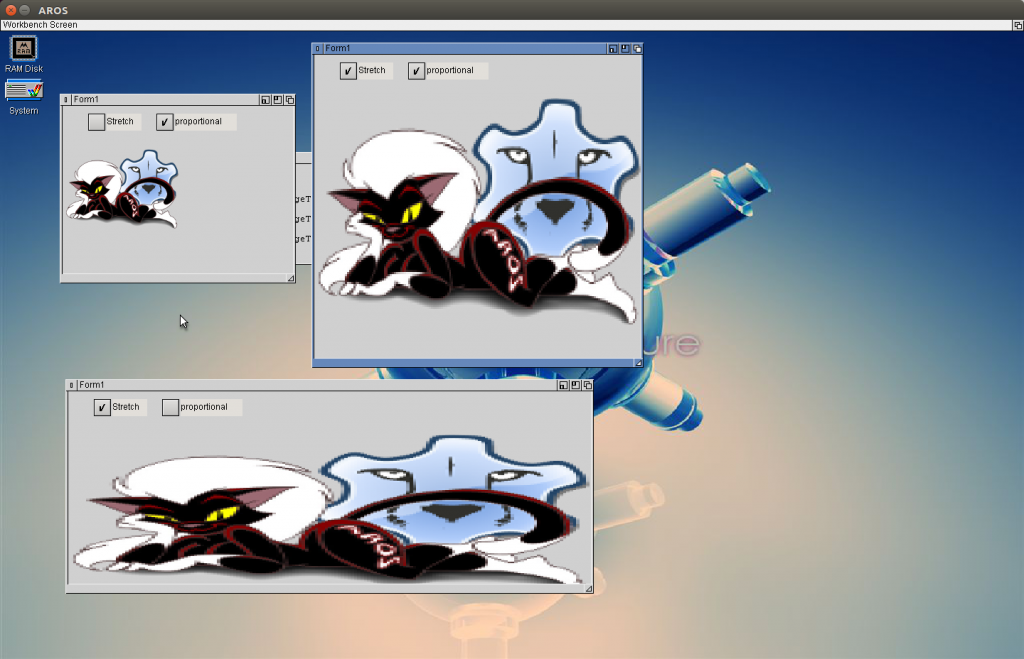
LCL-MUI TImage with stretching