Just a Picture
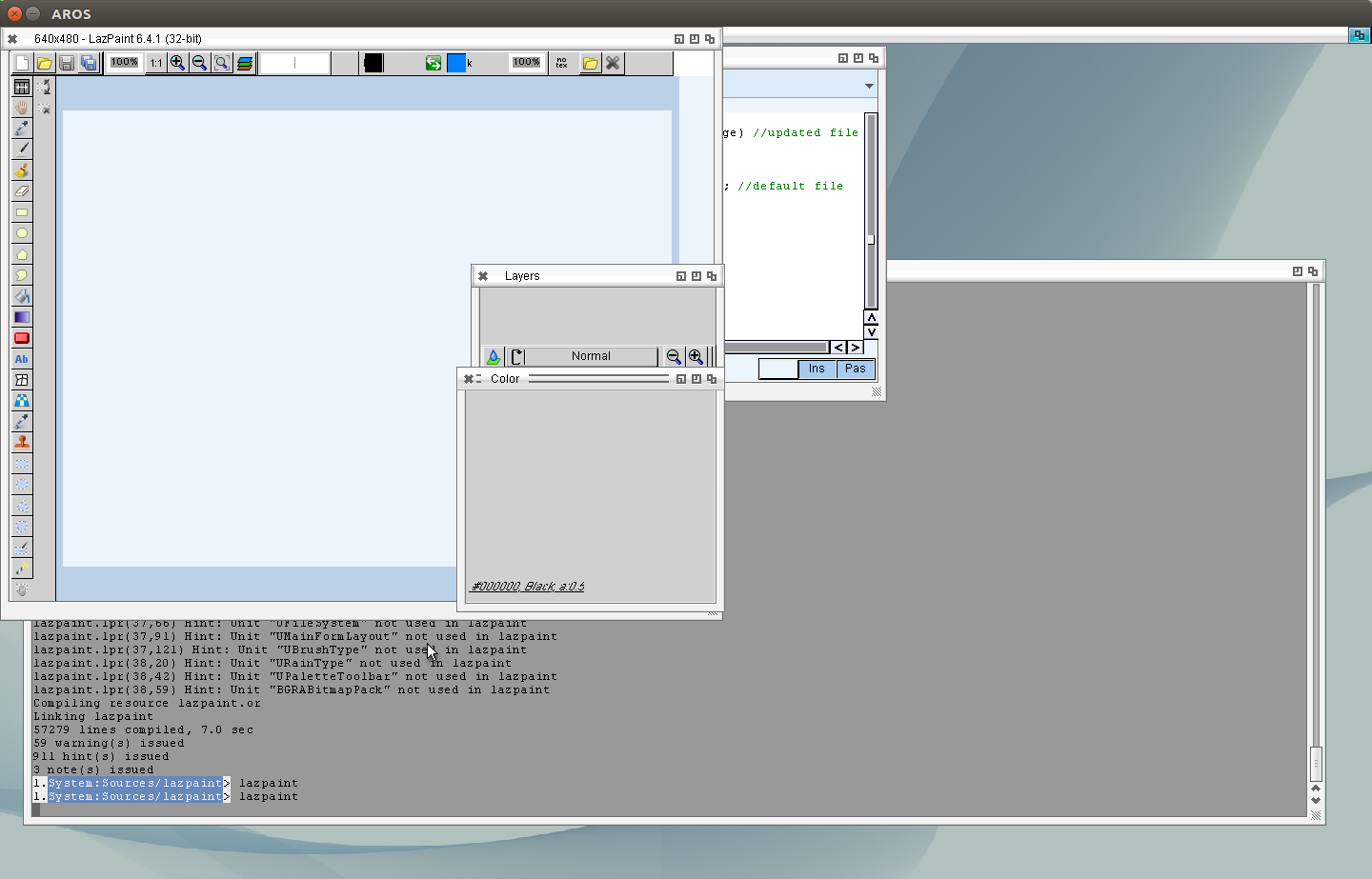
Worked at my idea for the visible Tabs at the Pagecontrol. As I found out before the Register at MUI can not be changed on runtime, so hard to use it directly for the LCL Pagecontrol. But now I just add a second MUI Object above the Pages which only contains the Register. Rather the same schema I used for the Caption of Checkboxes.
Download at: EdiSyn Page
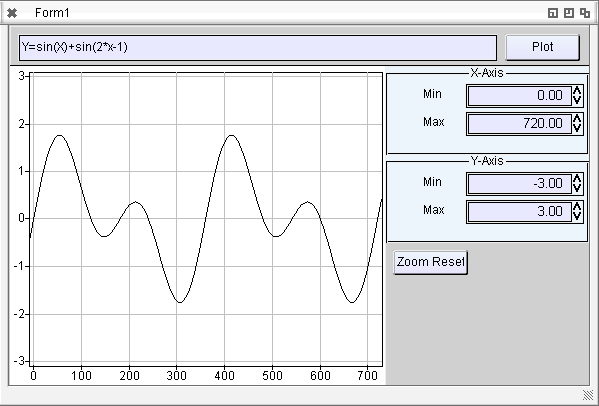
I played a little bit with the TAChart, omg so many different units needed, so many components/pathes to set. Some inital drawing problems, some more error checking need. Now works nicely, of course some events and so on does not work.
This new TAChart is very different as the one I used long time before in my programs in university. So I’m not sure how to use this but in principle it works 😉
Made a little test program afunction plotter:
Download: TAChartTest
Port for AROS i386.
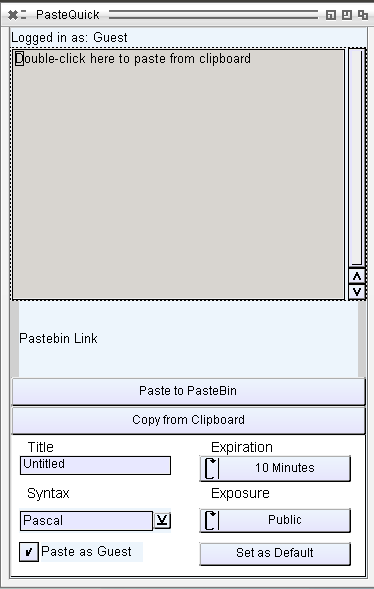
Copy text from Clipboard to pastebin.com and send the pastebin link to the Clipboard.
just a very basic port, login still not supported. but for my needs already enough.
Download: PasteQuick 0.41
To debug the lcl more I tested some 3rd party lazarus applications, some of them are really bad made. So my LCL get some problems with Autosize, especially when the window is Autosized and sizeable at the same time (which sounds a little bit strange for me also)
Problems:
Statusbar still crashes, so I had to remove it, still no idea whats wrong there. Funny, after removal of Statusbar it still compiles, so it was not in use?.
Autosize setting of the main window, as described already. First it get some exceptions because the defaultsize was not set, thats right I didn’t set this things. It seems some alignment problems alao related to this. So now I made a very simple implementations set the Prefered Size to 20×20. Later should add some for every widget.
Besides this problems the program work, but inside many ifdef unix, ifdef windows so much work need to implement startup of programs and so on.
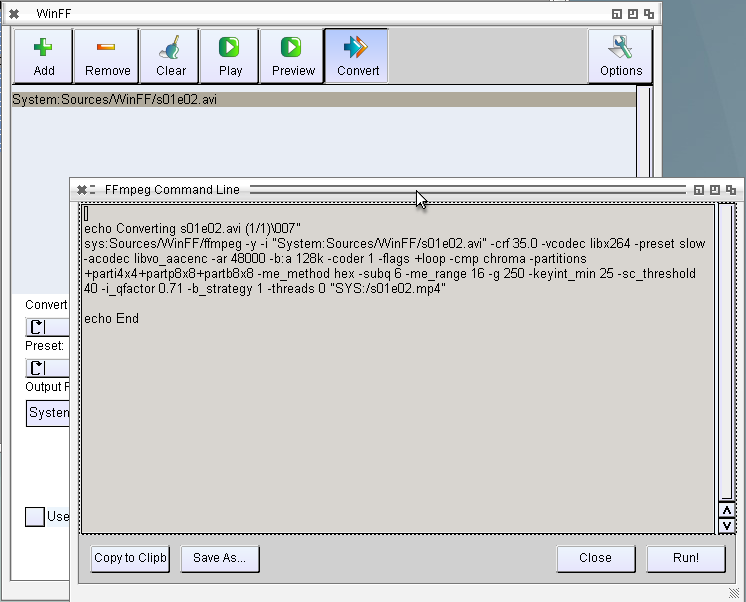
This ffplay is already called as expected. (just the ffplay is strange, crashes often and plays much to fast). The convert is done via a script with is very nice and easy to bring to AROS. But sadly the ffmpeg has some problems: First it’s not made for amiga so a source defined with „System:test/test.avi“ will not work because ffmpeg will report „Error: Unknown protocol System“ so one have to use „file:System:test/test.avi“ or so. But even then its not working, unrecognized options everywhere, maybe its made for an other ffmpeg version, I did not find for which ffmpeg its made.
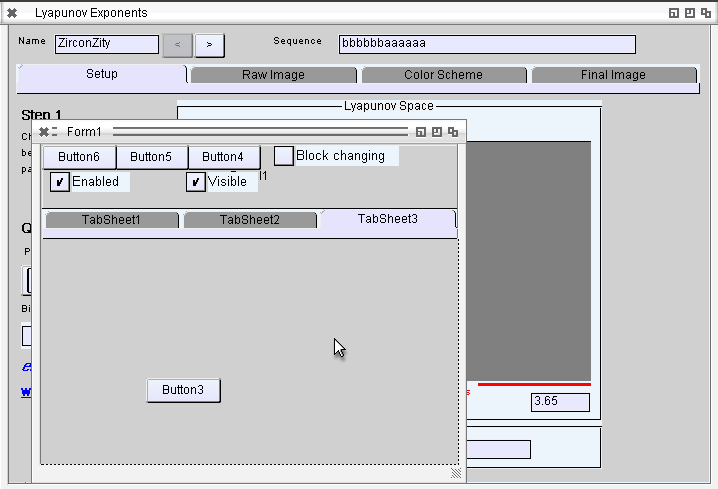
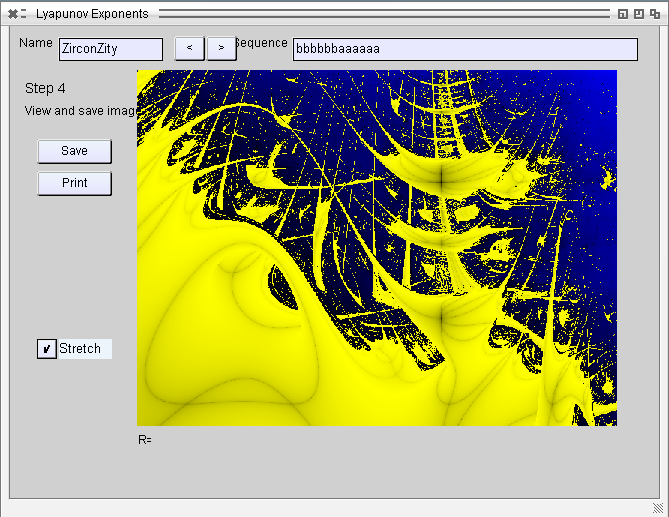
I really liked this fractals on AMIGA, even its was VERY slow to calculate (and its still, even on this fast computers), but they look better, different than the mandelbrot, julia or so. I found a rather complex program to calculate it, for Delphi, but converting to lazarus and some tiny changes and it also works on Lazarus, some more changes also works on Linux. now to AROS.
Problems:
Mainproblem is the Tabcontrol which still does not allow to switch tabs, so I had to add some Buttons for navigation and like always some drawing problems. Especially, Editpanels behave strange sometimes. I have to check later.
Download: Lyapunov for AROS i386
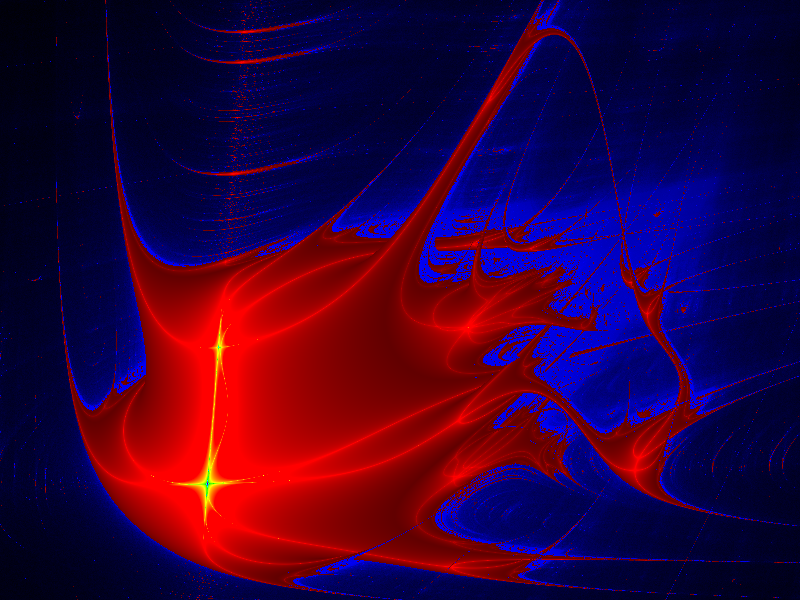
Example saved images:
This worked surprisingly well, biggest problem was only that the pathes was added a DirectorySeparator even there was already one, no problem for Linux/Windows, but at AROS it means updir. And again some AutoSize issues really need look whats the problem there.
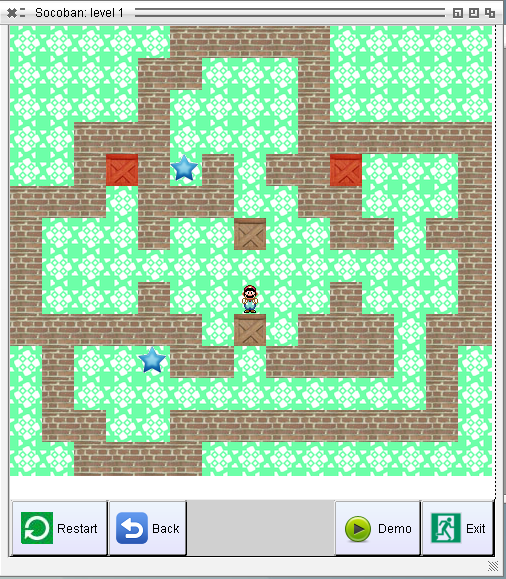
In contrast to the lazman program this is really well programmed, work well and also fast on AROS without any further optimizations. The colors are so also in the origian not a colorbug (I had to check twice, could not believe someone make such colors by purpose)
Download: LazSokoban
(AROS i386 – inclusive Source)
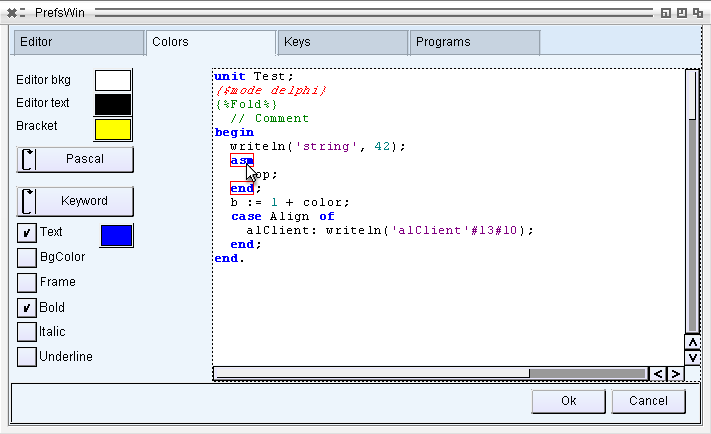
Finally finished the user commands things, for now, already yesterday made two movies to show how it work, so today the Screenshot shows the Preferences window.
News:
Download at EdiSyn Page
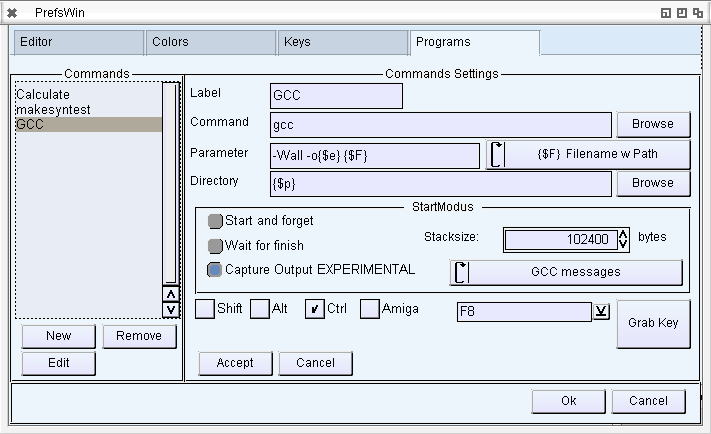
Working on the next EdiSyn Version (0.50). The main new feature will be userdefined programs with capturing and parsing the output that you can jump into the source to the error/warning.
The mainproblems are the capturing of hte output, because there is no way to route the Output of an AROS program directly into memory. The only way is to let the Output write to a temporary file in RAM and read this at the same time. It works very nice, just if something happen the files stays in RAM: and uses up some memory.
The other Problem is again a very bad Amiga-style problem. When started from Workbench/Wanderer its nearly impossible to get the shell path, so the compiler is not able to find the linker and so on.
There are several ways to obtain the path, but seems als does not work on AROS. For example:
The only way I found was to trace through all Processes and search for the main process (e.g. Wanderer, Shell, DirectoryOpus, such things, rather unsafe way to do it… but better than nothing).
The Output from GCC and Freepascal is parsed now so you get colored output and click to jump to the related position.
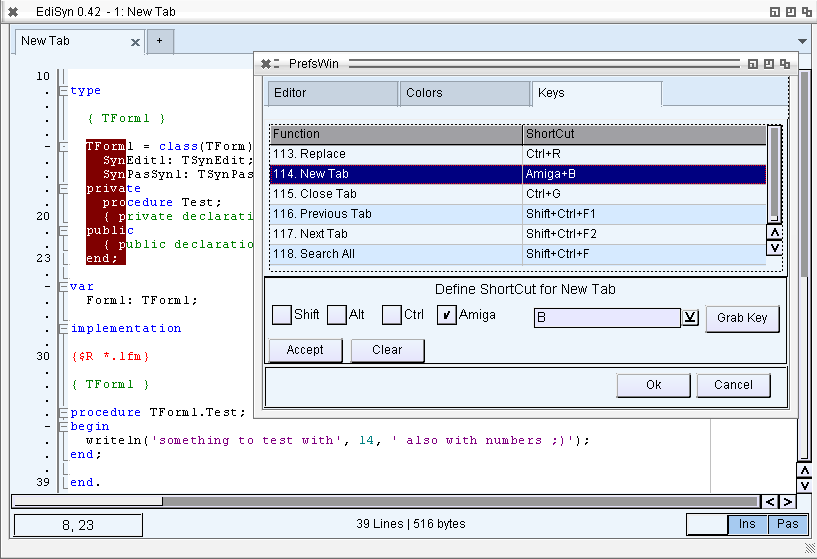
With 0.41 I introduced HTML Highlighter (on request on Amiga-news.de Forum). For this 0.42 Release I cared about the Alt-key which did not work. The reason was a simple bug, my keystate variable was not big enough to hold the Alt hold down code. Because of this enhancement all shortcuts visible in the Shortcut preferences should work now, inclusive Column selection (Alt + Mouse click drag -> column select)
Besides I wanted to bring the Amiga (Windows/Meta) key to work, but sadly that is not working on my hosted Setup, because Ubuntu catches this key for itself (same for Alt + Mouse click -> move Linux window). Thats the main reason to install a native Icaros, to touch and debug such things.
News:
Download at EdiSyn Page
My whole development is done in Linux hosted, I’m used to it especially because when there is a tool missing in AROS I can use the Linux tools to do it. But the hosted is slow, what is not bad for development but also some bugs does not appear there.
So I tried to install a Icaros 2.03 DVD on an old Computer which is long time not in use anymore (AMD64 X2, 2 GB RAM, Nvidia 7900, e1000 network card) in short a deasaster, it simply does not work at all, it begins to boot, whatever i choose there or in BIOS nothing happens. who knows what wrong there. I have no clue and tried every tip I found in the net.
I got an old Laptop which is laying around long time already, the display is somewhat broken. (Dell Inspirion 640m, Intel Core, 1GB Ram, Intel graphics, Chipset Network). oho finally it works somehow. Even the native graphics and sound is working. So far the good news, bad news follow… and they are really bad. Network does not work at all, both network cards are not supported (also checked in the compatibilty list). I thought on the left side the slit is a old style PCMCIA slot (I have a lot such wireless and wired network cards), haha but I was wrong its an express card slot. So it seems I do not have any chance to bring this laptop to network with AROS 🙁 Maybe with an USB network card, but I don’t have such things and I have no idea which one would work.
nevertheless I decided to install AROS on it, just to play around and „feel“ the speed, migario told me that it should be a lot faster than hosted.
First the installation.. OMFG … ok calm down… the installer self is nice and work as expected good that it only asks at the beginning and then install without any more questions, I like that.
BUT… guys serious the installation time is out of discussion… after a while I just put the laptop to ground and let it run made other things on my desktop computer. It needs HOURS for sure, seems the position on the DVD is not optimized. I noticed already on the startup that the DVD reader head moves like a maniac… a little bit like the 3.5″ disks in the past. Maybe the positions on the DVD should be optimized for faster access.
Why it needs so long… ok first it copies everything from the live DVD to the HD, the HD is ultra fast so thats not the bottle neck (boot up after installation is done in less than 5 seconds).
But this hundrets of very tiny files really slow down it very much. Especially the catalog files for every program and AROS and for AROS68k. this could be optimized a lot… PLEASE only install my language catalog files and english as fallback… PLEASE do not install all catalogs… also on 68k emulation side. (which is useless for me either). Maybe it would be better to move all this little files to a zip folder and unpack them directly onto the harddisk.
This redrawing bugs on the installer and zips unpacking…. looks very bad.. but OK I know them already, missing Zune feature of redrawing window when a dialog or so is open. I struggle with it in LCL as well.
The installation is over… but no hint what to do now.. reboot hmm ok but how (I would prefer the installer asks me directly and do it if I agree)
(and menu quit quits only dopus and not resets the computer, must click on this icaros eye and then choose Exit)
But ok after the installation it boots very fast as stated already. really nice… the sound works wow, even this sample sounds a little bit like disturbed (I checked on linux its in the file).
I tested with Shift_it_GL (which is sadly not included), nice GL acceleration works 🙂 its incredibly fast.
I played around with some of the tools installed. (why the icons on the harddisk are so „unsorted“ some even overlay which each other, and big holes, no clear ordering, especially the SYS: root folder)
Audio evolution: Guys what is that? Program open, asks me for Audio hardware… ok there is only one to choose, and underneath a slider Frequency with no numbers or so, what it does, I have no idea. The program opens… I would like to open an example project to play with it…
„Welcome to Audio evolution!“ the window say, Start new, load, load recent… but the recent is a project in RAM: which is of course not there. Load a project (I would expect it lands in a project folder maybe with example project) but nothing… how bad.. too lazy to search for its folder.
I searched a little bit around (also on the search for freepascal 😛 ) And found it in Extras/Development/Languages/fpc The fp-ide starts and work nicely… BUT seems the pathes in fp.cfg or fpc.cfg are not set properly… it can not find the Exec unit. I’m not sure whats wrong there the units are there the fpc.cfg looks good. maybe later I check again. Compiling from shell works well.
in Development tools is a C IDE, Murks… I also tried this one on startup looks nice (even I do not like this huge icons, but thats only my personal view)
Open project….. ARGH requester in RAM: .. guys..seriously… but I’m really interrested and know where its folder is so navigate to there and hey there are also examples… CHelloWorld.dev 😀 good that is what I’m searching for. Open it main.c in the list, click on click on it, the well known C hello world source… nice, now lets rock, compile it. big fat „Build“ Button. and…. guys… seriously whats that… „gcc: object not found“ …. I even do not found settings to set a path to gcc only project options. Sorry I stop here.
Finally I tested some of my programs especially EdiSyn (transfered with USB stick, worked very nice gratulation to this one). and really the tab open, scrolling and so on is FAAAAAST really nice, even size change with Opaque on looks not so bad, ok it flickers a bit, but the window decoration of the windows (all windows) flickers also like hell, most visible around the close button and scrollbars. So it is not only my problem 😛
As conclusion I would say… it is nice… but needs a lot more polishing, I would prefer less programs better sorted and WORKING, best with set (at least one) recent files, which are there and useable to play.