MUI documentation
Working on the HexEdit and a little bit documentation especially MUI. Also updated the online documentation.
Working on the HexEdit and a little bit documentation especially MUI. Also updated the online documentation.
I created a archive of my complete LCL for m68k AmigaOS 3.x. Much things already working (all PaintEvent things does not work, so Labels, Panels and so on does not appear, but should also not crash).
So if anyone want to try Lazarus LCL on a real Amiga or UAE here is the archive, be careful its 55Mb and you will need at least 16 Mb to compile the examples, for bigger programs you might need even more.
Download Amiga LCL 0.1 alpha
for more informations read the „ReadMe“ inside the archive.
I found out why some elements at Amiga/MorphOS are not shown (like the scrollbars and comboboxes) it seems that MUI has very tight size constraints usually MinHeight = MaxHeight. And MUI is rather picky, if you give a bigger place at layout hook, it does not paint anything. I do not understand why a Button needs this tight size constraints, maybe I want bigger buttons.. but ok, not a big thing.. I will try to implement that also in the AROS LCL and maybe should check how to use the LCL constraints.

Amiga LCL with working size constraints
The second good thing is that the crash at close is disappeared at Amiga OS, but at MorphOS its still there, so I guess the issue is not solved. I will write an other test program to test the dynamically creation and destroying of MUI elements. But in principle one could think about a lcl AmigaOS release (its already much more than the first AROS lcl release 😉 )
I played again a little bit with Lazarus/LCL and I was able to get the thing compile on a real AmigaOS 3.9 with MUI 3.8. The result looks rather the same as my previous tries in MorphOS.
But different from the one from m68k AROS it makes the double strange that all windows in the m68k AROS are fullscreen. A bug in Zune? Who knows. The size calculation seems to be different as in i386-aros LCL, the windows are smaller.
The Hex Editor slowly gets into shape. Most important function, editing and Value showing. The Value is automatically showed in different types (as Byte, Word, LongWord, QWord) and even more important both endian styles(Big / Little). Later will insert also a function to insert a value as the combined types in both endian styles. For now I only need it for small files, so I load the complete file to RAM and then show it. Later maybe I make a viewer version for very big files, which work directly on Harddisk. But at the moment its not needed.
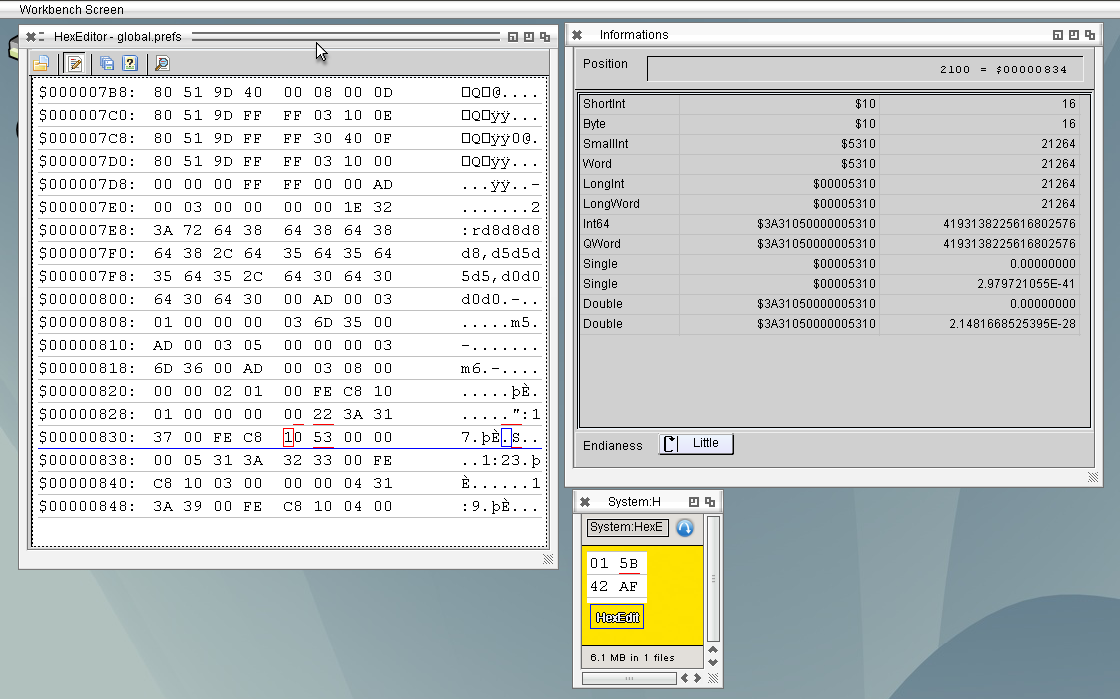
HexEdit 0.2
At the moment I need a HexViewer and sometimes also a HexEditor but even at Linux I’m not very satisfied with the functions with the available HexEditors. So I decided to write my own, of course I write it for Linux/Windows (there I need it) but now I always care about that it will also work for AROS. So I compiled it for AROS as well and it worked without any additional actions. At the moment its just a HexViewer. (use cursor keys for move the cursor, page up down to scroll a page, home and end jump to start/end, Tab change binary part to char part)
But I need Editing, search and replace and jump to special positions.

HexEdit 0.1
Deadwood announced a ALSA AHI driver for AROS Hosted which I tried today, the first version crashed AROS completely. But now the second really works very nice. I take out my mp3player again and it is working very nicely, debugging this way is much better ;-).
When I wrote the mp3 player I wanted to make a video with sound, but sadly I noticed the sound recording of RecordMyDesktop seems not to work, its all quiet the whole time. I tried some trick I found online, (direct alsa, pulseaudio and so on) but nothing helped its all quiet. Then I tried some other programs and finally I found one working kazam has not so many options but enough for my needs. So here is my first youtube video with sound 😉
The sound is a free one from youtube Hero Theme by MK2.
As I said before much better would be to link directly to the C LinkLibs instead of writing this wrapper libraries, in the past I always failed because of the autoinit stuff. But now when creating the libraries I learned a little bit more about how it work and finally I was able to make a statically linked connection directly from freepascal unit to AROS C LinkLib. And it works 🙂

Freepascal program links to C Linklib
I played a while ago a funny tiny game on my phone called 2048, really easy concept but makes fun to play. So I wrote an own game for AROS which is inspired by it really easy and nice to program.
Its called BinShifter Bin because of Binary numbers which results from it and shifter because you have to shift the blocks around. With the arrow buttons or cursor keys you shift all blocks to one
direction. If two blocks with the same number are stacked in this direction they are added together and you earn points. The maximum number for one block is 4096 (like the numbers of colors
of the original Amiga ;-)). The game ends when no movement is possible.
BinShifter 1.0 i386-aros
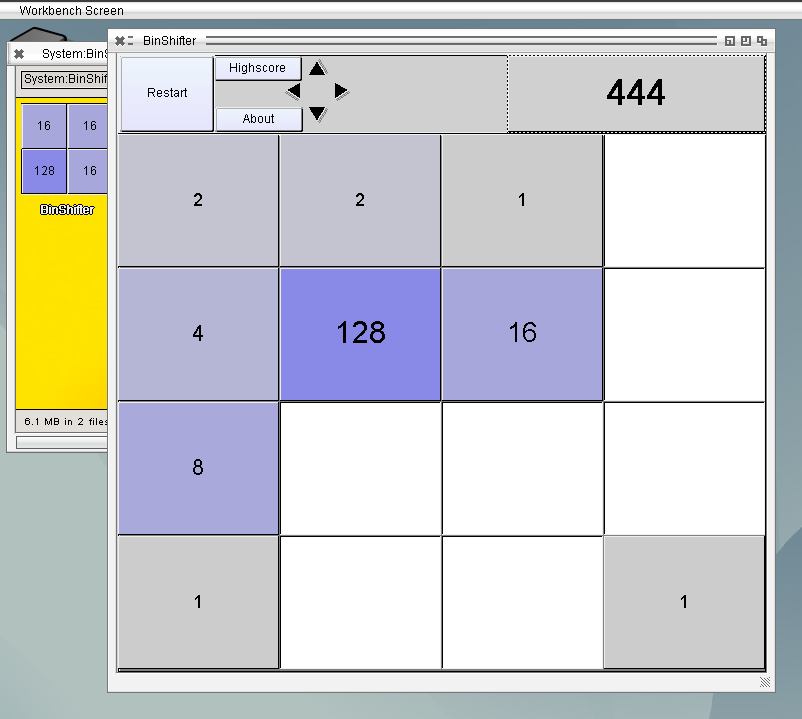
Bin Shifter 1.0
Good news, the Libraries I created are also compilable at AROS x64, so this learns us two things. First it also works on 64Bit (also with 64Bit freepascal) and Second it also works on ABIv1 (64bit AROS is ABIv1 only). The testlib worked just without any additional actions. sqlite3.library needed some work, seems some C Linklibs are changed so the Makefile libs had to change a lot. The compilation worked well then, but the example program crashed. Seems it always crash when it tries to convert a float to a string, if I read the double by Hand and use the pascal routine to convert it to string it works without problems. Hmm strange problem, especially because the rest is working without any problems. Because of the previous problems with AROS64… it’s maybe a just a AROS64 bug. so I changed my example source 😛 and now it works perfectly.
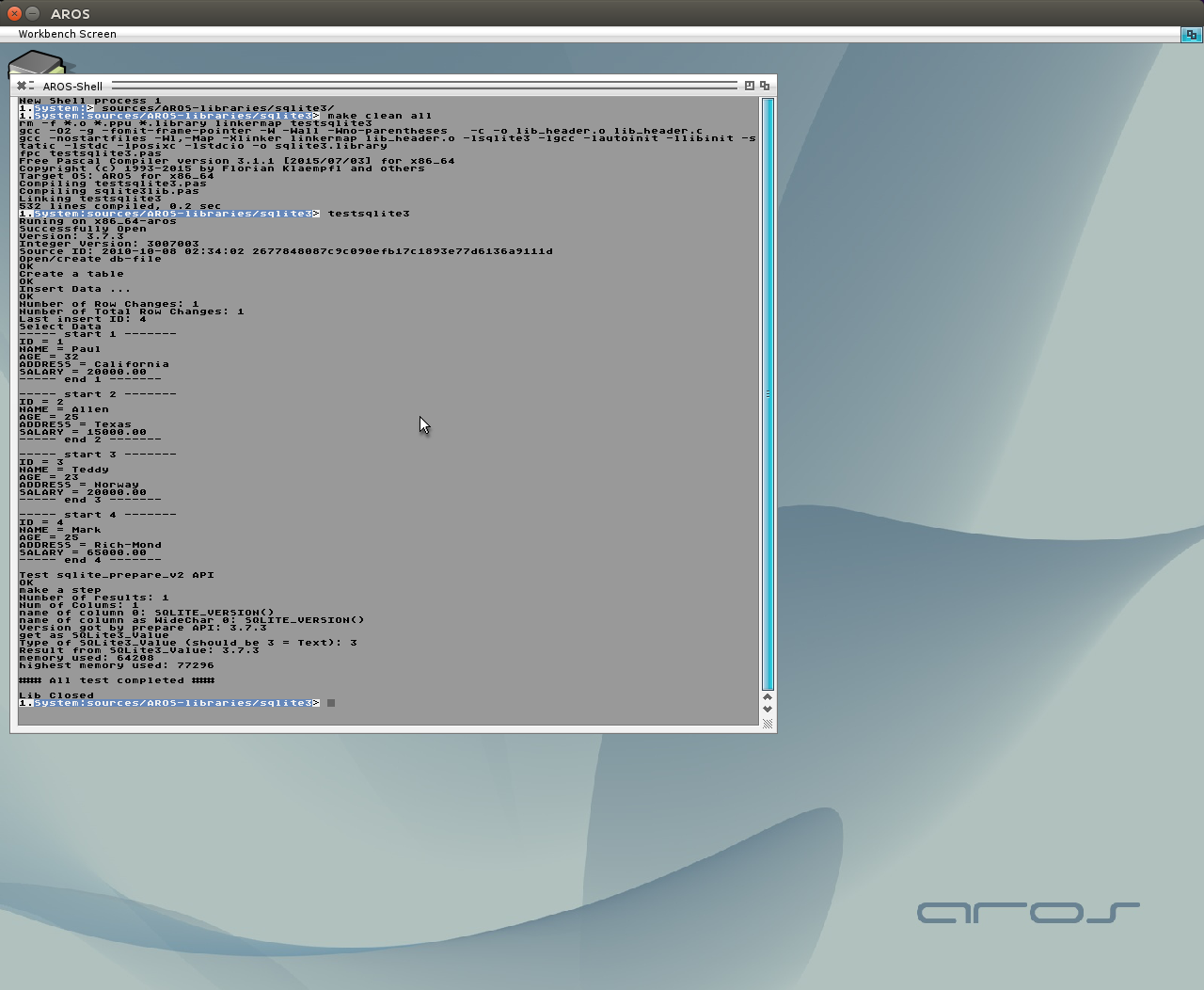
Freepascal SQLite3 on AROS64