Its not really important to get the Buttons with images on to work, but its a good opportunity to test my way of drawing to standard MUI Classes. The drawing was not a real problem but to calculate the position and sizes is really trouble and much work. I’m still not sure if it is working right for every case (size of Glyph, Length of Text, Height of Text, Position of Glyph). But as first implementation it is ok so.
The other thing , a little bit more important, I implemented Scrollbars, rather easy, just the property names are a little bit strange and the LCL Event was not so obvious.
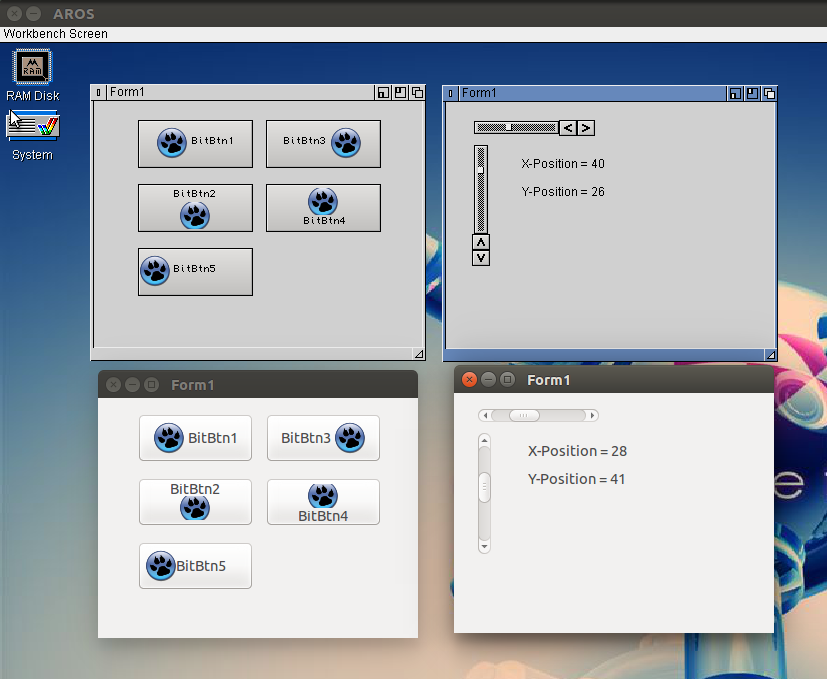
BitBtn and Scrollbars AROS (top) and Linux (bottom)
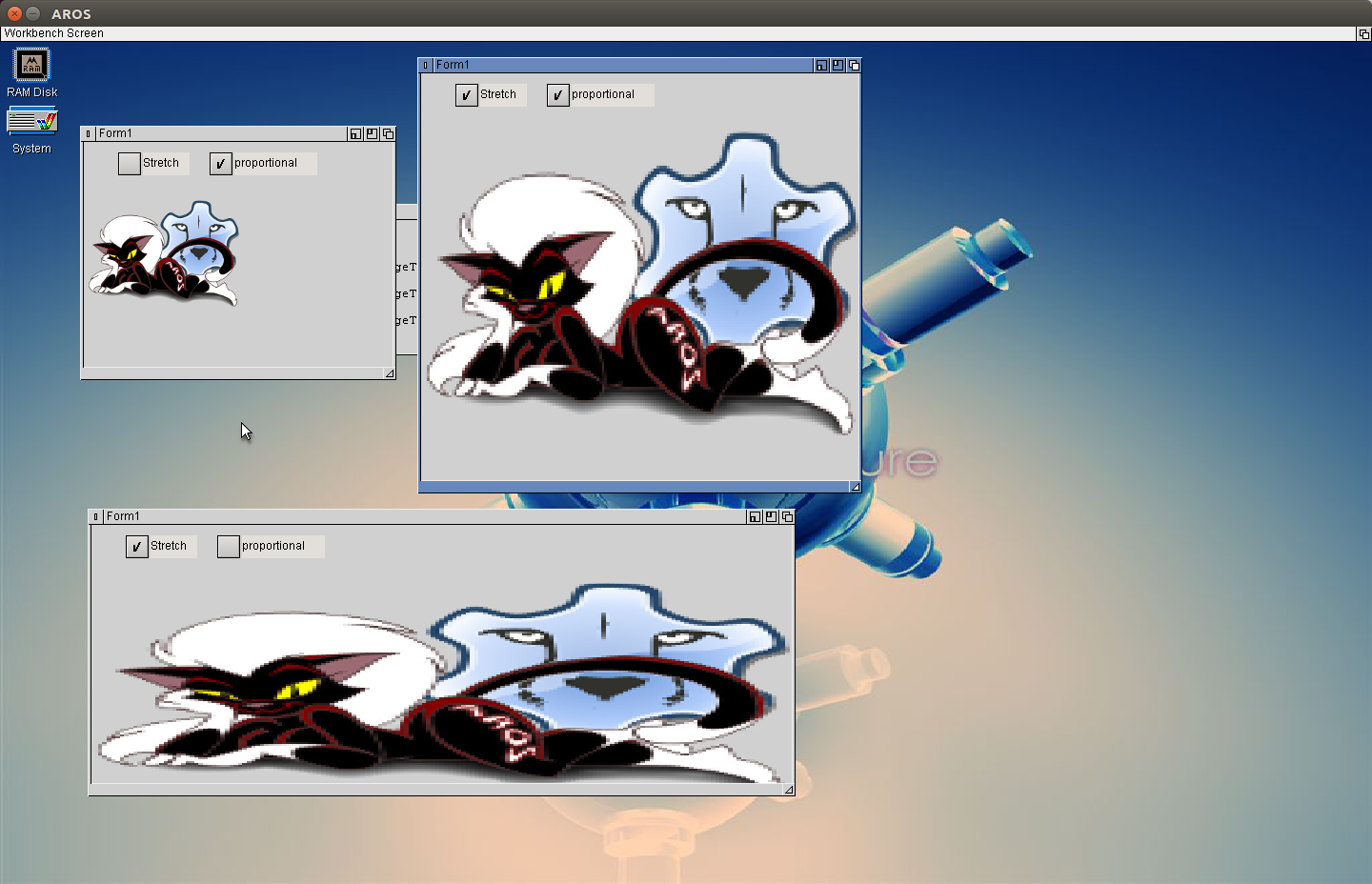
Dealing with bitmaps and images, bring the TImage to work. The principle I got from my fpGUI implementation again, using cybergraphics.library (for Amiga, MorphOS and so on maybe need an other solution? maybe also P96 or some native, but for AROS its ok). As start the WritePixelArrayAlpha() the problem it does not scale the image, but it supports Alpha channel so transparent parts are possible. But for TImage.Stretch we also need a StretchDraw, there is a ScalePixelArray() to scale images on drawing, it also supports ARGB, but sadly it does not work in my AROS sandbox. In the ABIv0-oT it does work but sadly the background is black and not transparent. I found that ScalePixelArray() draws ARGB data as 0RGB so ignore the Alpha channel. So not really useful. So I implemented an own scaling routine, (of course only nearest neighbour, fastest way 😉 ).
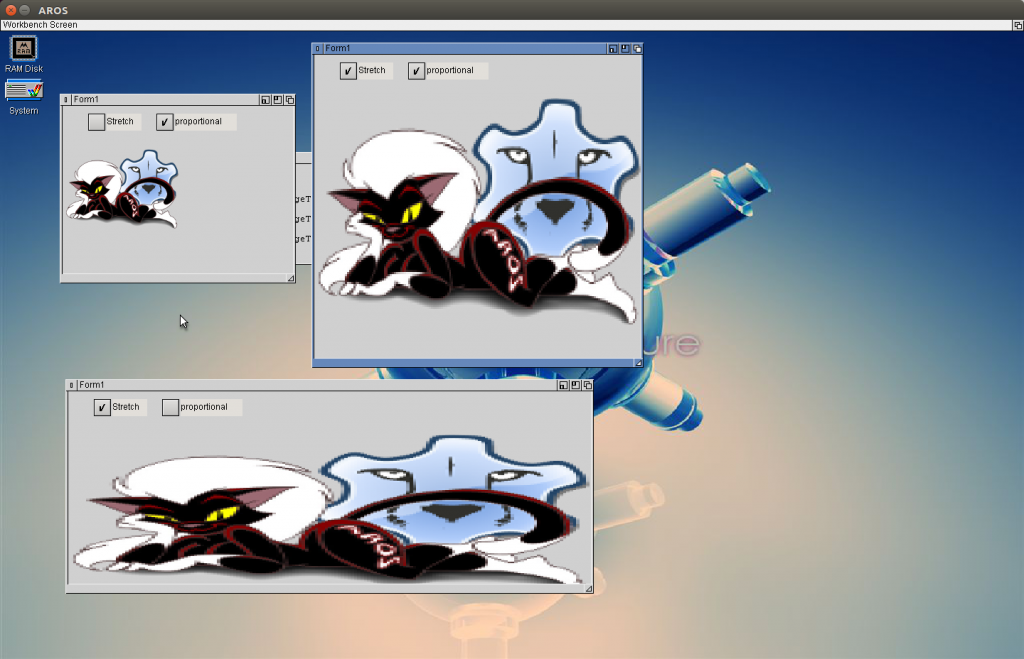
LCL-MUI TImage with stretching
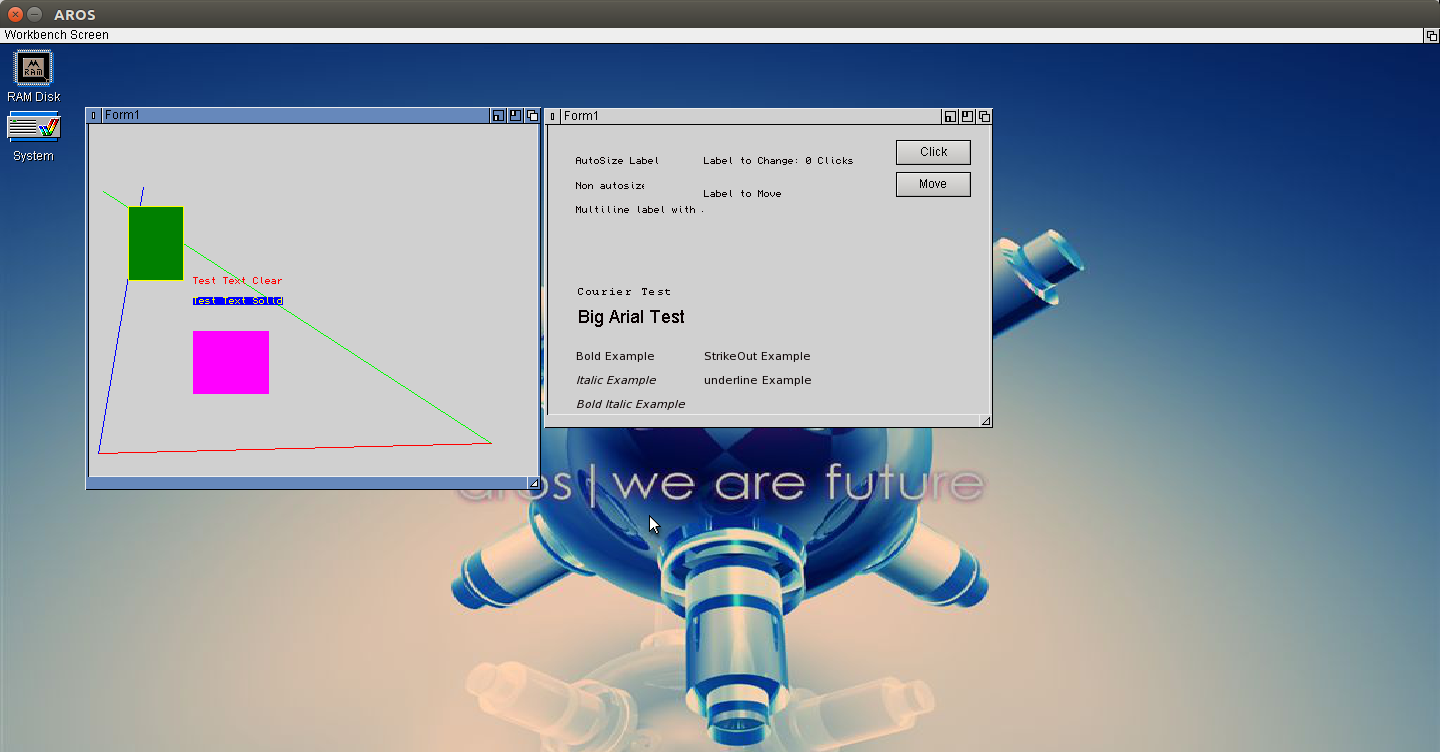
Introduced the Font, loading, size and so on. The system is exactly the same as for Pen and brush, so it was not so difficult and the basic AROS functions I learned already for the fpGUI implementation.
The second thing I started, as written before, is to improve the clipping. So the labels looks more like the program at Linux. The italic, Bold and underline option I can set for AROS fonts but the most fonts just ignore it, some Fonts have an italic mode (e.g. vera sans) but nothing more. Maybe I do something wrong?
As last I implemented the FillRect function, which was trivial again, like the Rectangle function.
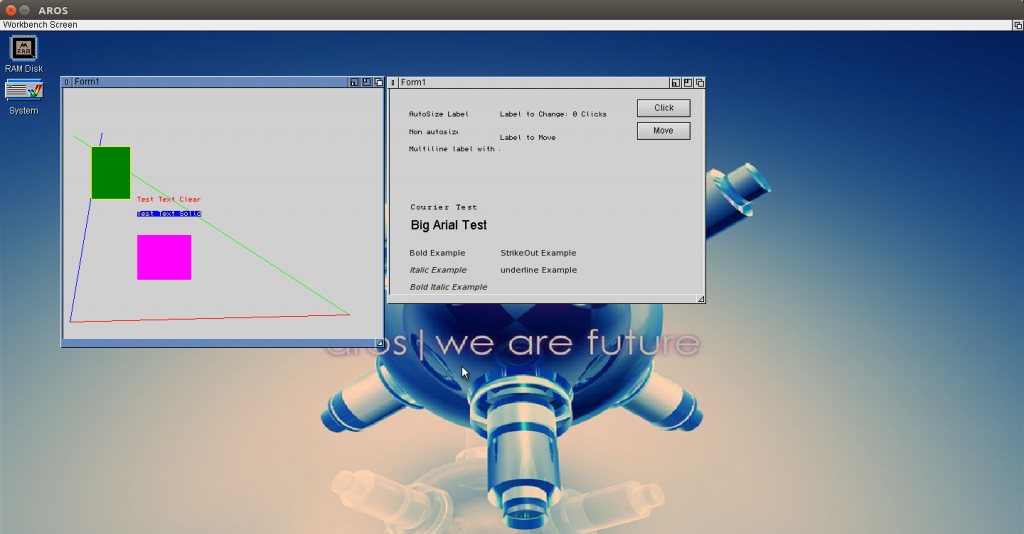
Different Fonts, Sizes in LCL-MUI
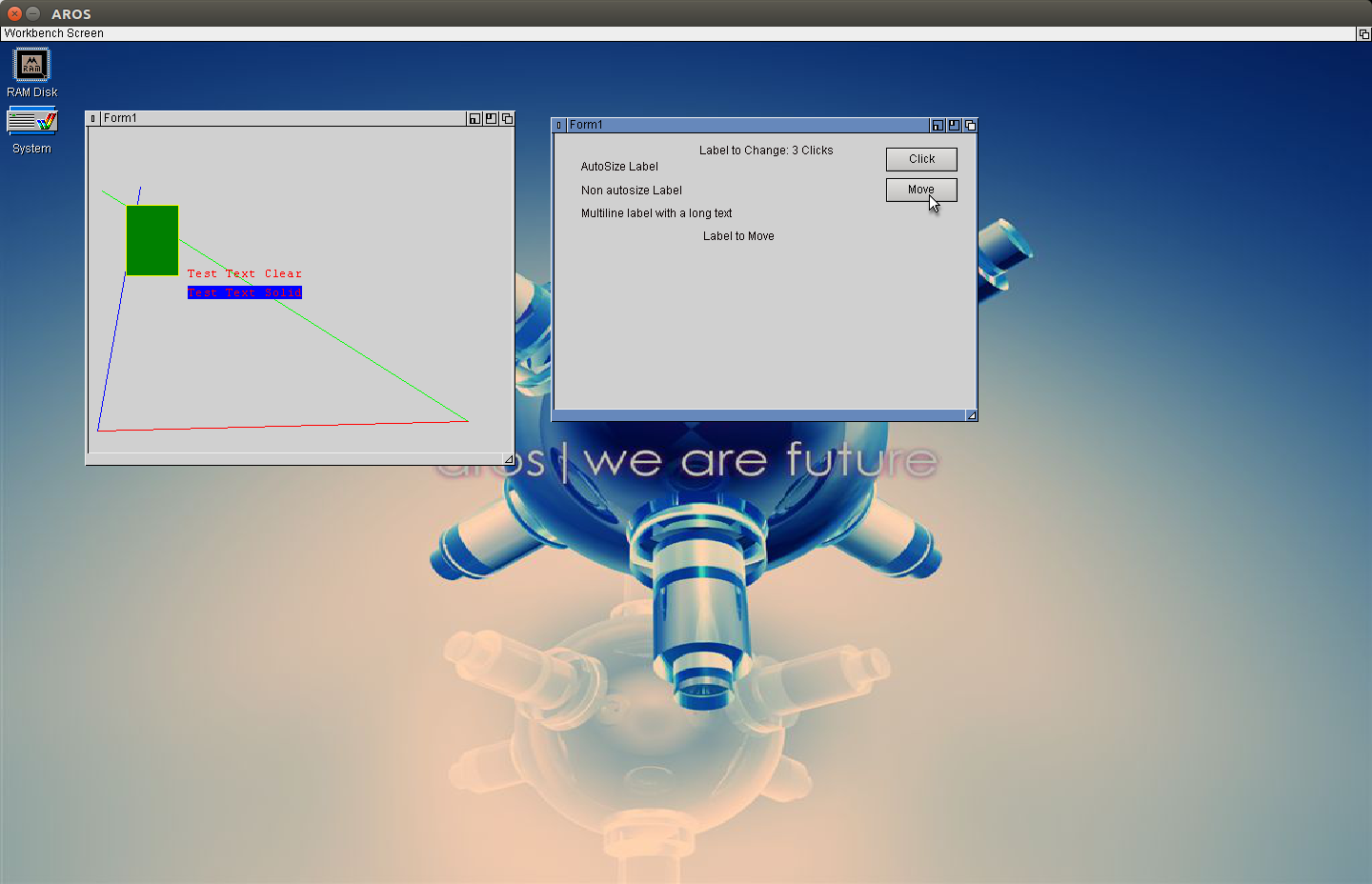
The Text is not finished, needs some more work, with the clipping. The theory is not so difficult but when how the clipping is removed is my problem at the moment. The font is still wrong but also easy just needs some diligent work… works exactly like Pens and Brushes which I implemented today. I started with Pens and Brush because it is much easier, next step will be font, I guess and then care about the clipping again. To test the Pen and Brush I used a PaintBox with different colors, with transparent brush. It’s not perfect but working.
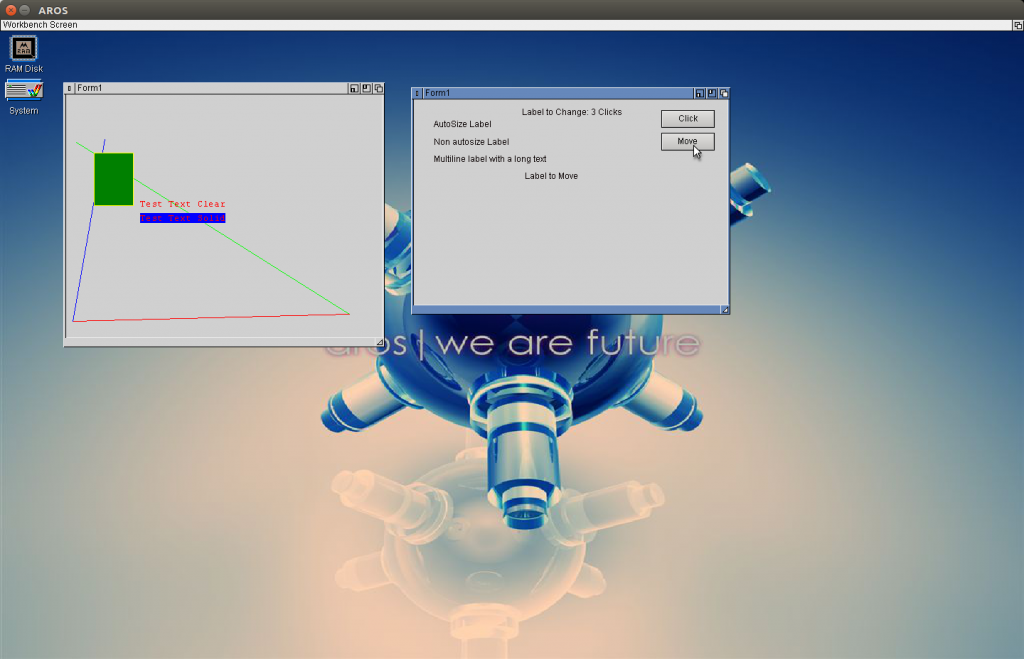
PaintBox (Left) and LabelTest (Right)
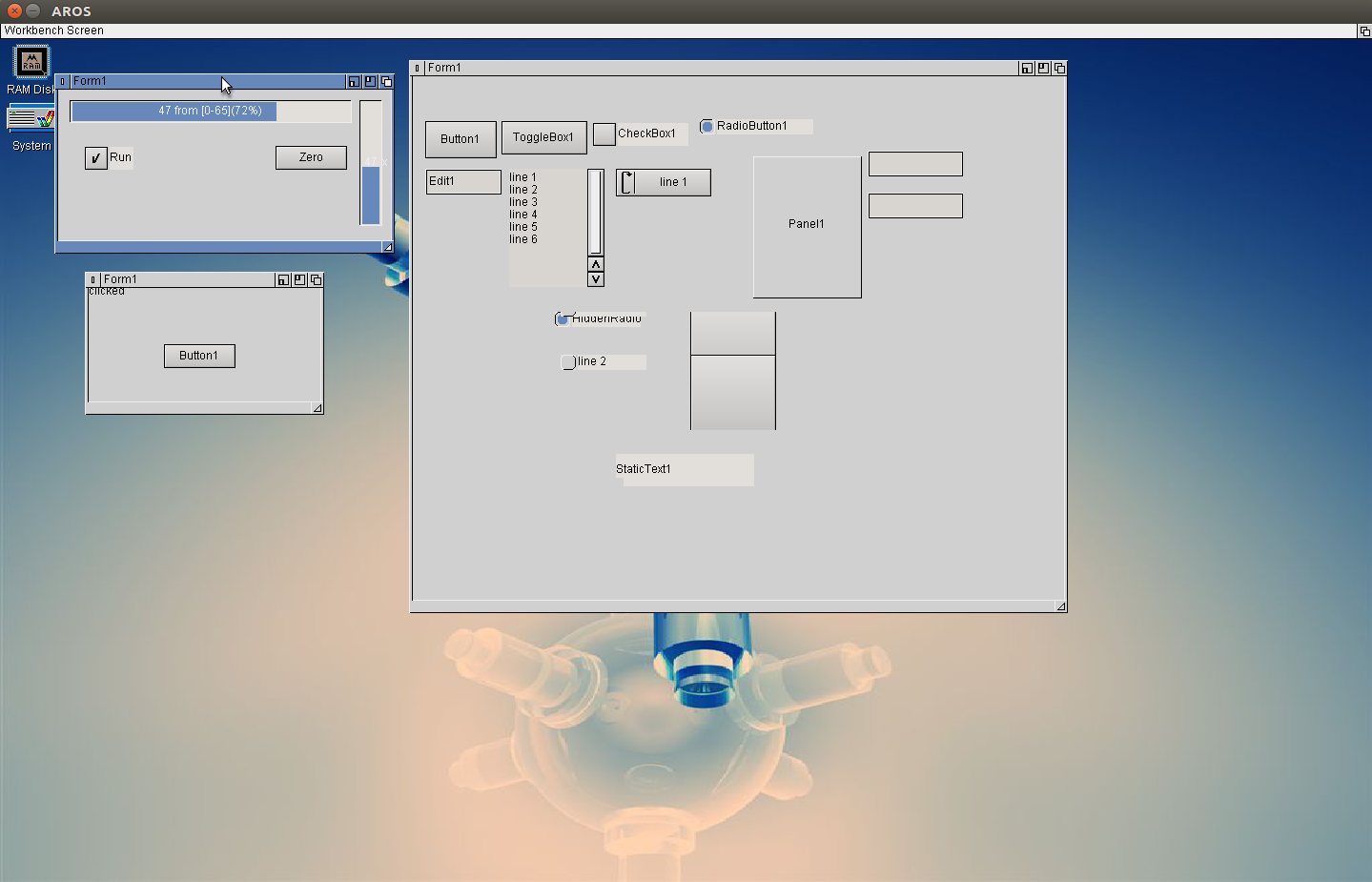
Working on the Drawing routines for LCL MUI/Zune, there is a Page describe a little bit more about how to implement a new Widgetset also how to make a TLabel. It is working more or less, the Label is painted alos repainted on resize window and so on. But it is on the wrong place. In the example the „clicked“ in the lower left window show be somwhat centered above the button. But the coordinates for the Textout always point to 0,0. I guessed it have something to do with the region defined. I tried to implement it but still it looks like this. Needs some more thinking.
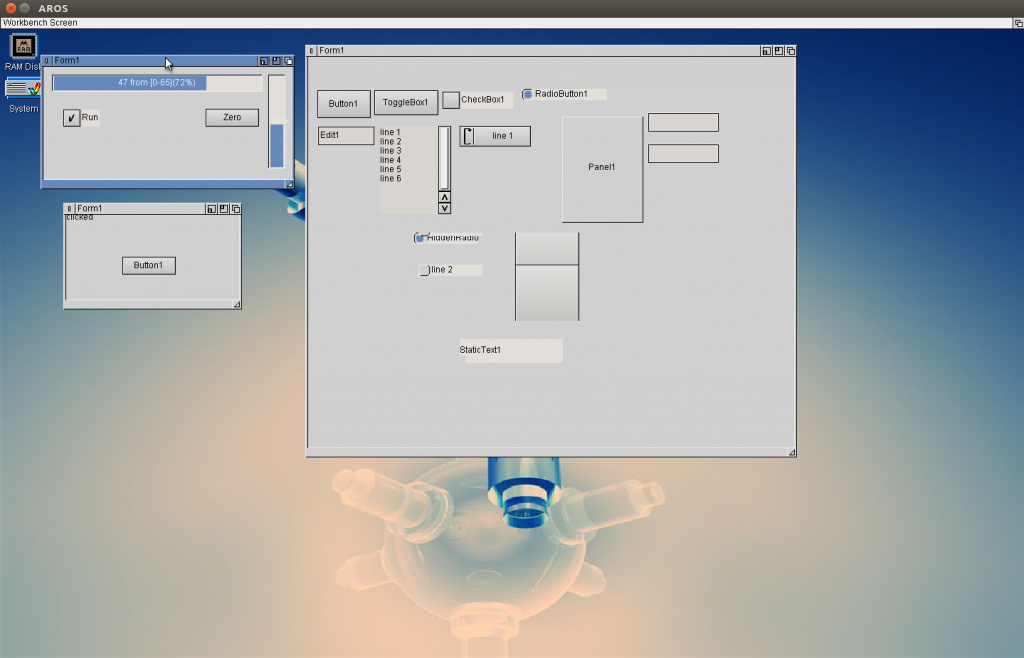
Progressbar, Label, Timer in LCL MUI
Because not so much time and mood for the label things I switched to some easier tasks and implemented the TTimer and ProgressBar, both very easy things.
For the Wiki I tried out every single item in the list and wrote down which is working and which is crashing or error message. Then slowly I can remove all this crashes. the Form I used for this experiments is shown on the right side. Of course I removed all the crashing and Widgets with error messages from the view before. Still much to do. 🙂
Some time before I created a own MUI/Zune class with freepascal to check how this is done and if it opens the possibility for ownerdrawn things in LCL with MUI. It worked but then I put it aside and didn’t care much about, but now as I restarted the MUI Interface for LCL I got it out again and tried to implement.
It’s called LCLGroupClass and created with (MUI-)Group as Basis. In principle its just one difference, The MUIM_DRAW is handled by installing a clipping range and call the OnPaint Event of the connected Pascal object, which then send the paint message to the LCL-Component.
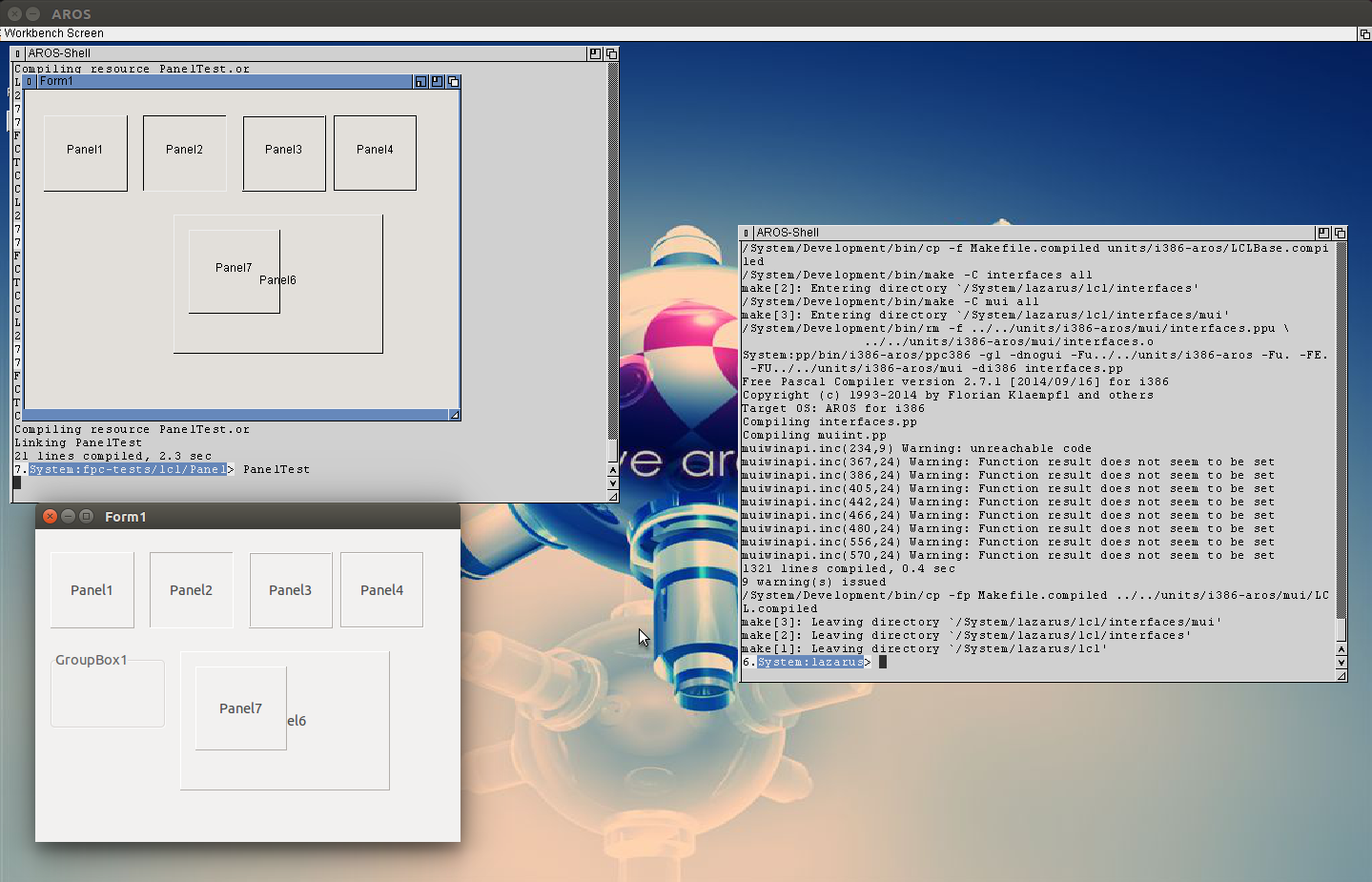
But this was only the half way to go, the paint message also must do something or I can not check if it work. So I traced back the Panel drawing routines to the basic platform dependant function to draw and implemented them to the LCL MUI interface: DrawText and Frame3D. First it looked very easy, espeically the text drawing… but it became tricky again because the GetClientRect routine also have to work properly. The Documentation is very thin about this things, mostly non-existing. But when trace back it become obvious that LCL is still a one-to-one conversation of VCL and hence of Win32 API. So the MSDN help, which is really good was very helpful to find the right way to implement the drawing functions.
Thats the status now:
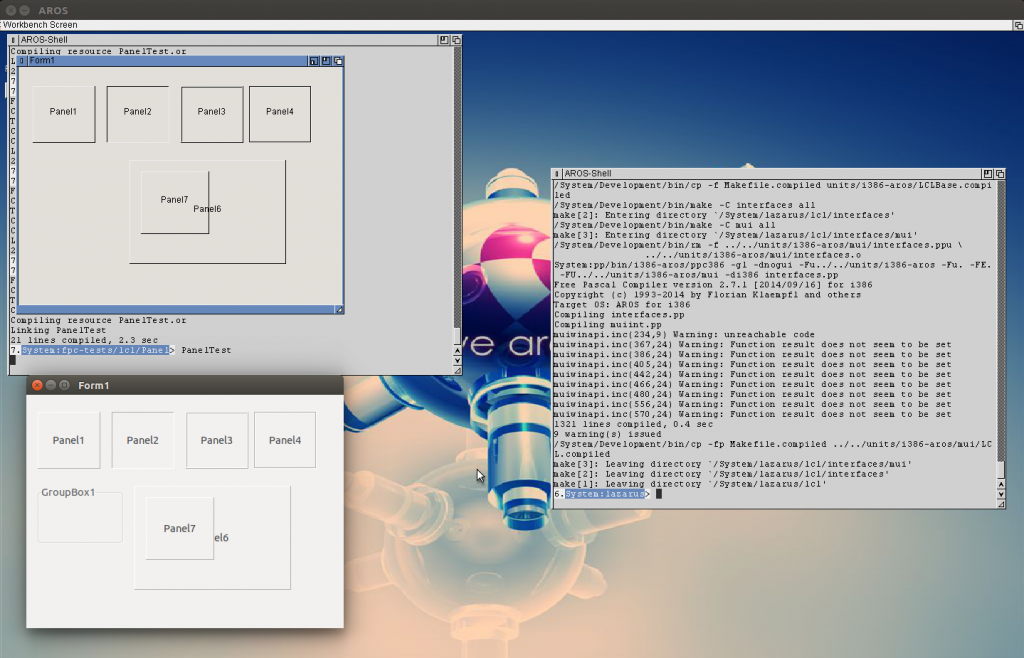
LCL MUI Panel in comparison with Linux LCL
As you can see the normal Panel border look already very like the original (atm there is not color support so I just use black and white for the shadow/highlight color, Maybe later would be interresting to find out the MUI settings for shadow and highlight) and the Text is more or like in the middle of the panels.
The Panels are still completely transparent, I guess because I still didn’t implement the FillRect routine which is used for initial cleaning.
If this is done, I think I do not need to call the original MUI drawing routine anymore, just use the LCL drawing.
The image drawing in fpGUI was always a bad point, the routine to draw was simple and slow. I always planed to create a new one to increase the speed. This days I had time and mood to change it, so I introduced the cybergraphics unit to aros and wrote new routines to make the image drawing. Its much faster and much more elegant than before, especially the masked drawing does work now correctly. The old routine was juat a dirty hack to emulate transparent drawing.
The second point at fpGUI is the font handling. The strange thing is, there is a flag for bold and italic design if you load a font, but the most fonts only support the italic style. For bold style a second font is supplied which is named „fontname bold.font“ with various format, sometimes with space between words or minus sign or just without anything. My new font collector try to bring such cases together, try to identify fonts which belongs together, by name.
If noone reports errors or wishes for fpGUI, fpGUI is something like „done“ at the moment. Of course its not really done. But it is working very nicely and stable without big problems or limitations (except the displacement bug which I explained some weeks before and seems to be an AROS bug).
Which brings me to the third very big point, the LCL-MUI/Zune interface which I try to resurrect. I gave it up long time before because the zune, interface is/was so buggy and I didn’t saw a way how to continue. Now the Zune bounty is going and the ABIv0-on-trunk already has some Zune improvements. Some of them I already found. My development system is on a very old stage, but I also have a new sandbox to try… and for StringEdits I noticed a change already. The On Value changed event is fired now, in my development system not.
But still the LCL-MUI interface is in a very early stage, not much things working currently but I will continue to improve it continously. Maybe it will reach a usable level.
This means now you have two interfaces to choose for lcl programs, fpGUI or MUI/Zune, as long as the MUI/Zune is in such an early stage fpGUI will stay as the default. If you wish to test the MUI/Zune interface you can activate it by a compiler switch: „-dLCL_MUI“
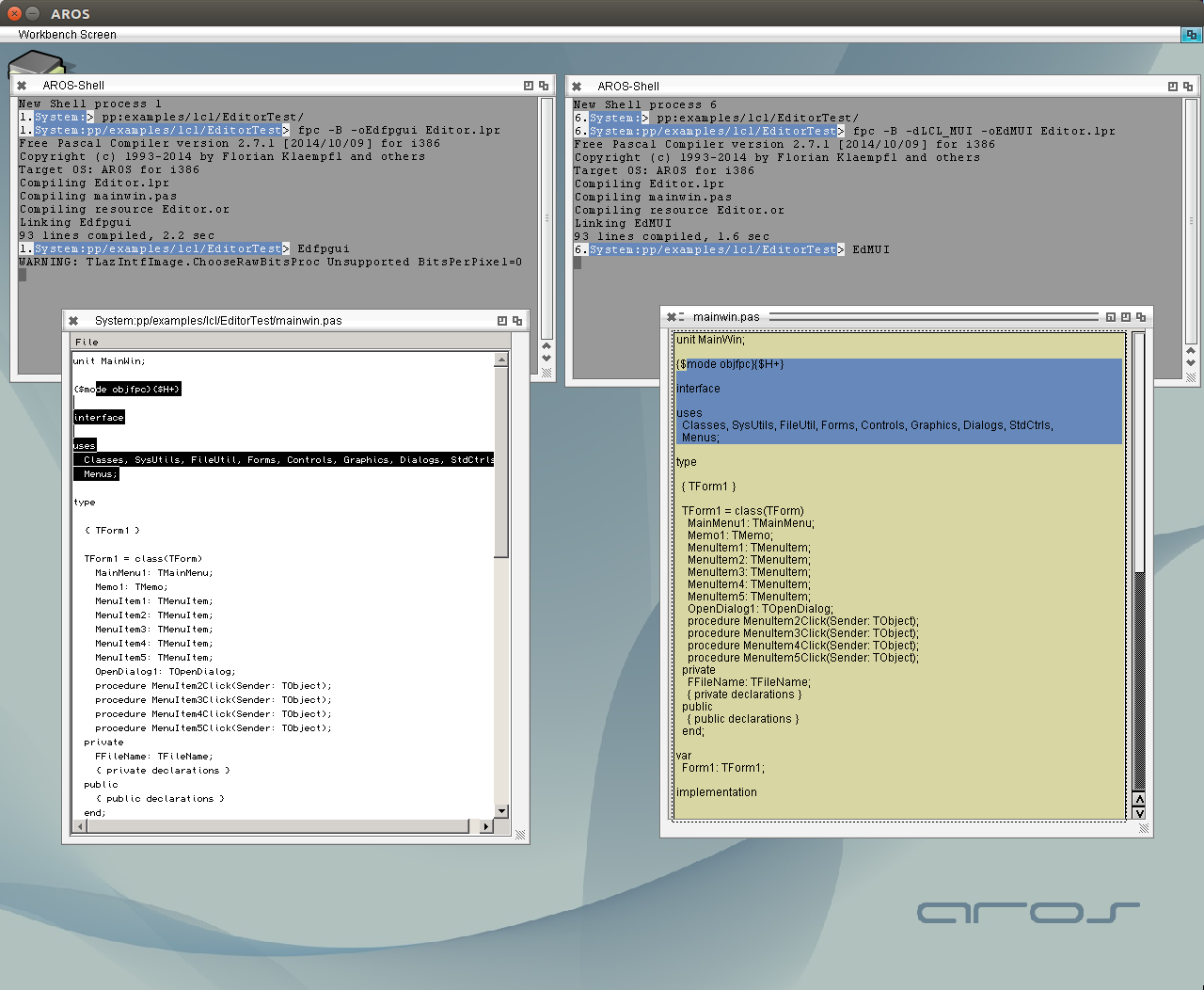
As an example I compiled the Editortest, which I created long time before for a youtube video with both interfaces and started them. I changed the TextEditor.mcc background to easier identification of the MUI/Zune interface and as a proof that it does care about the global config.
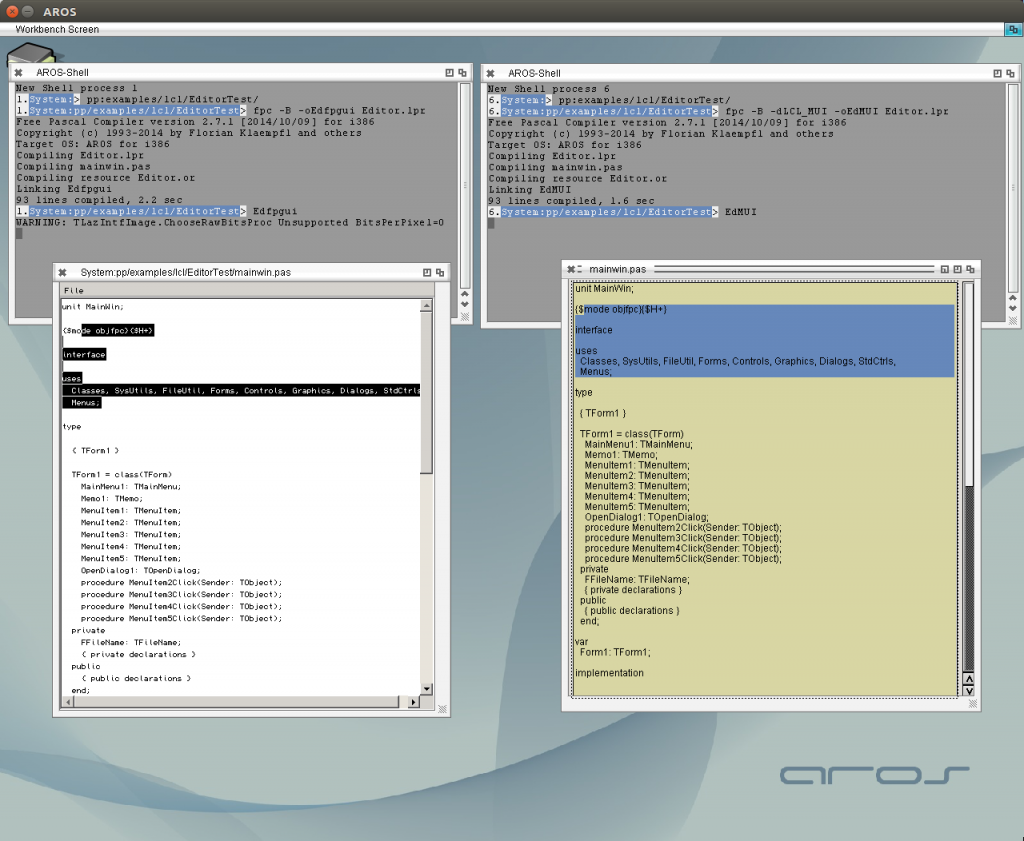
fpGUI LCL and MUI LCL
Please note that both compiled from the same source, the only difference is the compiler switch.
I put this all together and created a release of all this stuff, maybe someone has fun to play with it.
Download the newest Version from: FPC AROS Page